On this page
- Minimum active users for a segment to serve
- 100
- Default membership duration
- 30 days
- Maximum membership duration
- 540 days
- Consent signals needed for EEA remarketing
- 2
What Is Google Ads Remarketing?
Remarketing is showing ads to people who have already interacted with your business: they visited your website, used your app, watched your YouTube videos or are already on your customer list. Instead of paying to reach strangers, you spend budget on people who know you and are closer to a decision.
Google no longer calls these lists “remarketing lists” in the interface. They are now your data segments, managed in the Audience manager. The idea is the same: a segment collects people based on what they did, and you use that segment to target, exclude or inform bidding in your campaigns.
Most people do not convert on their first visit. They compare options, check prices, talk to a partner and come back later. Remarketing keeps you in front of them during that window, so the click you already paid for has a second and third chance to turn into a lead or a sale.
How Remarketing Works in Google Ads in 2026
Every remarketing segment follows the same three steps:
- Collect. The Google tag on your website, your app SDK, your linked YouTube channel or an uploaded customer list adds people to a segment when they match a rule.
- Keep. Each person stays in the segment for the membership duration you set. The default is 30 days and the maximum is 540 days. If someone comes back and matches the rule again, their clock resets.
- Use. You attach the segment to campaigns to target it, exclude it, or give Smart Bidding and Performance Max a signal about who your valuable users are.
A segment needs at least 100 active users in the last 30 days to serve on Search, Display and YouTube. Google lowered this threshold from 1,000 on several networks, which means smaller local and B2B accounts can now run remarketing that used to be out of reach.
The Data Sources Behind Your Segments
Where the data comes from decides what you can build. Most accounts start with website visitors and add the others as they grow.
| Source | How people are added | Best used for |
|---|---|---|
| Website visitors | Google tag fires on pages or events that match your rule | Service page visitors, pricing page visitors, form starters, cart abandoners |
| App users | Firebase or app SDK events | Lapsed users, users who installed but never purchased |
| YouTube users | Views, subscriptions and engagement on your linked channel | Following up video viewers with a direct offer |
| Customer lists | You upload emails, phone numbers or addresses (Customer Match) | Existing customers, past leads, CRM stages |
| Google Analytics audiences | GA4 audiences shared to a linked Google Ads account | Engagement-based rules, such as scroll depth or multiple sessions |
Before you build anything, check that the Google tag fires on every page and that your conversion actions are recording correctly. A remarketing strategy built on a broken tag will look like it works while quietly missing half your visitors.
Remarketing on Search: Observation vs Targeting
On Search campaigns, remarketing segments change who sees your ads or how much you bid for them. Google calls this remarketing lists for search ads, or RLSA. You add a segment in one of two modes:
- Observation keeps your reach the same. Everyone who searches your keywords can still see your ads, and you get reporting on how past visitors perform compared with new users. This is the right default for almost every Search campaign.
- Targeting limits the campaign to people in the segment. Use it for a separate campaign that bids on broader or more expensive keywords only for people who already know you.
If you use manual CPC, you can raise bids for past visitors with a bid adjustment. With Smart Bidding strategies such as Maximize conversions or Target CPA, Google ignores audience bid adjustments and uses the segment as a signal instead, so do not waste time setting them.
One of the most profitable RLSA setups is simple: a campaign that targets past visitors on broad, high-intent keywords you would never bid on for cold traffic. Someone who read your pricing page last week and now searches a generic term is a very different prospect from a stranger typing the same words.
Display, YouTube and Demand Gen Remarketing
On Display, YouTube and Demand Gen campaigns, remarketing works the classic way: you target a segment and your ads follow those people across Google’s sites, apps and partner inventory.
- Display is the cheapest reach and works well for reminding recent visitors. Set a frequency cap so the same person does not see your ad twenty times a day.
- YouTube suits a longer story: a short case study, a before and after, or a founder explaining the offer.
- Demand Gen shows image and video ads across YouTube, Discover and Gmail, and is a strong choice for retargeting with visual creative.
Match the message to where the person dropped off. A visitor who read one blog post needs a reason to trust you. A visitor who started a quote form needs a reason to finish it. Showing both the same generic banner wastes the advantage remarketing gives you.
Remarketing in Performance Max
Performance Max does not let you target a remarketing segment directly. Instead, you add your data segments as audience signals in each asset group. Signals tell Google where to start looking, but the campaign can and will show ads to people outside them.
This has two consequences. First, a strong PMax campaign often spends a large share of its budget on people who already know your brand, which makes its results look better than they really are. Second, you cannot fully control remarketing inside PMax. If you want a clean, controlled retargeting campaign, run it in Display, Demand Gen or an RLSA Search campaign alongside PMax.
Which Remarketing Segments to Build First
You do not need dozens of lists. These segments cover most service and ecommerce accounts:
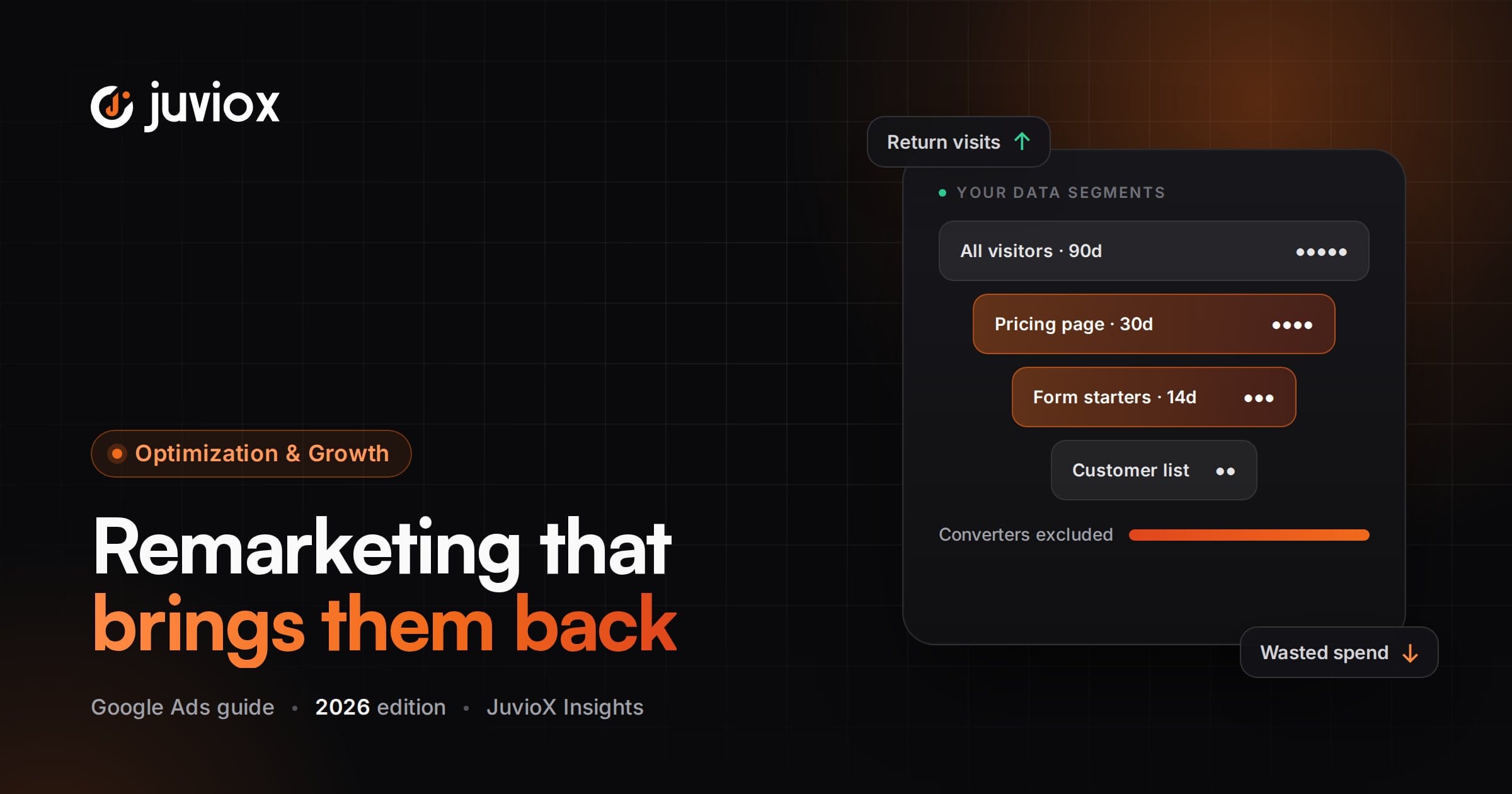
| Segment | Rule | Suggested duration |
|---|---|---|
| All visitors | Visited any page | 30 to 90 days |
| High-intent visitors | Visited pricing, contact, booking or a service page | 30 days |
| Form or cart abandoners | Started a form or checkout but did not convert | 7 to 14 days |
| Converters | Completed a lead or purchase conversion | 180 to 540 days (mostly for exclusions) |
| Engaged readers | Visited three or more pages, or read key guides (via GA4) | 60 days |
| Customer list | CRM export of customers and qualified leads | Refresh monthly |
Name your segments clearly, for example “Web – Pricing page – 30d”. Six months from now, you and anyone else in the account will know exactly what each list contains.
Membership Duration: Match the Buying Cycle
The right duration depends on how long people take to decide. An emergency plumber’s customer decides in hours. A B2B software buyer can take months. Set durations that match the real cycle:
- Urgent local services: 7 to 30 days.
- Ecommerce: 14 to 30 days for cart abandoners, 90 to 180 days for past buyers you want to bring back.
- High-ticket and B2B services: 90 to 180 days, with messaging that changes as time passes.
Shorter windows are usually more profitable per click because intent fades quickly. Longer windows give you more reach but a weaker audience. When in doubt, build the same rule at two durations, such as 7 days and 30 days, and compare their results.
Exclusions: Stop Paying for People Who Already Converted
The fastest way to waste remarketing budget is to keep advertising to people who already bought or already became a lead. Add your converter and customer segments as exclusions on prospecting and remarketing campaigns, unless the campaign’s goal is repeat purchases or upsells.
Exclusions also help on Search. If your existing customers regularly search your brand name to log in or contact support, exclude them from brand campaigns or send them to a separate campaign so they do not inflate your conversion numbers.
Customer Match: Remarketing With Your Own Data
Customer Match lets you upload customer information such as email addresses, phone numbers and postal addresses. Google hashes the data and matches it to signed-in Google users, then makes the list available on Search, Shopping, Gmail, YouTube and Display. It can also be used as a signal in Performance Max and Demand Gen.
The most useful Customer Match lists come from your CRM, not from a one-time export:
- Current customers, to exclude from acquisition campaigns or target with upsells.
- Qualified leads that never closed, to re-engage with a new offer.
- High-value customers, as a seed for Smart Bidding and Performance Max signals.
A Customer Match list must have at least 100 members added or updated within the last 540 days to stay eligible. Keep lists fresh by uploading on a schedule or connecting your CRM through Google’s Data Manager, which Google now recommends for Customer Match workflows. Your account also has to meet the Customer Match policy requirements, and you must have the right consent to use the data for advertising.
Consent and Policy: What You Must Get Right
Remarketing uses personal data, so privacy rules apply directly to it.
- Consent in the EEA. Google’s EU user consent policy requires you to collect consent from users in the European Economic Area and pass it to Google through Consent Mode. The two parameters that matter for remarketing are
ad_user_dataandad_personalization. Without them, you lose data for audience building and personalised ads. - Sensitive categories. Google’s personalised advertising policy restricts remarketing based on sensitive information, such as health conditions or financial hardship. If your business is in a restricted category, you may not be able to use remarketing at all, or only in limited ways.
- Customer lists. Only upload data you collected directly from your customers, with permission to use it for advertising.
A cookie banner that blocks the Google tag completely is not a good solution either. Use a consent platform that supports Consent Mode, so Google receives the consent choice and can model conversions for users who decline.
How to Measure Remarketing Properly
Remarketing almost always looks excellent in reports. That is partly because the audience was already likely to convert. A person who visited your pricing page twice would often have come back anyway. To see the real value:
- Judge on click-through conversions first. View-through conversions on Display and YouTube can inflate results, so report them separately.
- Watch the overlap. If remarketing conversions rise while total leads stay flat, remarketing is taking credit, not adding customers.
- Test with a holdout. Pause remarketing in one region or for a period and compare total conversions. If nothing changes, the budget is better spent elsewhere.
- Track down-funnel results. Import qualified leads and sales from your CRM with offline conversion tracking, so you can see whether remarketing leads actually close.
Common Google Ads Remarketing Mistakes
- Using one “all visitors” list for everything, instead of segments based on intent.
- Forgetting to exclude converters, so customers keep seeing “get a quote” ads.
- No frequency cap on Display, which annoys people and burns budget.
- Running the same ad creative for months until the audience ignores it.
- Counting view-through conversions as if they were clicks that converted.
- Letting Performance Max quietly take over remarketing while you think it is finding new customers.
- Ignoring consent, which shrinks your lists in Europe and puts the account at policy risk.
A Simple Remarketing Setup Checklist
- Confirm the Google tag fires on every page and conversions are recorded.
- Set up Consent Mode with
ad_user_dataandad_personalizationif you have EEA traffic. - Build the core segments: all visitors, high-intent visitors, abandoners, converters and a customer list.
- Add remarketing segments in Observation mode to every Search campaign.
- Exclude converters and customers from acquisition campaigns.
- Launch one controlled retargeting campaign in Display or Demand Gen with a frequency cap and a message for each stage.
- Add your best segments as audience signals in Performance Max.
- Review results monthly on click-through conversions and qualified leads, and refresh creative every 6 to 8 weeks.
Remarketing is not a separate channel. It is the part of your Google Ads account that makes every earlier click worth more. Set it up with clear segments, sensible exclusions and honest measurement, and it becomes one of the most efficient places to spend your budget.
FAQ
Frequently asked questions
What is the difference between remarketing and retargeting?
In practice, nothing. Retargeting is the general industry term. Google has used "remarketing" for years and now calls the lists "your data segments" in Google Ads.
How many users does a remarketing list need in Google Ads?
A segment needs at least 100 active users in the last 30 days to serve on Search, Display and YouTube. Customer Match lists need at least 100 members added or updated in the last 540 days.
Can I use remarketing with Smart Bidding?
Yes. Smart Bidding uses remarketing segments as signals automatically, but it ignores manual audience bid adjustments. Add segments in Observation mode so Google can learn from them without limiting reach.
Does Performance Max do remarketing?
Yes, but you cannot control it directly. Your data segments are only audience signals in Performance Max, and the campaign often spends much of its budget on people who already know your brand. For controlled retargeting, use Display, Demand Gen or an RLSA Search campaign.
How long should a remarketing list keep people?
Match it to your buying cycle. Urgent local services work best with 7 to 30 days, ecommerce with 14 to 30 days for abandoners, and high-ticket or B2B services with 90 to 180 days. The default is 30 days and the maximum is 540.
Do I need consent for Google Ads remarketing?
For users in the European Economic Area, yes. Google's EU user consent policy requires you to collect consent and pass it through Consent Mode, including the ad_user_data and ad_personalization signals. Check the privacy rules for every other market you advertise in too.