On this page
What Google Ads Keyword Research Actually Means
A keyword is a targeting input you add to a Search campaign. A customer types a search query. Google evaluates whether your keyword and other eligibility signals can match that query, then the eligible ads compete in the auction. Research is therefore useful only when it helps you make better decisions about eligibility, relevance, bidding and conversion opportunity.
JUVIOX PRINCIPLE
A keyword is not valuable because it has high search volume. It is valuable when the search represents relevant demand that your offer, ad, landing page and economics can serve profitably.
Keyword vs Search Term: The Distinction That Changes Everything
| Keyword | Search Term |
|---|---|
| The word or phrase you target in Google Ads | The actual query a person searched |
| Chosen before/during campaign management | Observed after real searches trigger ads |
| Uses broad, phrase or exact match | Shows what demand Google actually matched |
| A planning/control input | A performance and intent signal |
Modern matching means the two do not need to be textually identical. Google explains that matching has evolved beyond syntax toward meaning, and broad match can use signals such as landing pages, other keywords in the ad group and previous searches to understand relevance.
WHY THIS MATTERS
Do not build 500 keywords just to cover singulars, plurals and minor wording variations. Build a coherent demand map, then use search-term data after launch to see how real users express that demand.
The Five Layers of a Strong Keyword Decision
| Layer | Question | Example |
|---|---|---|
| 1. Relevance | Does this search genuinely relate to what we sell? | “google ads agency” for a paid-search management service |
| 2. Intent | What is the searcher trying to do? | Hire, compare, learn, troubleshoot, navigate |
| 3. Economics | Can this demand support our acceptable CPA/CAC? | High CPC can still work for a high-value customer |
| 4. Volume | Is there enough demand to matter? | Low volume can still be valuable if intent is strong |
| 5. Control & fit | Can our ad and landing page satisfy this search? | A keyword should map to a relevant offer/page |
Most weak keyword lists over-weight volume and under-weight intent. For paid search, a 50-search keyword that closely describes the buyer’s need can be more valuable than a 5,000-search informational term.
How to Use Google Keyword Planner for Google Ads Research
Google Keyword Planner is built for Search campaign research. Google says it can discover keyword ideas, show monthly-search estimates, help determine potential cost, organize keywords and create keyword plans/campaigns.
Step 1: Define the Offer Before Opening the Tool
- Product or service being advertised
- Target geography
- Ideal customer and use case
- Primary conversion
- Main landing page
- Terms that describe what you do – and terms that look similar but are not relevant
Step 2: Open Discover New Keywords
Keyword Planner currently provides two discovery routes: Start with keywords and Start with a website. Google also notes that supplying a keyword and a URL can generate a larger set of ideas than using only a URL.
Step 3: Set the Correct Location and Language
Do not research global volume if the campaign will target one city or one country. Keyword economics and demand can change dramatically by location.
Step 4: Seed the Tool With Intent-Rich Terms
Start with a small set of words that describe the actual offer, buyer problem and commercial category. Avoid dumping hundreds of loosely related terms into the seed stage.
Step 5: Refine the Results
Google’s Keyword Planner supports filtering/refining by fields including keyword text, average monthly searches and top-of-page bid ranges. Use filters to remove irrelevant themes and expose useful subtopics.
Step 6: Save Candidate Keywords and Forecast Them
After selecting candidates, add them to a plan, choose match types, organize them into ad groups where useful, and use the forecast view to model expected clicks, impressions or conversions under different spend assumptions.
Start With Keywords vs Start With a Website
| Method | Best Use | Watch Out For |
|---|---|---|
| Start with keywords | You already understand the product/service and want controlled expansion | Poor seed terms create poor ideas |
| Start with a website | You want Google to infer themes from a landing page or competitor/category page | The page may contain irrelevant language |
| Keywords + URL | You want broader discovery while anchoring ideas to a relevant page | Still requires human intent filtering |
PRACTICAL METHOD
Run more than one discovery pass. Start with your core service terms, then use the relevant landing page, then test problem/solution and category language. Merge the useful ideas and deduplicate by intent – not just by text.
How to Read Keyword Planner Data Without Misusing It
| Planner Metric | Useful For | Do Not Assume |
|---|---|---|
| Avg. monthly searches | Relative demand and seasonality planning | Exact future traffic or guaranteed query volume |
| Three-month / YoY change | Spotting directional shifts in the exported research | That a spike will persist |
| Competition | Advertiser competition in Keyword Planner context | SEO keyword difficulty |
| Top of page bid – low/high | Commercial auction signal and rough planning range | Your future actual CPC |
| Forecasts | Scenario planning based on spend/bids and historical data | Guaranteed campaign results |
Google says Keyword Planner performance still depends on factors such as bids, budget, ad quality, location targeting, product, customer behavior and industry conditions. Treat the tool as a planning system, not an oracle.
How to Classify Search Intent for Google Ads
| Intent | What the Searcher Wants | Paid Search Priority |
|---|---|---|
| Transactional / hire-now | Buy, book, request a quote, hire a provider | Usually highest |
| Commercial investigation | Compare providers, prices, alternatives, reviews | Often high |
| Problem / solution | Solve a specific business or product problem | Can be high when the offer fits |
| Informational | Learn how something works | Selective; depends on funnel strategy |
| Navigational | Reach a specific brand/site/tool | Useful mainly for relevant brand/competitor strategy |
Intent is contextual. “Google Ads keyword planner” has substantial tool/navigation intent. “Google Ads keyword research agency” would have commercial service intent. They may share words but should not be valued the same.
How to Find High-Intent Keywords
- Add commercial modifiers: service, agency, company, consultant, software, price, cost, quote, demo, near me, buy, book.
- Look for problem language that your offer directly solves.
- Research category + location combinations for local demand.
- Use sales calls, CRM notes, site search, customer emails and support questions to discover real customer language.
- Review Search Console organic queries for themes that may also have paid-search value.
- Use the Google Ads search terms report after launch to promote strong real queries into your planning/structure when useful.
- Look at competitor/category pages for vocabulary, but validate the intent rather than copying their keyword list.
ORIGINAL-RESEARCH ADVANTAGE
Your sales team and CRM can reveal language that third-party keyword tools cannot. A phrase used by ten qualified prospects can be strategically more valuable than a high-volume generic keyword that attracts the wrong audience.
How to Choose Keywords for Google Ads
Score candidate keywords against business fit instead of sorting only by volume.
| Criterion | 1 – Weak | 3 – Moderate | 5 – Strong |
|---|---|---|---|
| Offer relevance | Loosely related | Related category | Directly describes offer |
| Commercial intent | Research only | Comparison/problem | Ready to act |
| Landing-page fit | No relevant page | General page | Dedicated strong page |
| Economic fit | Likely unsustainable | Uncertain | Fits target CPA/CAC |
| Volume/opportunity | Negligible | Usable | Meaningful for market |
| Exclusion risk | Mostly ambiguous | Some ambiguity | Clear intent |
SIMPLE SCORING MODEL
Keyword Opportunity Score = Relevance + Intent + Landing-Page Fit + Economic Fit + Opportunity – Ambiguity Risk. This is a prioritization framework, not a Google metric. Use it to force business reasoning before adding keywords.
Keyword Match Types in 2026
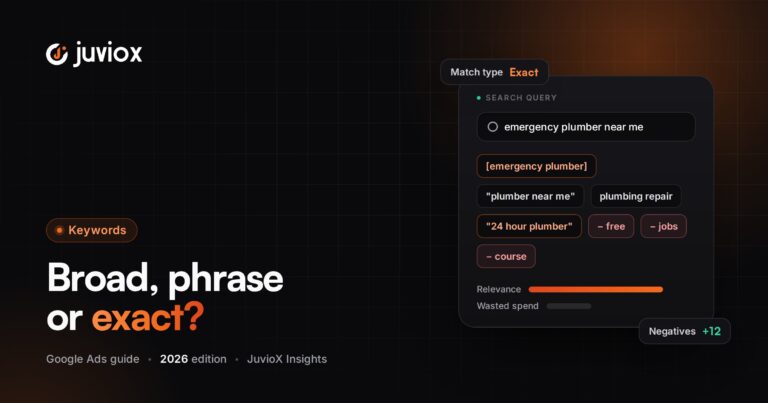
Search keywords use three match types: exact, phrase and broad. Google describes them as overlapping levels of reach: phrase can reach the queries exact can reach and more; broad can reach phrase and exact coverage and more.
| Match Type | Syntax | Role |
|---|---|---|
| Exact | [keyword] | Most restrictive of the three; useful when tighter query control is important |
| Phrase | “keyword” | More reach than exact while retaining additional matching requirements |
| Broad | keyword | Widest reach and access to additional contextual signals |
Google’s current guidance increasingly emphasizes broad match with conversion-based Smart Bidding because broad match can use additional signals to understand intent. But that does not mean broad match is automatically right for every account.
JUVIOX GUARDRAIL
Expansion works best when conversion tracking is trustworthy, the primary conversion represents business value, negatives/search-term governance are maintained, landing pages are relevant, and the campaign has enough budget/data to learn. Do not use automation to compensate for weak measurement.
Broad Match + Smart Bidding: When It Makes Sense
- You optimize toward real conversions or conversion value, not superficial clicks.
- Your conversion actions are clean and deduplicated.
- The campaign has enough relevant demand and budget to explore.
- You actively review search-term quality and business outcomes.
- Your landing pages clearly communicate the offer.
- You are comfortable trading some query-level predictability for incremental reach and auction-time optimization.
Exact and phrase can still be useful where tighter matching is required, where conversion-based bidding is not the goal, or in regulated/specific-use cases. Keyword strategy should follow the business constraint rather than ideology.
How Many Keywords Do You Actually Need?
There is no SEO-style target for the number of Google Ads keywords. You need enough coverage to represent the relevant demand, but not so many near-duplicates that the account becomes harder to understand.
BETTER QUESTION
Instead of “How many keywords should I add?”, ask “What distinct search intents do we need to cover, and can Google’s match types already capture the close variations?”
How to Group Keywords Into Ad Groups
Group keywords when they can share the same core ad promise and landing page. Split them when the search intent, offer or destination changes.
| Theme | Example Keywords | Destination |
|---|---|---|
| Google Ads management | google ads agency; google ads management; ppc management company | Google Ads service page |
| Google Ads audit | google ads audit; ppc account audit; google ads review | Audit-specific page/offer |
| Google Ads cost | google ads cost; google ads pricing; how much does google ads cost | Cost/budget guide or appropriate commercial page |
This approach aligns keyword research with the campaign-structure framework: campaign boundaries handle budget/goals/economics; ad-group boundaries handle relevance and messaging.
Negative Keywords: Research What You Do Not Want
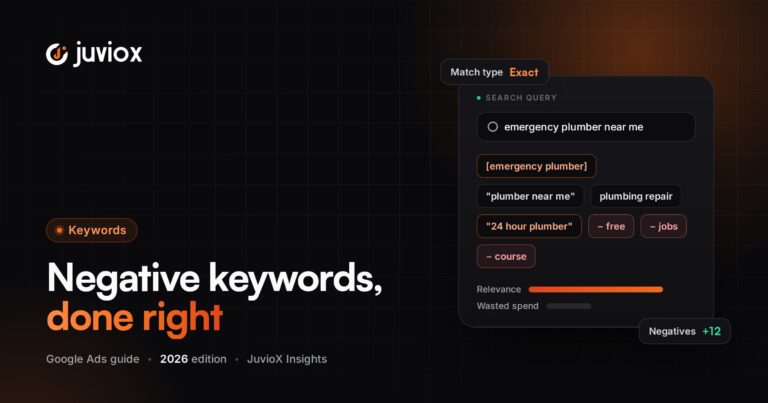
Positive keyword research defines where you want eligibility. Negative keyword research protects that intent. Google says negative keywords can exclude search terms and help focus spend on searches that matter to customers.
- Jobs/careers when you sell a service
- Free/download/template when the offer is paid and those users rarely convert
- DIY/how-to intent when the campaign is strictly hire-now
- Unserved locations
- Wrong product categories with similar terminology
- Existing customer/support queries if the acquisition campaign should not serve them
Negative matching behaves differently from positive matching and does not match close variants in the same way. Over-excluding can also remove good demand, so negatives should be governed carefully.
Use the Search Terms Report as Your Second Keyword Research Tool
Keyword Planner is pre-launch research. The search terms report is post-launch evidence. Google specifically recommends using the search terms report to identify irrelevant queries that can become negative keywords.
- Review actual search terms by spend, conversions and business quality.
- Add irrelevant demand as negatives with the appropriate negative match type.
- Identify strong converting queries and determine whether they reveal a new theme, landing page or ad-group opportunity.
- Compare query quality across match types and bidding changes.
- Feed lead quality/revenue information back into decisions – a search term is not “good” simply because it generated a form fill.
JUVIOX LOOP
Research -> Launch -> Observe search terms -> Qualify outcomes -> Add negatives/promote themes -> Improve landing pages -> Reforecast -> Scale. Keyword research is a continuous operating loop, not a one-time spreadsheet task.
How to Use Keyword Planner Forecasts
Keyword Planner can forecast impressions, clicks or conversions based on the plan and spend assumptions. Google says forecasts use historical search data and consider factors such as bids, budget, seasonality and historical ad quality. The forecast data is refreshed daily and uses recent data adjusted for seasonality.
Use forecasts to compare scenarios, not to promise outcomes.
| Scenario | What to Change | What to Learn |
|---|---|---|
| Conservative | Lower budget / tighter keyword set | Minimum viable opportunity |
| Expected | Realistic spend and core intent | Planning baseline |
| Expansion | Higher spend / broader eligible demand | Potential headroom and marginal efficiency risk |
FORECAST RULE
Never put a forecast into a client proposal as guaranteed leads. Label assumptions, show ranges, and update the model after real CPC, conversion-rate and lead-quality data arrives.
The JuvioX Google Ads Keyword Research Workflow
- Define the business outcome and acceptable CPA/CAC.
- Map products/services, customer problems and landing pages.
- Create 5-10 strong seed concepts per offer.
- Run Keyword Planner: Start with keywords.
- Run a second pass using the relevant website/landing page.
- Set the correct location/language and remove irrelevant themes.
- Cluster ideas by search intent, not spelling.
- Evaluate relevance, intent, economics, volume and landing-page fit.
- Use Planner bid ranges as directional commercial signals only.
- Choose match-type strategy based on control, measurement and bidding maturity.
- Map keyword themes into campaign/ad-group structure.
- Build an initial negative-keyword list.
- Use forecasts for conservative/expected/expansion scenarios.
- Launch with verified conversion tracking.
- Review the search terms report and downstream lead/revenue quality.
- Continuously add exclusions, promote useful themes and adjust landing pages/structure.
Example 1: Local Service Business
| Research Layer | Example |
|---|---|
| Core service | emergency electrician |
| Commercial modifiers | emergency electrician near me; 24 hour electrician; same day electrician |
| Location | electrician [city]; emergency electrician [area] |
| Exclude/review | jobs; salary; course; DIY; unserved locations |
| Landing page | Emergency electrician page with service area, availability and call/booking CTA |
Example 2: B2B SaaS
| Research Layer | Example |
|---|---|
| Category | CRM software |
| Problem | manage sales pipeline; track sales leads |
| Commercial | best CRM for small business; CRM demo; CRM pricing |
| Comparison | CRM alternatives / competitor alternatives where strategy allows |
| Landing page | Category/problem/comparison page matched to intent |
Example 3: Ecommerce
| Research Layer | Example |
|---|---|
| Product | men’s trail running shoes |
| Attribute | waterproof; wide fit; lightweight |
| Commercial | buy; sale; best (selectively) |
| Exclude/review | repair; used; free; unrelated sports |
| Landing page | Relevant category/product collection with inventory and conversion UX |
Common Google Ads Keyword Research Mistakes
| Mistake | Why It Fails | Better Approach |
|---|---|---|
| Choosing the highest-volume keywords | Volume can hide weak commercial fit | Prioritize intent + economics + relevance |
| Treating Keyword Planner competition as SEO difficulty | It is advertiser-side planning data | Use it only in the context it represents |
| Treating top-of-page bid as actual CPC | It is a planning estimate/range | Use real campaign CPC after launch |
| Building exhaustive close-variant lists | Modern matching already covers many variants | Map distinct intent instead |
| Ignoring landing-page fit | Traffic arrives but message/offer breaks | Research keywords and destinations together |
| No negative-keyword research | Budget leaks into irrelevant searches | Build pre-launch negatives + post-launch search-term loop |
| Using broad match with weak conversion tracking | Automation can optimize toward the wrong outcome | Fix measurement before expansion |
| Never reviewing search terms | Pre-launch assumptions remain uncorrected | Use actual query data continuously |
| Judging keywords by leads only | Low-quality leads can look efficient | Connect CRM/qualified outcomes where possible |
Google Ads Keyword Research Checklist
- Business outcome and acceptable acquisition cost defined
- Target locations/language set correctly in research
- Core offer and customer problems mapped
- Keyword Planner discovery run from seed terms
- Website/landing-page discovery pass completed
- Intent clusters created
- High-intent commercial terms prioritized
- Informational terms intentionally included or excluded
- Planner volume and bid fields treated as estimates
- Match-type strategy documented
- Keywords mapped to relevant ad groups and landing pages
- Initial negative list prepared
- Forecast scenarios reviewed
- Conversion tracking validated before launch
- Search terms reviewed after launch
- Qualified lead/revenue data used where available
Final Takeaway: Research Demand, Not Just Keywords
The best Google Ads keyword strategy is not the longest spreadsheet. It is a disciplined map of the demand your business wants to buy.
Use Keyword Planner to discover and quantify opportunity. Use intent and economics to decide what deserves budget. Use match types and Smart Bidding according to the maturity of your measurement. Use negative keywords and search-term data to control waste. And connect every important theme to an ad and landing page capable of converting that intent into a real business outcome.
GOOGLE ADS MANAGEMENT
Turn Search Demand Into Qualified Customers
JuvioX connects keyword strategy, campaign structure, conversion tracking, landing-page performance and lead/revenue data so Google Ads decisions are based on business outcomes – not keyword volume alone.
FAQ
Frequently asked questions
What is Google Ads keyword research?
It is the process of finding and evaluating search-demand themes that can connect relevant Google searches to your ads and business goals, then choosing targeting, match types, structure and exclusions.
Is Google Keyword Planner free?
Keyword Planner is part of Google Ads. Google currently states that account setup, including billing information, must be completed to access basic features such as keyword ideas.
How do I find keywords for Google Ads?
Start with your offers, customer problems and landing pages, use Keyword Planner's Discover new keywords workflow, refine by location and relevance, then validate intent and economics before adding terms.
What are the best keywords for Google Ads?
There is no universal list. The best keywords are relevant to the offer, reflect useful customer intent, map to a strong landing page and can acquire customers within sustainable economics.
Should I choose keywords with the highest search volume?
No. High volume can be useful, but paid-search priority should also consider commercial intent, relevance, conversion likelihood, CPC and customer value.
How accurate is Google Keyword Planner search volume?
Treat it as an estimate for planning and relative demand, not an exact prediction of future searches or clicks.
What is the difference between a keyword and a search term?
A keyword is the targeting input in your campaign; a search term is the actual query a user typed that caused an ad to be eligible/shown.
Which Google Ads match type should I use?
It depends on your control requirements, bidding strategy, measurement quality and goals. Broad provides the widest reach and additional signals; phrase and exact impose tighter matching requirements.
Do I need hundreds of Google Ads keywords?
Usually not. Modern matching reduces the need for exhaustive lists of close variants. Focus on distinct, relevant intent themes.
How often should I do keyword research?
Do deep research before launch, then continuously refine the strategy using search terms, conversion quality, new products/offers, seasonality and changes in market demand.
How do negative keywords help?
They prevent eligibility for searches you intentionally do not want, helping protect relevance and budget. They require careful match-type handling and ongoing review.
Can Keyword Planner predict conversions?
It can provide forecasts when the required data/settings are available, but forecasts are estimates based on historical and recent conditions and should not be treated as guarantees.
7 sources & references
- Google Ads Help - Use Keyword Planner
- Google Ads Help - About Keyword Planner forecasts
- Google Ads Help - Google Ads keyword matching
- Google Ads Help - Build effective keyword lists
- Google Ads Help - Your guide to broad match
- Google Ads Help - About negative keywords
- Google Ads Help - Get negative keyword ideas using the search terms report