On this page
What Are Negative Keywords in Google Ads?
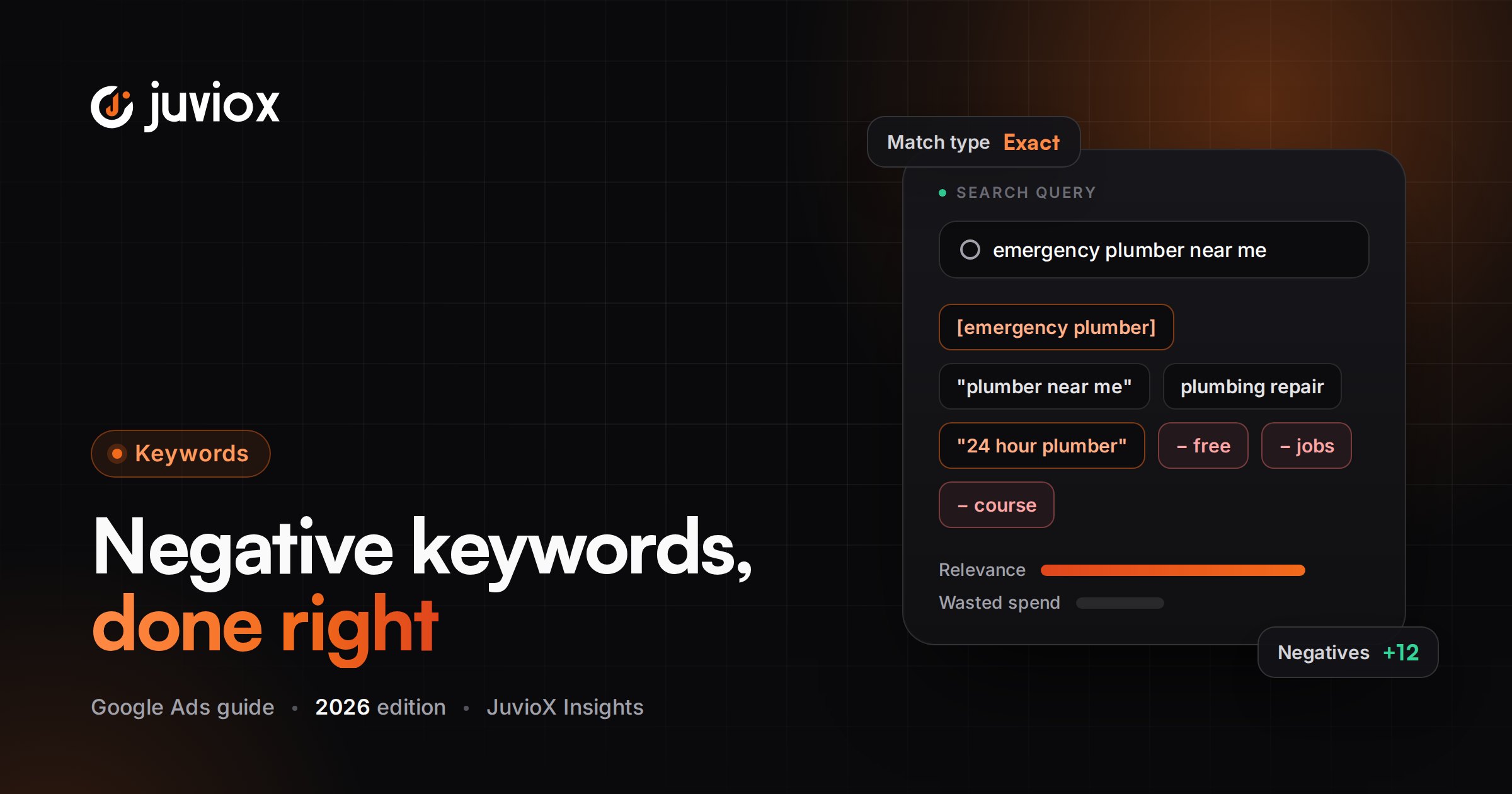
Negative keywords are exclusion terms. Google defines them as a way to prevent your ads from serving for search terms you do not want, helping focus targeting on demand that matters to your customers. For Search campaigns, negative keywords can use broad, phrase or exact match.
JUVIOX PRINCIPLE
Positive keywords define potential demand you want to enter. Negative keywords define demand you intentionally refuse. Both sides should be designed around customer intent, not merely words.
Positive Keywords vs Negative Keywords
| Positive Keyword | Negative Keyword |
|---|---|
| Creates eligibility for related searches | Removes eligibility for searches meeting the exclusion rule |
| Modern positive matching can include close variants and meaning-based expansion | Negative keywords do not expand to close variants in the same way |
| Broad/phrase/exact control how related a search may be | Negative broad/phrase/exact control the pattern that must be present for exclusion |
| Goal: discover valuable demand | Goal: prevent irrelevant or strategically unwanted demand |
This asymmetry is critical. You cannot assume a negative keyword behaves like the opposite of its positive counterpart.
How Negative Keyword Matching Actually Works
For Search campaigns, Google supports negative broad, negative phrase and negative exact match. Negative broad is the default. The exclusion logic depends on whether all terms are present, whether they appear in the same order, or whether the search matches the exact phrase.
Negative Broad Match
With a negative broad keyword such as running shoes, the ad will not show when the search contains all of the negative keyword terms, even if their order changes. The ad can still show when only some terms are present.
| Search | Negative broad: running shoes | Ad eligible? |
|---|---|---|
| blue running shoes | All negative terms present | No |
| shoes running | All negative terms present in different order | No |
| running shoe | Not the same complete negative terms | May show |
| blue tennis shoes | Only one negative term present | May show |
Negative Phrase Match
With a negative phrase such as “running shoes”, the ad will not show when the search contains those keyword terms in the same order, even if additional words appear before or after them.
| Search | Negative phrase: “running shoes” | Ad eligible? |
|---|---|---|
| blue running shoes | Phrase appears in same order | No |
| running shoes sale | Phrase appears in same order | No |
| shoes running | Order changed | May show |
| running shoe | Different term form | May show |
Negative Exact Match
Negative exact match blocks the search when the query matches the excluded keyword phrase exactly under Google’s negative exact logic. Additional words generally mean the search can still be eligible.
| Search | Negative exact: [running shoes] | Ad eligible? |
|---|---|---|
| running shoes | Exact excluded phrase | No |
| blue running shoes | Additional word | May show |
| running shoes sale | Additional word | May show |
| shoes running | Different order | May show |
QUICK RULE
Use the least aggressive negative match type that reliably removes the unwanted intent. Broad exclusions are powerful, but a broad negative chosen carelessly can suppress many valuable searches.
Why Close Variants Are Different for Negative Keywords
Positive Google Ads keywords can match close variants such as certain misspellings, singular/plural forms and other meaning-preserving variations. Google explicitly states that negative keywords do not match to close variants or other expansions in the same way. If you need to exclude multiple variants, you may need to add them separately.
Google also says negative keywords automatically account for casing and misspellings, so you do not need separate negatives just for capitalization or misspellings. However, synonyms and singular/plural versions may require separate exclusions depending on the search you need to block.
EXAMPLE
If “job” traffic is irrelevant, do not assume one negative automatically covers every intent variation such as jobs, careers, employment and vacancies. Build exclusions from the actual unwanted search language you observe.
How to Find Negative Keywords
The strongest negative keywords come from evidence, not a copied list. Build the initial exclusions before launch, then let real query data refine them.
1. Map obvious non-customer intent before launch: jobs, support, free resources, DIY, irrelevant product types, unserved locations and other known exclusions.
2. Review the Search terms report after launch. Sort by spend, clicks, conversions and downstream quality.
3. Separate a bad query from a bad theme. One poor conversion does not automatically justify an exclusion.
4. Use CRM or sales feedback to identify queries that produce low-quality leads despite looking relevant in Google Ads.
5. Look for repeated modifiers that reveal an unwanted intent category, then choose the safest match type.
6. For Performance Max, review Search terms/search-term insights and consider campaign/account negatives or brand exclusions where appropriate.
JUVIOX OPTIMIZATION LOOP
Search term -> Intent classification -> Business-quality check -> Exclusion candidate -> Match-type/scope decision -> Impact check -> Add negative -> Monitor reach, conversions and lead/revenue quality.
How to Add Negative Keywords in Google Ads
In the current Google Ads interface, negative keywords are managed from the Keywords area. You can add exclusions to a specific campaign or use reusable/shared controls where supported. The exact menu labels can evolve, so the operational goal matters more than memorizing one interface path.
1. Open the relevant Google Ads account and navigate to Keywords / Negative keywords.
2. Choose the campaign, list or account-level scope that matches the exclusion purpose.
3. Enter one negative keyword per line.
4. Choose broad, phrase or exact negative match deliberately.
5. Save the changes.
6. Recheck the affected search terms and campaign performance after enough data accumulates.
Campaign-Level vs Shared Lists vs Account-Level Negative Keywords
| Scope | Best For | Risk |
|---|---|---|
| Campaign-level | An exclusion relevant to one campaign or one business objective | Low if carefully targeted; does not protect other campaigns |
| Negative keyword list | Reusable exclusions that should apply to selected campaigns | A list edit affects every campaign using that list |
| Account-level | Global exclusions for eligible Search/Shopping inventory across the account | Highest blast radius; one mistake can suppress demand account-wide |
Google currently supports an account-level negative keyword list that automatically applies across eligible Search and Shopping inventory in relevant campaign types. Google documents a limit of 1,000 account-level negative keywords. Separate shared negative keyword lists have their own platform limits.
SCOPE RULE
Use account-level negatives only for intent you are confident the business never wants across eligible campaigns. Examples might include persistent employment intent for an account that never recruits through paid search, but even “obvious” exclusions should be validated against the business model.
Performance Max Negative Keywords in 2026
This area has changed materially. Performance Max now supports negative keywords at the campaign level, and Google states that these exclusions apply to Search and Shopping inventory. Account-level negatives can also apply to eligible Performance Max Search/Shopping inventory.
Google also provides an impact-estimation workflow for Performance Max negative keywords because an exclusion can unexpectedly reduce reach and remove valuable conversion opportunities. That is a useful reminder: negatives are not automatically “optimization.” They are restrictions, and restrictions need evidence.
| PMax Control | Use Case |
|---|---|
| Campaign-level negative keyword | Block a specific unwanted query pattern for one PMax campaign |
| Account-level negative keyword | Block unwanted search/shopping intent globally across eligible inventory |
| Campaign-level brand exclusion | Exclude selected brand traffic with brand-aware handling |
| Search themes | Provide positive search concepts/signals; not an exclusion tool |
| Search terms reporting | Observe query-level performance and find exclusion candidates |
IMPORTANT
Performance Max negative keywords affect Search and Shopping inventory, not every channel where Performance Max can serve. Do not describe them as a universal cross-channel exclusion.
Brand Exclusions vs Negative Keywords in Performance Max
If the objective is specifically to block brand traffic, Google recommends considering campaign-level brand exclusions rather than relying only on negative keywords. Brand exclusions can handle clear misspellings and foreign-script variants of the selected brands more effectively than negative keywords, which do not match close variants.
DECISION RULE
Unwanted generic query -> negative keyword. Unwanted brand family/brand traffic -> evaluate brand exclusion. Global business-wide unwanted intent -> evaluate account-level negative. Choose the control that matches the reason for exclusion.
How to Build a Negative Keyword List Safely
A good negative list is a taxonomy of unwanted intent, not a random dump of “common negative keywords.”
| Category | Examples to Investigate | Use Only If Irrelevant to Your Business |
|---|---|---|
| Employment | jobs, career, salary, internship, vacancy | Do not exclude if recruiting is part of the campaign/account goal |
| Free/DIY | free, template, tutorial, DIY, how to | Informational intent can still assist some funnels |
| Education | course, certification, training, degree | Relevant for education/training businesses |
| Support | login, customer service, manual, troubleshooting | May matter for existing-customer campaigns |
| Used/second-hand | used, second hand, refurbished | Could be valuable for resale businesses |
| Price sensitivity | cheap, discount, coupon | May convert well for value-oriented offers |
| Wrong geography | unserved city/country names | Confirm location settings and business coverage first |
| Wrong category | similar term for a different product/service | Often high-confidence when meaning is clearly unrelated |
WHY UNIVERSAL LISTS FAIL
Words such as “free,” “cheap,” “jobs,” or “how to” are not inherently bad. Their value depends on the offer and funnel. A universal list can accidentally delete profitable intent before the campaign has a chance to prove it.
Negative Keyword Examples by Business Model
Example 1: Local Electrician
| Search Term | Interpretation | Possible Action |
|---|---|---|
| electrician jobs near me | Employment intent | Negative: jobs / employment theme |
| how to wire a light switch | DIY intent | Exclude if campaign is hire-now only |
| emergency electrician near me | High commercial intent | Keep |
| electrician course | Education intent | Exclude if no training offer |
Example 2: B2B SaaS
| Search Term | Interpretation | Possible Action |
|---|---|---|
| crm software demo | Commercial | Keep |
| crm jobs | Employment | Exclude |
| free open source crm | Different product/economic intent | Review before excluding; depends on positioning |
| crm login | Navigational/existing-user | Exclude from acquisition if inappropriate |
Example 3: Ecommerce
| Search Term | Interpretation | Possible Action |
|---|---|---|
| buy waterproof hiking boots | Transactional | Keep |
| hiking boot repair | Service intent, not product purchase | Potential negative |
| used hiking boots | Second-hand intent | Potential negative if only new products |
| best hiking boots | Commercial research | Do not automatically exclude |
How to Optimize Negative Keywords From Search-Term Data
The search terms report is the operating center of negative-keyword optimization. Do not judge a query only by CTR or CPC. Connect the query to conversion quality and business value.
| Signal | What It May Mean | Next Step |
|---|---|---|
| High spend, clearly irrelevant | Intent mismatch | Strong negative candidate |
| High spend, relevant, no conversions | Could be offer/page/bid problem rather than query problem | Diagnose before excluding |
| Converts but low lead quality | Google Ads conversion is too shallow or query attracts wrong customer | Use CRM quality + consider exclusion/value changes |
| Low volume, irrelevant | Small waste but still useful exclusion if unambiguous | Add when confidence is high |
| Strong qualified conversions | Valuable demand | Protect; consider dedicated theme/ad/landing page |
BUSINESS RULE
A search term is not bad because it is expensive. It is bad when the expected business value of continuing to buy that demand is lower than the cost/opportunity cost, and the issue cannot be solved more appropriately through messaging, landing pages, bidding or qualification.
When NOT to Add a Negative Keyword
- The query is relevant but the landing page is weak. Fix the post-click experience first.
- The query produced one expensive click but has too little data to judge.
- The query converts into valuable customers even though CPC is high.
- The problem is inaccurate conversion tracking or spam leads. Fix measurement/qualification.
- You are about to add a broad account-level exclusion based on one campaign’s behavior.
- The term looks informational but assists a deliberate full-funnel strategy.
- A Performance Max brand problem would be handled more safely with a brand exclusion.
Common Negative Keyword Mistakes
| Mistake | Why It Hurts | Better Approach |
|---|---|---|
| Copying a universal negative list | Can block legitimate intent for your business | Build from your offer + real search terms |
| Assuming negatives use positive close variants | Important variants may remain eligible | Add required synonyms/singular/plural variants deliberately |
| Using broad negatives too aggressively | Can suppress many queries containing all terms | Use phrase/exact when narrower control is safer |
| Adding everything at account level | One error affects many campaigns | Use the narrowest appropriate scope |
| Excluding expensive but relevant queries | Treats cost as irrelevance | Judge CPA/CAC, quality and revenue |
| Never reviewing old negatives | Business/offers change and old exclusions can become harmful | Audit lists periodically |
| Using negatives instead of fixing tracking | Bad conversion signals remain bad | Repair measurement first |
| Treating PMax negatives as all-channel exclusions | They apply to Search/Shopping inventory | Use channel-appropriate controls |
| Blocking brand traffic with generic negatives only | Variants may still appear | Evaluate brand exclusions for PMax brand control |
Google Ads Negative Keyword Audit Checklist
- Search terms reviewed by spend, conversions and business quality
- Obvious irrelevant intent categorized
- Negative broad/phrase/exact chosen intentionally
- Singular/plural/synonym variants considered where necessary
- No valuable queries accidentally blocked by broad negatives
- Campaign-level exclusions used when the issue is campaign-specific
- Shared lists documented and campaigns using them reviewed
- Account-level negatives reserved for truly global exclusions
- Performance Max negatives reviewed separately for Search/Shopping impact
- Brand exclusions evaluated when the problem is brand traffic
- CRM/qualified-lead data used for lead-gen decisions where possible
- Old negative lists audited after offer/location/product changes
- Conversion tracking verified before aggressive exclusions
- Reach and conversion changes monitored after major negative additions
Final Takeaway: Negative Keywords Are a Precision Tool, Not a Bigger-Is-Better List
The goal of negative-keyword optimization is not to build the longest exclusion list. It is to remove demand that has a low probability of creating business value while protecting relevant searches that can still convert profitably.
Start with obvious irrelevant intent. Use the search terms report and real lead/revenue quality to refine the list. Choose broad, phrase or exact negative match according to how much traffic you truly want to block. Apply exclusions at the narrowest sensible scope. And in Performance Max, use campaign/account negatives and brand exclusions according to the specific control problem you are solving.
GOOGLE ADS MANAGEMENT
Stop Paying for the Wrong Search Demand
JuvioX connects search-term analysis, negative-keyword strategy, campaign structure, conversion tracking and lead/revenue quality so Google Ads budget is filtered by business value – not just traffic volume.
FAQ
Frequently asked questions
What are negative keywords in Google Ads?
They are exclusion terms that prevent ads from being eligible for searches that meet the negative keyword rule, helping focus spend on more relevant demand.
What are the three negative keyword match types?
For Search campaigns, Google supports negative broad, negative phrase and negative exact match.
Do negative keywords match close variants?
Not in the same way as positive keywords. Google states that negative keywords do not match to close variants or other expansions; you may need separate exclusions for variants such as synonyms or singular/plural forms.
What is negative broad match?
It blocks a search when all terms in the negative broad keyword are present, even if their order changes. It may still allow searches containing only some of those terms.
What is negative phrase match?
It blocks searches containing the negative keyword terms in the same order, even when other words appear around the phrase.
What is negative exact match?
It blocks the exact excluded search phrase under Google’s negative exact rules; searches with additional words can remain eligible.
How do I find negative keywords?
Start with known irrelevant intent, then use the search terms report and downstream lead/revenue quality to identify queries you do not want to keep buying.
Should I use a universal negative keyword list?
Only as a source of ideas, not as a blind import. A term that is irrelevant for one business can be profitable for another.
Can I add negative keywords at the account level?
Yes. Google supports account-level negatives for eligible Search and Shopping inventory across relevant campaign types. Use them carefully because their scope is broad.
Can I add negative keywords to Performance Max?
Yes. Google currently supports campaign-level negative keywords for Performance Max, applying to Search and Shopping inventory, as well as eligible account-level negatives.
Should I use negative keywords to exclude my brand in Performance Max?
Google recommends evaluating campaign-level brand exclusions for brand-control use cases because brand exclusions can handle brand variants more comprehensively than negative keywords.
How many negative keywords can I add?
Google currently documents platform limits including 10,000 negative keywords per campaign, 5,000 per negative keyword list, and 1,000 account-level negative keywords. Limits can change, so verify current documentation before large-scale uploads.
Can too many negative keywords hurt performance?
Yes. Over-exclusion can reduce reach and remove valuable conversions. Google explicitly warns that excessive or poorly chosen negatives can limit customers you could have reached.
How often should negative keywords be reviewed?
Review them continuously during active optimization and perform deeper audits when products, locations, offers, campaign types or business goals change.
8 sources & references
- Google Ads Help - About negative keywords
- Google Ads Help - Account-level negative keywords
- Google Ads Help - Negative keywords in Performance Max
- Google Ads Help - Search targeting & controls for Performance Max
- Google Ads Help - Evaluate Performance Max Results / Search impact
- Google Ads Help - Estimate the impact of PMax negative keywords
- Google Ads Help - Set up and apply negative keyword lists
- Google Ads Help - Google Ads account limits