On this page
What Is Google Ads Optimization?
Google Ads optimization is the ongoing process of improving campaign inputs, controls, measurement and user experience so the account can generate more valuable business outcomes at acceptable economics.
| Optimization Layer | Examples |
|---|---|
| Measurement | Conversion goals, values, enhanced/offline signals |
| Demand | Keywords, search terms, products, audiences |
| Control | Budgets, bid targets, locations, exclusions |
| Creative | RSA assets, images, offers, proof |
| Experience | Landing pages, forms, checkout, mobile UX |
| Quality | Qualified leads, customers, revenue |
| Learning | Experiments, change documentation, mature evaluation |
OPTIMIZATION IS NOT ACTIVITY
An account with 40 changes every week is not necessarily better optimized than an account with three evidence-based changes. The goal is better business performance, not a higher change count.
Audit vs Optimization vs Troubleshooting
| Process | When | Purpose |
|---|---|---|
| Audit | Periodic / account takeover / strategic review | Deeply assess the whole account and prioritize structural opportunities |
| Troubleshooting | When a symptom appears | Find why something stopped serving, tracking or performing |
| Optimization | Ongoing | Improve performance using mature data and controlled changes |
Use our Google Ads audit guide for a full account review and the troubleshooting guide when a specific failure appears. This guide focuses on the ongoing maintenance and optimization cadence.
The JuvioX Google Ads Optimization System
| Stage | Question | Action |
|---|---|---|
| 1. Measure | Can we trust the data? | Verify goals, values and downstream outcomes |
| 2. Diagnose | What is the largest constraint? | Use reports and business data |
| 3. Prioritize | What change has highest expected impact? | Rank impact, confidence and effort |
| 4. Change | What is the smallest coherent intervention? | Make/document the change |
| 5. Stabilize | Does automation/conversion delay need time? | Avoid conflicting changes |
| 6. Evaluate | Did the target metric improve? | Use mature comparable data |
| 7. Validate | Did lead/customer economics improve? | Check CRM/revenue |
| 8. Scale/Test | What should happen next? | Scale winner or run controlled experiment |
CORE RULE
Optimize the constraint, not the metric that happens to be easiest to see.
What Should You Optimize First?
| Priority | Problem | Why First |
|---|---|---|
| 1 | Broken/wrong conversion tracking | Every downstream optimization depends on the signal |
| 2 | Wrong Primary goals / weak conversion quality | Automation can optimize toward the wrong outcome |
| 3 | Policy/destination/serving failure | Campaign cannot operate normally |
| 4 | Clearly irrelevant traffic / uncontrolled waste | Immediate economic leakage |
| 5 | Bid/budget constraints blocking valuable demand | Limits volume or efficiency |
| 6 | Ad-to-page/offer mismatch | Hurts conversion efficiency |
| 7 | Creative/asset coverage | Improves communication and eligibility |
| 8 | Micro-optimizations | Usually lower impact |
Daily Google Ads Optimization: Monitor, Don’t Micromanage
- Check account/policy/billing alerts.
- Look for severe spend anomalies or campaigns unexpectedly at zero.
- Check whether critical conversion actions are still recording.
- For ecommerce, compare purchase/revenue direction with the store source of truth.
- For lead gen, look for sudden spam/lead-quality anomalies.
- Check disapprovals or broken destinations.
- Avoid changing bids, targets, budgets and creative simply because one day is weak.
DAILY DOES NOT MEAN DAILY CHANGES
Most accounts need daily monitoring more than daily optimization. Conversion delay, normal auction variation and Smart Bidding make one-day reactions especially risky.
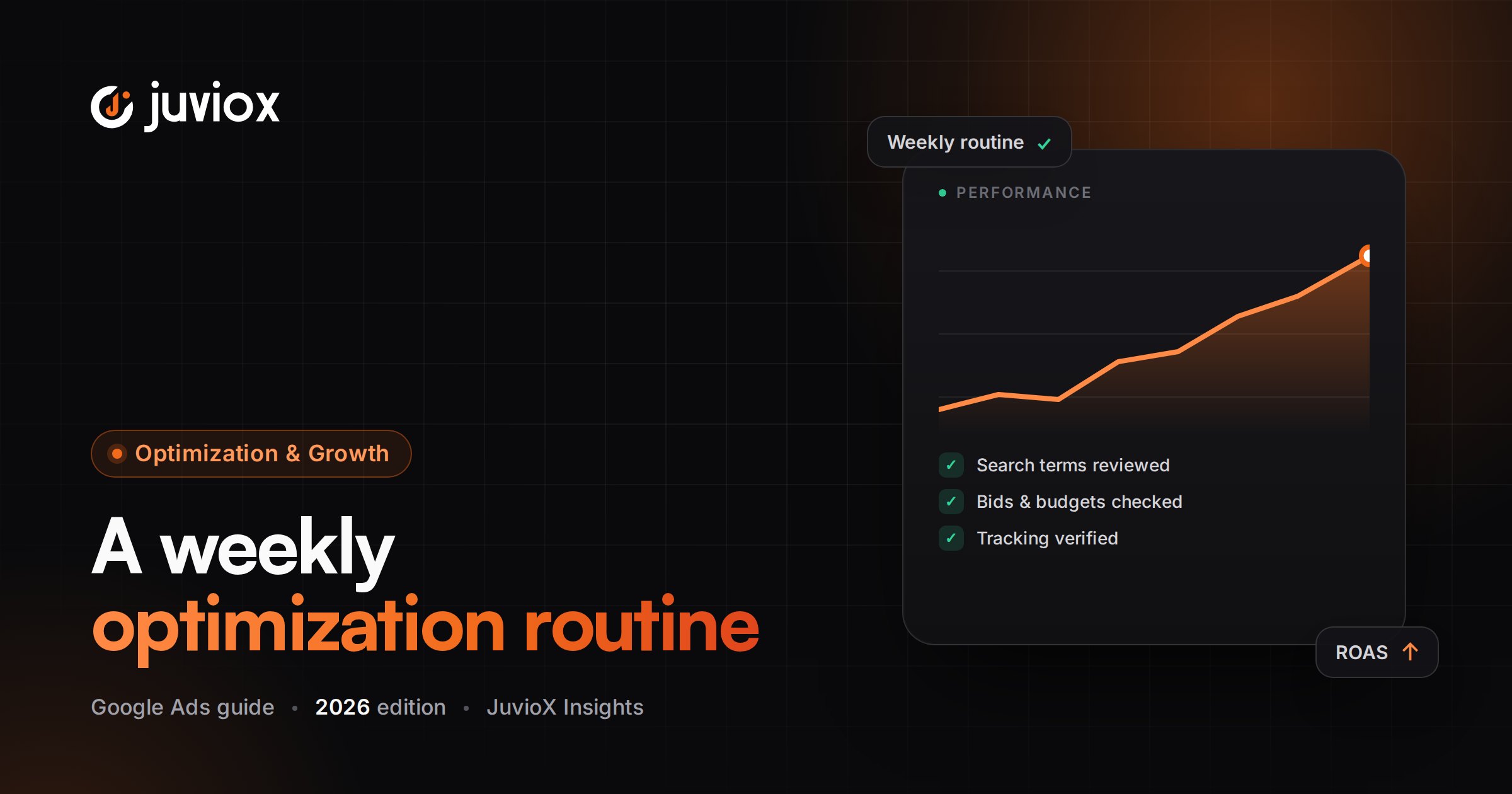
Weekly Google Ads Optimization Routine
1. Compare performance against a mature previous period and business targets.
2. Review spend allocation by campaign and objective.
3. Review Search Terms and add only justified negatives/promotions.
4. Review CPC, CVR, CPA/ROAS and conversion volume together.
5. Check impression share and Lost IS metrics for Search where relevant.
6. Review bid strategy status and target constraints.
7. Review budget-limited campaigns and whether more spend is economically justified.
8. Check RSA/asset coverage and major disapprovals.
9. Review landing-page/form/checkout issues.
10. Check lead quality or revenue by campaign/query/product where available.
11. Review Recommendations manually.
12. Review Change History before making the next major change.
13. Document the week’s decisions and what needs more data.
Monthly Google Ads Optimization Routine
1. Review campaign-level profitability/qualified outcomes.
2. Reassess budget allocation across campaigns/products/markets.
3. Review bid strategy and CPA/ROAS targets against mature economics.
4. Analyze search-term themes, keyword structure and negative lists.
5. Review geographic, device, audience and schedule segments with sufficient data.
6. Review creative themes and plan meaningful new RSA/image/video assets.
7. Review landing-page conversion rates and downstream quality.
8. Review PMax channel/search-term/product insights and URL controls.
9. Review Shopping feed/product-level economics.
10. Check conversion goals, values, CRM/offline feedback and enhanced-conversion health.
11. Review experiments and decide what to deploy, stop or test next.
12. Check auto-apply recommendation settings and applied history.
13. Update the optimization backlog and next month’s priorities.
Quarterly or Deep Optimization Review
- Revalidate business goals and target economics.
- Run a deeper conversion-tracking and CRM reconciliation.
- Review campaign architecture for unnecessary fragmentation or missing control.
- Reassess brand/non-brand and acquisition/remarketing roles.
- Review full product/service profitability.
- Review landing-page strategy and CRO backlog.
- Review audience/geographic expansion opportunities.
- Review major Google Ads platform changes that affect campaign strategy.
- Plan the next quarter’s experiments and creative production.
WHEN TO USE THE AUDIT INSTEAD
If the account has changed hands, tracking is untrusted, performance has materially deteriorated, or the structure has not been reviewed for a long period, perform the deeper JuvioX audit rather than treating it as a routine monthly optimization.
How Often Should You Optimize Google Ads?
| Cadence | Best Use |
|---|---|
| Daily | Monitoring, alerts, critical failures, severe anomalies |
| Weekly | Traffic quality, spend allocation, search terms, key performance constraints |
| Monthly | Strategic allocation, bidding targets, creative, CRO, segments, PMax/Shopping |
| Quarterly | Architecture, measurement maturity, expansion, experimentation roadmap |
| Event-driven | Site/tracking change, promotion, policy issue, sudden performance shift |
THERE IS NO UNIVERSAL CADENCE
A high-volume ecommerce account can support faster decisions than a low-volume B2B account with a 45-day sales cycle. Optimization frequency should follow data volume, conversion delay, business risk and the size of the proposed change.
1. Conversion Tracking & Goal Optimization
- Verify the conversion action represents the business outcome.
- Review Primary vs Secondary actions.
- Remove duplicate or weak Primary signals.
- Use accurate purchase value/currency/transaction IDs.
- Review enhanced conversions where eligible and consented.
- For lead gen, connect Qualified Lead/Converted Lead/customer outcomes where possible.
- Review conversion delay before evaluating recent changes.
SIGNAL BEFORE BIDDING
Do not optimize bidding toward a conversion action you do not trust.
2. Budget Optimization
| Situation | Optimization Direction |
|---|---|
| Profitable campaign limited by budget | Consider incremental budget if marginal economics remain acceptable |
| Weak campaign consuming protected budget | Reduce/reallocate after diagnosis |
| Campaign cannot spend | Find demand/rank/target restriction before raising budget |
| Many fragmented low-volume campaigns | Consider consolidation where control requirements allow |
| Seasonal demand increase | Plan budget before peak period rather than reacting late |
Google uses average daily budgets, so day-to-day spend can vary. Optimize budget around monthly/business economics rather than expecting identical daily spend.
3. Bidding Optimization
Google’s current Smart Bidding labels include Target CPA, Target ROAS, Maximize conversions and Maximize conversion value. In June 2026 Google began updating how Target CPA/ROAS strategies are labeled; the underlying behavior did not change.
- Choose conversion-volume vs conversion-value objective deliberately.
- Set CPA/ROAS targets from mature achievable economics, not wishes.
- Avoid frequent large target changes without evidence.
- Review budget limitations together with target-based bidding.
- Use bid strategy reports and conversion delay.
- Test major bidding changes through experiments where the account has enough volume.
AUGUST 2026 CHANGE
Starting August 17, 2026, Google updated target-based bidding behavior for campaigns limited by budget. Account for this platform change when evaluating traffic or performance shifts around that period.
4. Search Campaign Optimization
1. Check conversion signal and bid objective.
2. Review search-term quality.
3. Review keyword/match-type coverage.
4. Audit negatives for both waste and accidental blocking.
5. Improve RSA message around actual query intent.
6. Use relevant assets.
7. Check landing-page message match.
8. Review impression share and rank/budget constraints.
9. Compare brand vs non-brand economics where useful.
10. Feed qualified/revenue outcomes back into optimization.
5. Keyword & Match-Type Optimization
- Prioritize search intent and business relevance over keyword count.
- Use match types as eligibility controls, not as a substitute for search-term review.
- Avoid unnecessary single-keyword fragmentation.
- Review Low search volume terms and consolidate where sensible.
- Promote proven search themes when clearer control/message is valuable.
- Use Broad Match only with strong measurement, bidding and negative governance appropriate to the account.
- Do not pause a keyword solely because of one non-converting click.
6. Search Terms & Negative Keywords
| Search Term Decision | Meaning |
|---|---|
| Exclude | Clearly irrelevant or commercially unacceptable intent |
| Keep | Relevant and behaving within expected economics |
| Promote | Repeated valuable theme deserves clearer targeting/message |
| Investigate | Ambiguous or insufficient data |
NEGATIVE KEYWORD DISCIPLINE
Use the narrowest safe exclusion and choose the correct scope. Over-aggressive negatives can reduce valuable reach just as weak negatives can waste budget.
7. RSA & Asset Optimization
- Add genuinely distinct headlines, not synonyms of the same line.
- Cover intent, offer, proof, differentiator and CTA.
- Use descriptions to add new information.
- Pin only when message/legal control requires it.
- Maintain useful sitelinks, callouts, structured snippets, images and other relevant assets.
- Use Ad Strength as creative feedback, not the business KPI.
- Judge creative changes by conversion/business outcomes, not CTR alone.
8. Landing Page & CRO Optimization
- Match the page to the query/ad promise.
- Make the value proposition immediately clear.
- Use a specific primary CTA.
- Remove unnecessary form/checkout friction.
- Add proof and objection handling.
- Test real mobile usability and speed.
- Keep conversion tracking consistent across variants.
- Measure qualified/customer outcomes, not only raw page CVR.
For the full post-click framework, see our landing page and conversion rate guides.
9. Performance Max Optimization
More and more advertisers are asking ‘how to optimize Performance Max campaigns.’ Treat PMax as its own optimization workflow rather than applying Search-only rules.
- Use accurate conversion goals and values.
- Improve first-party/qualified customer signals where appropriate.
- Build coherent asset groups around products/services and destinations.
- Maintain strong text, image and video creative.
- Use search themes as guidance, not keywords.
- Review Final URL expansion, page feeds and URL exclusions.
- Review Channel Performance and search-term/search-insight reporting where available.
- Review product/feed performance for retail.
- Use brand/negative controls intentionally.
- Evaluate over sufficient conversion cycles and avoid frequent major changes.
GOOGLE’S PMAX GUIDANCE
Google recommends allowing new PMax campaigns sufficient ramp-up time and avoiding frequent changes during initial learning. Optimization should improve inputs and controls without constantly destabilizing the campaign.
10. Shopping & Feed Optimization
- Fix Merchant Center disapprovals and feed errors first.
- Improve product titles around accurate high-intent attributes.
- Maintain GTIN, brand, category and product data where applicable.
- Keep price/availability/shipping aligned with landing pages.
- Use strong product imagery.
- Analyze spend/value/profitability by product or product group.
- Exclude or control products that cannot meet business economics.
- Improve product landing pages and checkout.
- Use accurate purchase value and transaction IDs.
FEED BEFORE BIDDING
For Shopping/PMax retail, poor product data can limit relevance before bidding strategy becomes the main issue.
11. Location, Device, Audience & Schedule Optimization
- Review segments only when sample size is meaningful.
- Check location performance against actual serviceability/profitability.
- Use device insights to find UX or conversion-quality problems.
- Use ad schedules when business availability or economics justify them.
- Use audience Targeting vs Observation intentionally.
- Avoid exclusions based on tiny samples.
- Consider whether a segment problem is actually a landing-page or sales-process problem.
12. Lead Quality & CRM Optimization
For lead generation, raw Google Ads conversions are only the first optimization signal.
| Stage | Optimization Question |
|---|---|
| Lead | Are we generating enough conversions at acceptable CPL? |
| Qualified Lead | Are the right prospects converting? |
| Opportunity | Does sales see real commercial potential? |
| Customer | Are campaigns acquiring customers at acceptable CAC? |
| Revenue | Which campaigns/queries create the most value? |
BETTER AUTOMATION NEEDS BETTER OUTCOMES
If possible, feed qualified/customer outcomes back to Google Ads rather than optimizing indefinitely toward every form submission.
13. Recommendations & Optimization Score
Google’s Recommendations page uses account history, settings and trends to surface suggestions. Optimization Score runs from 0-100% and changes when recommendations are applied or dismissed.
- Review recommendations as hypotheses/opportunities.
- Check the estimated effect and the actual business trade-off.
- Do not apply a budget/bidding recommendation without checking economics.
- Do not add keywords simply to increase the score.
- Dismiss recommendations that do not fit the strategy.
- Use Change History to track applied recommendations.
100% IS NOT THE OPTIMIZATION GOAL
Because applying or dismissing recommendations changes Optimization Score, a 100% score is not independent proof that the account is profitable or fully optimized.
14. Auto-Apply Recommendations: Use Deliberately
Google allows selected recommendation types to be automatically applied at the account level. You can review which recommendations are enabled, when they were applied and who opted in through the Recommendations/Account Settings history.
| Before Enabling Auto-Apply | Question |
|---|---|
| Recommendation type | Would this change ever violate our strategy or economics? |
| Governance | Who owns review and rollback? |
| Tracking | Will applied changes be reviewed in Change History? |
| Budget/bidding risk | Could automation materially change traffic or efficiency? |
| Account complexity | Does the rule make sense across every campaign? |
2026 CHANGE
Google’s auto-apply inventory changes over time. For example, Google states that the ‘Add responsive search ads’ auto-apply recommendation was removed from Auto-apply settings starting January 26, 2026. Recheck current options instead of relying on old checklists.
15. Change History & Optimization Documentation
- Record date, campaign and exact change.
- Record the reason/hypothesis.
- Record the primary metric that should improve.
- Record expected conversion delay/evaluation date.
- Record whether another major change overlaps.
- Record the final result: win, loss or inconclusive.
OPTIMIZATION MEMORY
Without a change log, teams repeatedly test the same ideas and cannot separate performance changes from account edits.
16. Experiments: Prove Major Optimizations
Google Ads’ Experiments area currently supports multiple experiment types, including ad variations, AI Max experiments, custom Search/Display experiments, Demand Gen, Performance Max and Video experiments where eligible.
1. Write a clear hypothesis.
2. Choose one primary success metric.
3. Keep the control and treatment comparable.
4. Change one variable or one coherent concept.
5. Use enough traffic/budget and duration.
6. Account for ramp-up and conversion delay.
7. Avoid unrelated base-campaign changes.
8. Evaluate qualified/revenue outcomes when relevant.
9. Apply the winner only when evidence supports it.
For supported Search and Performance Max experiments, Campaign Guidance can provide an Experiment Power estimate to indicate the likelihood of reaching statistically significant results.
OPTIMIZATION BY TESTING
Large bidding, PMax, landing-page or targeting changes are often better tested than rolled out blindly.
How to Measure Whether an Optimization Worked
| Optimization | Primary Evidence | Guardrail |
|---|---|---|
| Negative keywords | Less irrelevant spend / stronger query mix | Do not lose valuable demand |
| Budget increase | More qualified conversions/value | Marginal CPA/ROAS remains acceptable |
| tCPA/tROAS change | Volume/value at target economics | Allow mature conversion cycles |
| New RSA message | Conversion/qualified outcome lift | CTR alone is insufficient |
| Landing-page change | CVR + qualified/customer outcome | Keep traffic comparable |
| PMax asset/URL change | Value/qualified outcomes + channel/product context | Avoid one-day judgment |
| CRM signal improvement | Qualified/customer optimization | Check match/coverage quality |
USE MATURE DATA
An optimization is not a winner because the next day looks better. Compare appropriate periods, conversion maturity and business outcomes.
What Should You NOT Change Too Frequently?
- Primary conversion goals
- Bid strategy
- Target CPA / Target ROAS
- Large budget shifts
- Campaign architecture
- Broad keyword/match-type structure
- PMax asset-group/URL strategy
- Landing pages
- Multiple RSA concepts at once
This does not mean ‘never change them.’ It means major variables should change for a documented reason and receive an appropriate evaluation window.
AVOID FAKE LEARNING RULES
Do not use a universal claim that every change ‘resets Smart Bidding for 7-14 days.’ Different changes behave differently. Follow current strategy-specific Google guidance and evaluate by conversion cycles, status and actual performance.
Optimization Prioritization: Impact x Confidence x Effort
| Priority | Example |
|---|---|
| Critical | Broken conversion tag, disapproved destination, uncontrolled irrelevant spend |
| High | Wrong Primary goal, severe bid target constraint, poor query intent |
| Medium | Weak asset coverage, landing-page friction, budget reallocation |
| Low | Naming cleanup, cosmetic micro-test with little expected impact |
ONE OPTIMIZATION BACKLOG
Keep one prioritized backlog rather than reacting to whatever report or recommendation happens to be open.
Complete Google Ads Optimization Checklist
- Critical account/policy alerts checked
- Core conversions recording
- CRM/store source of truth compared
- Primary/Secondary actions correct
- Values/currency/transaction IDs correct
- Lead quality monitored
- Spend anomalies reviewed
- Campaign budgets reviewed
- Budget-limited campaigns reviewed
- Bid strategies/targets reviewed
- Search Terms reviewed
- Negative keywords updated carefully
- Negative conflicts checked
- Keyword/match-type coverage reviewed
- Low search volume fragmentation reviewed
- RSA messaging reviewed
- Assets coverage reviewed
- Landing pages/forms/checkout tested
- Mobile experience reviewed
- Location/device/audience segments reviewed
- Search impression share reviewed
- Lost IS budget/rank reviewed
- PMax goals/assets/search themes reviewed
- PMax URL expansion/exclusions reviewed
- PMax channel/search-term reporting reviewed
- Shopping feed/product issues reviewed
- Product economics reviewed
- Recommendations reviewed manually
- Auto-apply settings/history reviewed
- Change History reviewed
- Optimization decisions documented
- Major changes given enough evaluation time
- Experiments used for high-impact uncertain changes
- Qualified/customer/revenue outcomes checked
- Next optimization prioritized by impact/confidence/effort
Common Google Ads Optimization Mistakes
| Mistake | Why It Hurts | Better Approach |
|---|---|---|
| Changing something every day | Normal variation becomes impossible to interpret | Monitor daily; optimize on evidence |
| Optimizing only CPC | Cheaper traffic can be worse traffic | Use CPA/value/quality |
| Optimizing only raw conversions | Can reward weak leads | Use downstream outcomes |
| Applying every recommendation | May conflict with economics/strategy | Review deliberately |
| Chasing 100% Optimization Score | Score can rise through dismissals too | Treat score as guidance |
| Frequent tCPA/tROAS changes | Can create unstable decision-making | Use mature data and documented targets |
| Too many negatives | Can block valuable demand | Use narrow safe exclusions |
| Over-fragmenting campaigns | Starves data and increases complexity | Consolidate where control allows |
| Judging PMax after a few days | Ignores ramp-up/conversion delay | Use appropriate conversion cycles |
| Testing several variables together | Cannot learn what caused result | Use controlled experiments |
| Ignoring Change History | Cause of performance shift is lost | Maintain change log |
| Using old checklists blindly | Google Ads changes quickly | Verify current platform behavior |
Final Takeaway: Optimize With a System, Not With Random Changes
The best Google Ads optimization process is deliberately boring: trustworthy measurement, a clear business target, a prioritized constraint, one coherent change, enough time to evaluate it, and a documented result.
Automation does not remove the need for skilled management. It changes where skilled management creates value. In 2026, the highest-leverage work is increasingly in conversion quality, business data, demand selection, creative inputs, landing-page experience, controls, experimentation and commercial decision-making.
Monitor frequently. Change selectively. Validate against customers and revenue. Then repeat the process on the next highest-value constraint.
GOOGLE ADS OPTIMIZATION & MANAGEMENT
Turn Google Ads Optimization Into a Repeatable Growth System
JuvioX connects campaign management, conversion tracking, CRO and downstream business data so Google Ads optimization is based on qualified outcomes rather than random platform changes.
FAQ
Frequently asked questions
What is Google Ads optimization?
It is the ongoing process of improving measurement, traffic quality, bidding, budgets, ads, landing pages and business signals so campaigns produce more valuable outcomes at acceptable economics.
How often should I optimize Google Ads?
Monitor critical health daily, perform meaningful traffic/performance reviews weekly, deeper strategic optimization monthly, and broader architecture/measurement reviews quarterly or when major changes occur.
Should I optimize Google Ads every day?
Usually not by making major changes. Daily monitoring is useful, but frequent changes based on one day of data can make performance harder to interpret.
What should I optimize first in Google Ads?
Start with conversion measurement and business goals, then fix critical serving/waste problems, followed by traffic quality, bidding/budget constraints, ads and landing pages.
What is a Google Ads optimization checklist?
A repeatable list covering conversions, budgets, bidding, search terms, negatives, keywords, ads/assets, landing pages, targeting, PMax/Shopping, recommendations, change history and downstream business outcomes.
What is the difference between a Google Ads audit and optimization?
An audit is a deeper periodic diagnosis of the whole account. Optimization is the ongoing process of acting on data and improving performance over time.
How do I optimize Google Search Ads?
Improve conversion signals, search-term quality, keyword/match coverage, negatives, RSA messaging, assets, landing pages, bidding/budget constraints and downstream conversion quality.
How do I optimize a Performance Max campaign?
Use accurate goals/values, strong first-party or qualified signals, coherent asset groups, quality creative, search themes, URL controls, channel/search-term insights, product feeds and sufficient evaluation time.
How do I optimize Google Shopping campaigns?
Prioritize Merchant Center/feed health, product titles/data/images, price/availability consistency, product economics, bidding/budget, purchase tracking and landing-page/checkout quality.
Should I follow every Google Ads recommendation?
No. Recommendations can surface useful opportunities, but each should be evaluated against your business goals, economics and account strategy.
Is a 100% Google Ads Optimization Score the goal?
No. Google states the score changes when recommendations are applied or dismissed. Use it as guidance, not as proof of profitability or account quality.
Should I enable auto-apply recommendations?
Only for recommendation types you have deliberately reviewed and are comfortable allowing Google to apply automatically. Keep governance and Change History review in place.
How long should I wait after optimizing Google Ads?
It depends on conversion volume, conversion delay, campaign type and the size of the change. Evaluate using mature data and current strategy-specific Google guidance rather than a universal number of days.
Does changing Target CPA reset learning?
Do not use a blanket reset rule. Current Google guidance varies by bidding context; target changes can alter performance without necessarily erasing prior learning. Evaluate the bid strategy status and mature conversion cycles.
How can I improve Google Ads performance without increasing budget?
Improve conversion measurement, traffic intent, negatives, ad-to-page message match, landing-page conversion rate, lead/customer quality, product feeds and budget allocation before assuming more spend is required.
What metrics should I use for optimization?
Use metrics appropriate to the business: conversions, conversion rate, CPA/CPL, qualified lead rate, CPQL, conversion value, ROAS, CAC, revenue and profit contribution, plus diagnostic metrics such as search terms and impression share.
Should I pause keywords or ads that do not convert?
Not automatically. Consider spend, sample size, intent, assisted/business value and conversion delay before making a decision.
What is Google Ads campaign maintenance?
The recurring health and optimization work that keeps tracking, budgets, targeting, ads, feeds, policies and business signals current while documenting changes and testing improvements.
10 sources & references
- Google Ads Help - About optimization score
- Google Ads Help - About recommendations
- Google Ads Help - Apply or dismiss recommendations
- Google Ads Help - Manage auto-apply recommendations
- Google Ads Help - About applying recommendations automatically
- Google Ads Help - Your guide to Smart Bidding
- Google Ads Help - Troubleshoot Search performance fluctuations
- Google Ads Help - Performance Max optimization tips
- Google Ads Help - About the Experiments page
- Google Ads Help - Build better experiments with Campaign Guidance