On this page
HubSpot is a polished CRM and marketing platform that suits growing teams and B2B sales, with costs that rise as you add contacts and features. GoHighLevel bundles CRM, funnels, texting and booking at a flat price and suits local service businesses and agencies. Choose by your sales process, not the feature list.
Most HubSpot vs GoHighLevel comparisons line up features until both look the same. On paper they nearly are: each has a CRM, pipelines, email, forms, landing pages and automation. They differ in who they were built for, how they charge, and how much setup they expect from you.
What Is the Main Difference?
HubSpot is a CRM built outward from the sales and marketing team, sold in tiers. GoHighLevel is an all-in-one toolkit built for agencies and the small businesses they serve, sold at a flat rate.
That origin shows everywhere. HubSpot is organized around records: contacts, companies, deals and the history between them, with reporting on top. GoHighLevel is organized around conversations and conversions: a lead comes in, gets a text, books a slot, gets a reminder, leaves a review. Its own site describes plans for freelancers, solo marketers and growing agencies, and it lets an agency run many client accounts (“sub-accounts”) from one login.
| HubSpot | GoHighLevel | |
|---|---|---|
| Built for | In-house sales and marketing teams | Agencies and small businesses, often local services |
| Pricing model | Tiers by seats and marketing contacts | Flat monthly fee plus usage |
| Free option | Free tools for up to 2 users and 1,000 contacts | 14-day free trial |
| Core strength | CRM records, pipelines, reporting, sales tools | Texting, calls, booking, funnels and reviews in one place |
| Automation | Simple email automation at Starter; full workflows at Professional | Workflows included in every plan |
| AI | Assistant and chatbot tools in the CRM | Voice AI and Conversation AI, billed by usage |
| Typical setup | Start yourself, add help as you grow | Usually configured by an agency or a technical owner |
Details are from each vendor’s own site as of October 2026.
How Does Pricing Compare?
HubSpot starts cheaper and can end up much more expensive; GoHighLevel starts at a fixed price that barely moves with list size but adds usage fees. Which is cheaper depends on how many contacts, users and messages you have.
| HubSpot | GoHighLevel | |
|---|---|---|
| Entry | Free tools; Starter priced per seat, lower on annual billing | Starter plan at $97 a month |
| Middle | Marketing Hub Professional at $890 a month, or $800 a month paid annually, with 2,000 marketing contacts and 3 seats | Unlimited plan at $297 a month, with unlimited sub-accounts |
| One-time fees | $3,000 onboarding on Marketing Hub Professional; $1,500 on Sales Hub Professional | None listed |
| Contacts | Price rises by marketing-contact tier | Unlimited on every plan |
| Users | Paid per seat | Unlimited on every plan |
| Usage charges | Mainly contact tiers and added seats | Phone numbers, texts, calls, emails sent and AI |
Prices are as listed on each vendor’s pricing page in October 2026. Both vendors change plans often, so confirm before you budget.
Three patterns follow from this:
- A small team with a small list can run on HubSpot’s free or Starter tools for very little.
- A business that needs full automation meets HubSpot’s Professional tier, which is where the bill and the onboarding fee jump. GoHighLevel includes workflows from its first plan.
- A business that texts and calls heavily pays GoHighLevel’s usage fees on every message, so the flat price is not the whole bill.
Software is only one part of the total. Setup and upkeep are covered in How Much Does Marketing Automation Cost?
Which Is Easier to Use?
HubSpot is easier to learn. Its screens are consistent, its free training is extensive, and a new user can add contacts and move deals on the first day. GoHighLevel can do a great deal, but it expects someone to configure it first.
The reason is design, not quality. HubSpot limits what you can do at each tier and guides you through it. GoHighLevel gives you nearly everything at once: pipelines, calendars, funnels, workflows, phone setup. That is powerful once built and confusing before. Many small businesses on GoHighLevel never set it up themselves; an agency builds the account and hands over a working system.
Ask who will run the platform week to week. If it is a sales team that needs to adopt it without training, HubSpot has the advantage. If one person or an agency will configure it and staff will mostly use the inbox and calendar, GoHighLevel works well.
Which Is Better for Local Service Businesses?
GoHighLevel is usually the better fit for local service businesses, because the sale happens by phone, text and appointment, and those tools are built in.
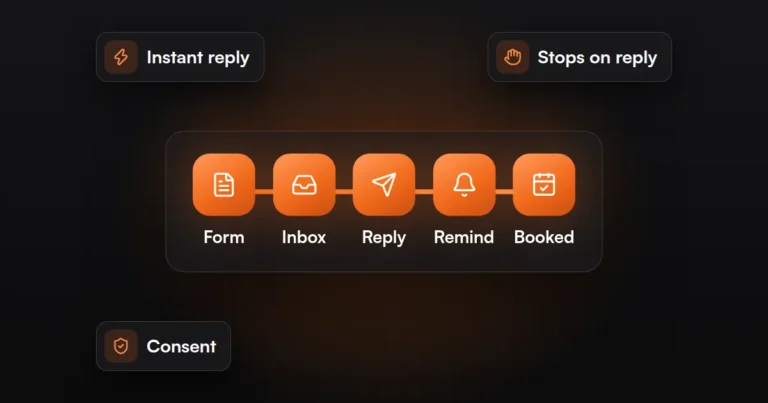
Take a plumber, a dental practice, a med spa or a roofing company. The useful workflow is short: a missed call triggers a text back, the lead books from a calendar link, reminders go out, and a review request follows the job. GoHighLevel names all of those as features: call tracking, two-way texting, calendars, appointment reminders, automated review requests and reputation management. Contact count does not affect the price, which suits a business that keeps years of past customers on file.
HubSpot can do the same work, though texting and calling at volume generally rely on add-ons or connected apps, and the automation needed sits in the higher tier. A local business that sells mainly through email and quotes, or already uses HubSpot’s free CRM happily, has no reason to leave.
One caution applies to either platform: automated texts and calls are regulated in the US and rules vary by state. Get consent, and have your wording and process reviewed by a lawyer. This is not legal advice. The workflow itself is covered in How to Automate Lead Follow-Up So No Lead Is Missed
FREE AUTOMATION AUDIT
Find Out Where Your Leads Are Slipping Through
JuvioX reviews how leads reach you, where they wait and what happens next, then sends a prioritized list of what to automate first. Free, with no obligation.
Which Is Better for B2B Sales Teams?
HubSpot is usually the better fit for B2B sales teams, because long sales cycles need company records, deal stages, shared visibility and reporting that managers trust.
A software company, a manufacturer or a consulting firm sells to several people at one account over weeks or months. HubSpot links contacts to companies and deals, logs email and meetings against them, and gives each rep templates, sequences and a meeting link. Marketing sees which campaigns produced which deals. New hires tend to know it already, and it connects to a large marketplace of other business software.
GoHighLevel has pipelines and can run a B2B process, especially a short one, such as an agency selling a fixed package. It is thinner on account-based records and sales reporting. A team of several reps with a multi-stage pipeline will usually outgrow it sooner than HubSpot.
Use this as a quick sort:
| Lean toward HubSpot if | Lean toward GoHighLevel if |
|---|---|
| Several people sell, and managers need pipeline reports | One or two people handle leads |
| You sell to companies with more than one decision maker | You sell to consumers or owner-operators |
| Deals take weeks or months | Deals close in a call or a visit |
| Email and meetings are your main channels | Calls, texts and bookings are your main channels |
| Your team must adopt it without outside help | An agency or technical person will build it |
| Your contact list is small or well segmented | You keep a large list of past customers |
If you are not sure you need a CRM at all, start with Do You Need a CRM?
How Hard Is It to Switch?
Switching is manageable but it is a rebuild, not a transfer. Contacts and companies export and import cleanly; workflows, forms, email templates, pipelines and tracking have to be created again in the new platform.
- List what you use. Write down every active workflow, form, pipeline, email and integration. Most accounts hold a lot that nobody uses; leave that behind.
- Clean, then export. Remove duplicates and dead contacts before moving. Export contacts, companies, deals and notes.
- Map the fields. Match each property in the old system to a field in the new one, including lead source and consent status.
- Rebuild pipelines and workflows. Recreate them by hand and test each with real cases.
- Replace forms and tracking. Swap the forms, chat widget and tracking code on your website, and reconnect ad platforms and call tracking.
- Run both briefly. Keep the old account for a short overlap so nothing in progress is lost, then cancel. Check contract terms first, since annual plans may not refund.
Step 5 is the one that goes wrong most often. When forms change, conversion tracking for Google Ads and Meta often breaks without anyone noticing, and reports stop matching reality. Our Tracking & Analytics service covers that reconnection.
So Which Should You Choose?
Choose the platform that matches how you sell today. A team selling to other companies over a long cycle will get more from HubSpot. A local business that wins work through fast replies and booked appointments will get more from GoHighLevel. Both can be set up badly, and a well-built account on either one beats a neglected account on the other.
JuvioX builds and manages automation on both. The fee is agreed with you in writing before any work starts, and the agreement is month-to-month, not a 3- or 6-month contract. See the AI & Marketing Automation service for how that works.
FREE AUTOMATION AUDIT
Find Out Where Your Leads Are Slipping Through
JuvioX reviews how leads reach you, where they wait and what happens next, then sends a prioritized list of what to automate first. Free, with no obligation.
FAQ
Frequently asked questions
Why are so many people leaving HubSpot?
We have no reliable figures on how many businesses leave HubSpot, so treat the claim with care. The reason people most often give is cost: the price rises as marketing contacts and seats grow, and full automation requires the Professional tier with an onboarding fee. Businesses that only need a few features can find that hard to justify.
What is better than GoHighLevel?
It depends on the job. HubSpot is stronger for multi-person B2B sales teams and reporting. A dedicated email platform is stronger for an online store. A simpler CRM is better for a team that only needs contacts and a pipeline. GoHighLevel is at its best for local services and agencies.
Is HubSpot's free CRM enough?
For a very small team, often yes. As of October 2026 it covers up to two users and 1,000 contacts, with contact, deal and task management, forms, live chat and basic email, carrying HubSpot branding. It stops being enough when you need more users, branding removed, or multi-step automation.
Does GoHighLevel replace other tools?
It can replace several: a CRM, a funnel or landing page builder, a booking calendar, a texting tool, email campaigns, call tracking and review requests. It does not replace your accounting, your ecommerce platform or specialist tools you rely on. Replacing tools also means rebuilding what they did, so plan the move.
Which has better automation?
Both have capable workflow builders. GoHighLevel includes workflows in every plan and is strong at text, call and booking triggers. HubSpot's full workflows start at the Professional tier and are strong at CRM-driven logic across marketing and sales. For most small businesses, the price of access matters more than the difference in features.