On this page
What Are Google Ads Assets?
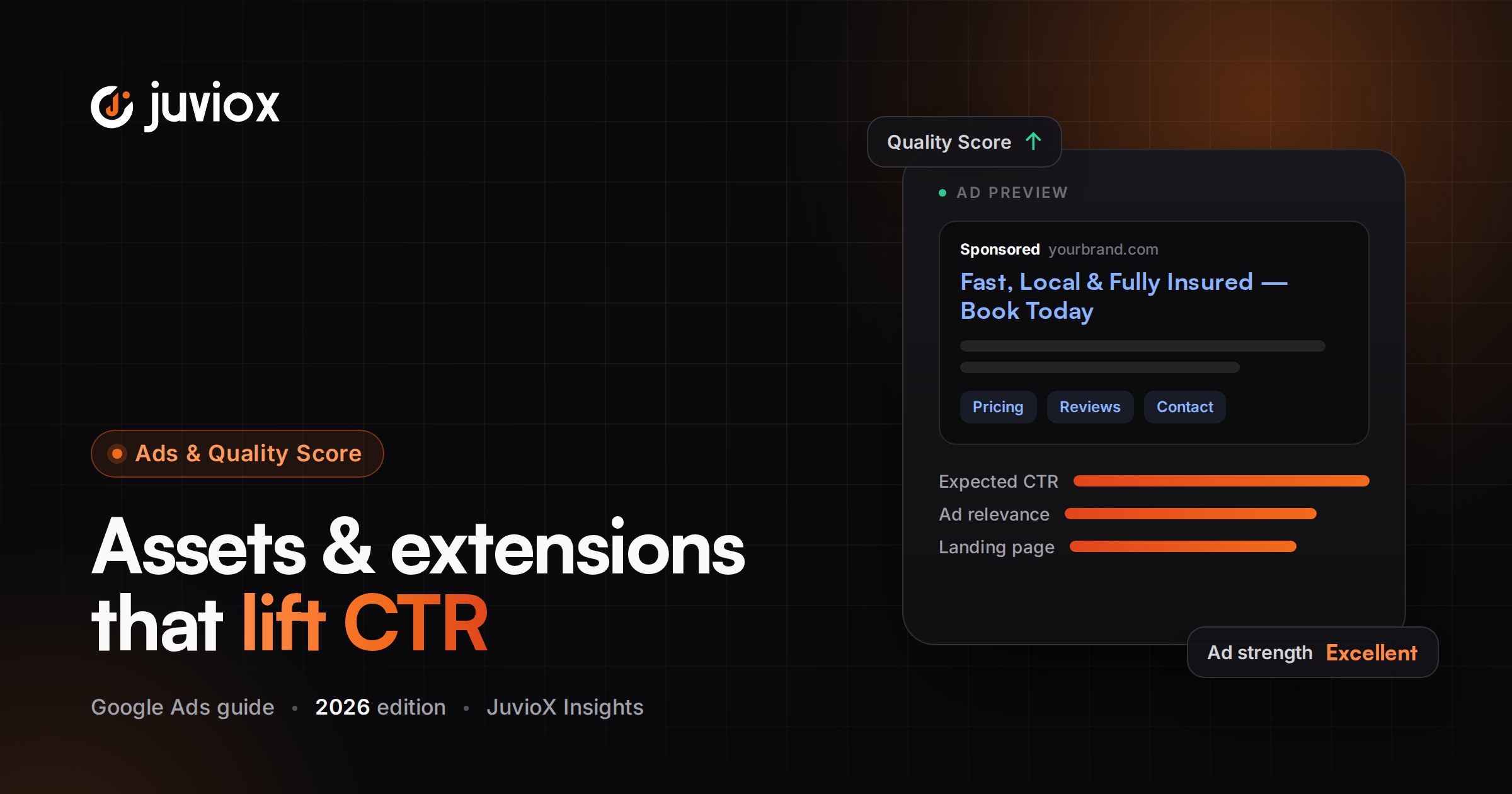
Assets are pieces of content and business information that can appear with your ads. Google describes them as elements such as headlines, descriptions, links to specific pages, call buttons, location information and more that combine into the ad format shown to a user.
Google previously used ‘extensions’ for many of these additional elements. The platform now uses the broader term ‘assets,’ but users still search heavily for phrases such as Google Ads extensions, sitelink extensions and lead form extensions.
CURRENT TERMINOLOGY
For a 2026 article, teach ‘assets’ as the current term.
How Google Decides Which Assets to Show
Adding an asset does not mean it will appear on every impression. Google can select which eligible additional assets to show based on the individual search and predicted usefulness.
Assets can make the ad more prominent and can give users additional ways to interact – for example, visiting a deeper page, calling the business, opening a lead form or viewing location information.
NO GUARANTEED COMBINATION
Build every asset so it is useful when shown, but do not design your campaign around the assumption that one specific sitelink, callout or image will always appear.
The JuvioX Asset Strategy Framework
| Business Question | Asset Role | Examples |
|---|---|---|
| Where should the user go? | Navigation | Sitelinks |
| Why should they choose you? | Benefits / differentiation | Callouts |
| What exactly do you offer? | Category / inventory context | Structured snippets |
| What should they see? | Visual context | Image assets |
| Should they call now? | Direct contact | Call assets |
| Can they become a lead without visiting the site? | Lead capture | Lead form assets |
| What does it cost? | Commercial information | Price assets |
| Is there an active offer? | Promotion | Promotion assets |
| Where are you? | Local intent | Location assets |
| Do you have an app? | App acquisition | App assets |
ASSET PRINCIPLE
Choose assets by customer decision need, not by a checklist. The best asset is the one that removes friction or adds useful information for the specific business goal.
1. Sitelink Assets
Sitelinks are clickable links that can send users to specific pages beyond the main ad landing page.
Good sitelinks help users self-select the next page they need: Services, Pricing, Case Studies, Book a Consultation, Product Categories, Locations, Returns, Financing or another high-value destination.
| Weak Sitelink | Better Sitelink | Why |
|---|---|---|
| Learn More | Google Ads Services | Specific destination |
| Click Here | View Case Studies | Sets expectation |
| Services | Server-Side Tracking | Matches a distinct intent |
| Contact | Book a Consultation | Clear next action |
- Send each sitelink to a genuinely useful destination.
- Use descriptive link text instead of generic navigation labels where possible.
- Add sitelink descriptions when they add useful context.
- Keep URLs and offers current.
- Use more granular sitelinks where they are relevant to only one campaign/ad group.
2. Callout Assets
Callouts add short, non-clickable text that highlights benefits, policies, differentiators or useful facts. They are ideal for concise reasons to choose the business.
| Good Callout Role | Example Pattern |
|---|---|
| Service benefit | 24/7 Customer Support |
| Commercial benefit | Free Delivery Over $75 |
| Trust | Licensed & Insured |
| Process | Same-Day Estimates |
| Risk reduction | 30-Day Returns |
| Capability | Server-Side Tracking |
Google’s current guidance recommends keeping callouts short and specific. At least two are required, and up to four may show depending on available space.
DO NOT DUPLICATE THE RSA
Use callouts to add supporting reasons to choose you. If every callout simply repeats the same headline claim, the asset is not adding much information.
3. Structured Snippet Assets
Structured snippets are non-clickable assets that show a predefined header followed by a list of values. Their job is to describe the range or categories of what the business offers.
| Header Type | Example Values |
|---|---|
| Services | Google Ads, Meta Ads, SEO, CRO |
| Types | Search, Shopping, Performance Max |
| Brands | Samsung, Apple, Google |
| Destinations | Dhaka, Chattogram, Sylhet |
| Amenities | Wi-Fi, Pool, Parking |
Google says structured snippets are informational rather than promotional. They can be created at account, campaign or ad-group level, and more granular assets can take precedence over higher-level ones.
CALLOUT VS STRUCTURED SNIPPET
Callout = a benefit or fact such as ‘Free Delivery.’ Structured snippet = a category list under a predefined header, such as ‘Types: Running, Hiking, Trail.’ Do not use them interchangeably.
4. Image Assets
Image assets complement Search text ads with relevant visuals. For product, service, location or brand searches, a strong image can help the ad communicate faster than text alone.
- Use high-quality, relevant images that clearly represent the product/service.
- Avoid text-heavy or misleading creative.
- Use visuals consistent with the landing page and brand.
- Review eligibility and policy requirements before relying on the format.
- Treat images as context and persuasion, not decoration.
CREATIVE ALIGNMENT
The visual, RSA copy and landing page should tell the same story. A visually attractive image that represents a different offer can increase confusion rather than performance.
5. Call Assets
Call assets add a way for users to contact the business by phone. They are particularly useful when a phone conversation is a high-value conversion path – emergency services, local appointments, consultations or complex sales.
- Use call conversion tracking when calls are a meaningful KPI.
- Schedule availability appropriately if the business cannot answer calls 24/7.
- Evaluate call quality, not only call volume.
- Compare phone conversion economics with website lead economics.
MEASUREMENT RULE
If calls are valuable enough to influence bidding, they need reliable conversion measurement. Do not optimize to ‘phone clicks’ while ignoring whether calls connect, qualify or become customers.
6. Lead Form Assets
Lead form assets allow a prospect to submit information directly from the ad experience. Google’s current documentation supports lead forms in Search and Performance Max campaigns, subject to eligibility and policy requirements.
A business privacy-policy URL is required. Google currently supports lead delivery through methods including CSV download, email notifications, API, webhook and Zapier, with specific storage/download windows.
| Lead Form Decision | Trade-off |
|---|---|
| Fewer questions | Lower friction, potentially more volume |
| More qualifying questions | More friction, potentially stronger qualification |
| Website form | Full landing-page context and CRO control |
| Google-hosted form | Faster in-ad capture |
| Manual CSV handling | Simple but operationally fragile |
| CRM/API/webhook delivery | Faster follow-up and better lifecycle integration |
LEAD QUALITY MATTERS
Do not judge lead form assets only by raw CPL. Track qualification, opportunity rate, customer rate and revenue where possible. Google now also offers qualifying responses for Search lead forms to help identify higher-quality prospects.
Lead Form Eligibility & 2026 Setup Nuance
Lead forms require policy compliance, an eligible vertical and a privacy policy. Some formats also have advertiser-verification/spend requirements. When a lead form is active, Google currently expects conversion-focused bidding and a Google lead form conversion goal for eligible lead-form ad formats.
Because eligibility details can vary by campaign type, country and account status, verify Google’s current requirements immediately before implementation.
7. Price, Promotion, Location & App Assets
| Asset | Best Use |
|---|---|
| Price | Show products/services with prices and direct destinations |
| Promotion | Highlight a legitimate sale, discount or promotion |
| Location | Help users find a physical business and directions |
| App | Drive visits/downloads to a mobile app |
These assets are powerful when the business actually has the corresponding customer need. A service company without public prices should not add a price asset merely to complete an asset checklist.
Account vs Campaign vs Ad-Group Asset Levels
Many assets can be associated at different levels of the Google Ads hierarchy. The correct level depends on how broadly the information is true.
| Level | Use When | Example |
|---|---|---|
| Account | The message applies to nearly everything | 24/7 Support |
| Campaign | It applies to one business objective/product family | Commercial Electrical Services |
| Ad group | It is specific to one tightly defined intent | Emergency Generator Repair |
GRANULARITY RULE
Place the asset at the highest level where it remains completely relevant. Move it lower when specificity improves the user’s experience.
Automated Assets and Text Customization in 2026
Google can create or select certain assets automatically when it predicts they may improve relevance or performance. The terminology has also evolved: ‘Automatically Created Assets’ for Search text generation is now called ‘text customization’ and is part of AI Max for Search.
Google’s current documentation says that starting in September 2026, Search campaigns using the legacy text-customization/automatically-created-assets setting will automatically upgrade to AI Max. As of this article’s August 2026 update, that change is upcoming rather than completed.
IMPORTANT TIMING
Do not write ‘all automatically created assets are now AI Max.’ Different automated asset types exist, and the Search text-customization migration has a specific 2026 timeline. Recheck immediately before publication.
Assets in Search vs Performance Max
Search campaigns primarily use text ads plus additional assets such as sitelinks, callouts, calls, images and lead forms. Performance Max uses asset groups containing text, images, video and other creative inputs that can serve across Google’s inventory.
Performance Max may also generate additional text/image/video assets when text customization/creative automation is enabled. For asset-group structure, see our Performance Max guide.
How to Write Better Google Ads Assets
1. Start with the searcher’s decision, not the asset field.
2. Give each asset one clear job.
3. Use specific information instead of generic marketing adjectives.
4. Keep every claim accurate and supported by the website/business.
5. Avoid repeating the RSA headline in every callout and sitelink.
6. Match sitelink destinations to the label.
7. Use structured snippets for categories, not promotions.
8. Use asset-level specificity only where the message is true.
9. Check mobile readability and shorter text where appropriate.
10. Review policies and landing-page consistency before launch.
Google Ads Asset Examples: Local Service Business
| Asset Type | Example |
|---|---|
| Sitelinks | Emergency Service | Commercial Services | Service Areas | Request a Quote |
| Callouts | Licensed & Insured | Same-Day Estimates | Local Technicians |
| Structured snippet | Services: Repairs, Installation, Maintenance |
| Call | Main service number during staffed hours |
| Lead form | Request Service – with location/service-type qualification |
| Image | Technician/equipment imagery that accurately represents the service |
Google Ads Asset Examples: B2B Service
| Asset Type | Example |
|---|---|
| Sitelinks | Google Ads | Tracking & Analytics | Case Studies | Book a Consultation |
| Callouts | Senior-Led Strategy | Server-Side Tracking | CRO Included |
| Structured snippet | Services: Search Ads, PMax, GA4, GTM, CRO |
| Lead form | Request an Audit – Company, Website, Monthly Spend, Primary Goal |
| Image | Professional dashboard/system/industry-relevant visual |
Google Ads Asset Examples: Ecommerce
| Asset Type | Example |
|---|---|
| Sitelinks | New Arrivals | Best Sellers | Men’s | Women’s |
| Callouts | Free Shipping Over $75 | 30-Day Returns | Secure Checkout |
| Structured snippet | Types: Running, Trail, Walking |
| Price | Selected categories/products when accurate |
| Promotion | Verified seasonal promotion |
| Image | Clean product/lifestyle imagery aligned with the query |
How to Optimize Google Ads Assets
Asset optimization should connect serving/performance information with business outcomes. Do not remove an asset solely because it served less often; serving frequency depends on eligibility, auction context and Google’s predicted usefulness.
1. Confirm all relevant asset types exist and are approved.
2. Check whether the asset is associated at the correct level.
3. Review asset-level performance labels/data where available.
4. Verify sitelink URLs, calls, promotions, prices and lead delivery still work.
5. Look for redundancy – multiple assets saying the same thing.
6. Compare click/conversion paths by asset interaction where reporting supports it.
7. Evaluate downstream quality for calls and lead forms.
8. Replace outdated offers and weak generic text with a new hypothesis.
9. Allow the updated asset enough opportunity to serve before judging it.
OPTIMIZATION PRINCIPLE
Assets are not isolated mini-ads. Evaluate how they improve the total ad experience and whether the additional interaction path creates qualified business outcomes.
Lead Form Optimization: Volume vs Quality
| If the Problem Is… | Test… |
|---|---|
| Too few leads | Reduce unnecessary questions; improve offer/CTA; confirm eligibility and bidding |
| Too many low-quality leads | Add qualifying questions/responses; tighten campaign intent; improve ad qualification |
| Slow sales follow-up | Use API/webhook/CRM delivery instead of manual downloads |
| Duplicate/poor CRM data | Validate integration mapping and deduplication |
| Good CPL, poor sales | Optimize to qualified/offline outcomes rather than raw submissions |
| Missing leads | Audit Google Ads storage/download workflow and CRM delivery |
CRM IS PART OF THE ASSET STRATEGY
A lead form is only successful if the lead reaches the sales process quickly and accurately. Treat delivery, qualification and offline conversion feedback as part of the implementation.
Common Asset Problems and What to Check
| Problem | What to Check |
|---|---|
| Asset not showing | Eligibility, approval, association level, auction context, campaign type |
| Sitelink gets clicks but no conversions | Destination intent, page quality, tracking, offer |
| Callouts feel repetitive | RSA duplication and lack of distinct benefits |
| Structured snippet rejected | Header/value policy and informational wording |
| Image asset weak | Relevance, quality, policy and landing-page consistency |
| Lead form CPL is low but sales are poor | Qualification, CRM follow-up, offline outcomes |
| Old ‘extension’ setup advice conflicts with UI | Use current ‘Assets’ terminology and current help docs |
| Automated text surprises brand team | Review text customization/AI Max settings and generated assets |
Google Ads Assets Optimization Checklist
- All business-relevant asset types reviewed
- Sitelinks lead to specific useful pages
- Sitelink descriptions added where useful
- Callouts are short, specific and non-redundant
- Structured snippets use valid headers and informational values
- Image assets accurately represent the offer
- Call assets have conversion tracking where calls matter
- Lead forms include privacy policy and correct conversion goal
- Lead delivery is connected to an operational process/CRM
- Qualifying questions used where lead quality requires them
- Price/promotion claims are current and accurate
- Asset association level matches relevance
- Automated/text-customized assets reviewed
- Performance evaluated beyond raw clicks
- Old offers, broken URLs and outdated assets removed
- Asset tests documented as messaging/customer-path hypotheses
Common Google Ads Asset Mistakes to Avoid
| Mistake | Why It Hurts | Better Approach |
|---|---|---|
| Calling everything an extension in 2026 | Outdated platform terminology | Use assets, mention extensions for legacy SEO |
| Adding every asset type blindly | Some do not fit the business goal | Choose by customer decision need |
| Generic sitelinks | Weak navigation value | Use specific destinations |
| Repeating RSA copy in callouts | Adds little new information | Use benefits/proof/policies |
| Using structured snippets as promos | Wrong asset purpose | List categories under valid headers |
| No call tracking | Cannot judge call value | Measure calls as meaningful conversions |
| Lead forms without CRM process | Leads can be lost or followed up slowly | Automate delivery and ownership |
| Optimizing raw lead volume only | Can reward poor quality | Track qualification/customer outcomes |
| Assuming an asset must always show | Google selects assets contextually | Design for eligibility, not guarantee |
| Ignoring AI-created assets | Brand/offer can drift | Review automation settings and generated content |
Final Takeaway: Assets Should Expand the Customer’s Decision Path
Google Ads assets are most valuable when they make the ad more useful. Sitelinks route users to the right destination. Callouts add reasons to choose the business. Structured snippets explain what is offered. Calls and lead forms create direct conversion paths. Images add visual context. Price, promotion and location assets answer commercial questions before the click.
The goal is not to maximize the number of assets in the account. It is to give Google a high-quality library of relevant, accurate options while giving customers the shortest appropriate path from search intent to qualified action.
GOOGLE ADS + CONVERSION SYSTEMS
Turn Ad Assets Into Better Conversion Paths
JuvioX connects Google Ads creative, assets, landing pages, call/lead tracking and CRM outcomes so additional ad interactions contribute to measurable growth.
FAQ
Frequently asked questions
What are Google Ads assets?
Assets are content and business-information elements that can appear with ads, including sitelinks, callouts, calls, images, locations, lead forms and more.
Are Google Ads assets the same as ad extensions?
Many elements previously called ad extensions are now called assets. 'Extensions' remains common legacy terminology and search language.
What are the most important Google Ads assets?
It depends on the business. Sitelinks, callouts and structured snippets are broadly useful; calls, lead forms, images, prices, promotions and locations matter when they fit the customer journey.
What are sitelink assets?
Clickable links that take users to specific pages beyond the main ad destination, such as Services, Pricing, Case Studies or product categories.
What is the difference between callouts and structured snippets?
Callouts highlight short benefits/facts. Structured snippets list categories or aspects under predefined headers and are informational rather than promotional.
Do Google Ads assets always show?
No. Google selects eligible additional assets based on the individual search and predicted usefulness; a specific asset is not guaranteed on every impression.
At what level should I add assets?
Use account level when the information is broadly true, campaign level for campaign-specific information, and ad-group level when greater relevance is needed.
What are Google Ads lead form assets?
They let users submit contact information directly from the ad experience. Google currently supports them in Search and Performance Max, subject to eligibility requirements.
Do lead form assets need a privacy policy?
Yes. Google's current setup requires a business privacy-policy URL.
How can Google Ads leads reach my CRM?
Current Google options include methods such as API, webhook and Zapier, along with manual/email delivery options. Choose a method that supports timely, reliable follow-up.
How can I improve Google Ads lead quality?
Use tighter intent, accurate ad qualification, appropriate form questions/qualifying responses, fast CRM follow-up and downstream qualified/offline conversion measurement.
What happened to automatically created assets?
For Search text generation, Google now uses 'text customization,' available through AI Max. Other automated asset concepts still exist, so the terminology should not be flattened into one feature.
Are automatically created assets becoming AI Max?
Google says Search campaigns using the relevant legacy text-customization/automatically-created-assets setting will automatically upgrade to AI Max starting in September 2026. This article is updated in August 2026, so that migration is still upcoming.
Should I use every Google Ads asset type?
Use every relevant asset type, not every possible type. The asset should add useful information or a valuable interaction path for the business goal.
9 sources & references
- Google Ads Help - About assets
- Google Ads Help - Use as many asset types as possible
- Google Ads Help - About structured snippet assets
- Google Ads Help - About lead form assets
- Google Ads Help - Create lead form assets
- Google Ads Help - Best practices for lead form assets
- Google Ads Help - About qualifying responses in lead forms
- Google Ads Help - About text customization in Search campaigns
- Google Ads Help - How asset groups work