On this page
What Is Google Ads Offline Conversion Tracking?
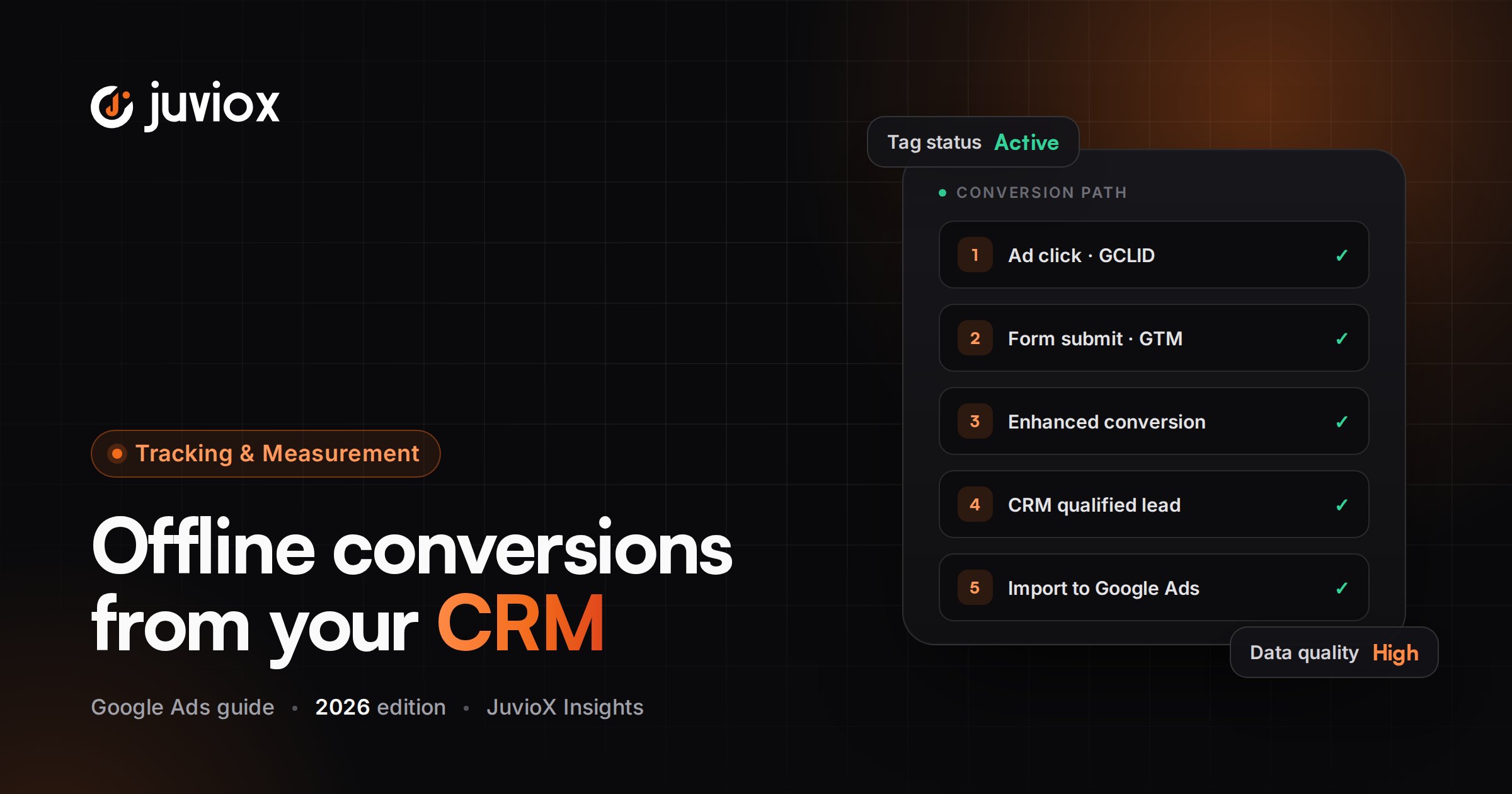
Offline conversion tracking measures valuable outcomes that happen after the original online ad interaction and outside the immediate website conversion event. A lead might submit a form today, be qualified tomorrow, become an opportunity next week and close as a customer later.
By importing those later stages, Google Ads can connect advertising activity with deeper business results.
OFFLINE DOES NOT MEAN PHYSICALLY OFFLINE
The outcome can happen in a CRM, sales platform, call center or internal system. ‘Offline conversion’ mainly means the conversion is not measured directly by the original website tag at the moment it happens.
Why Website Lead Tracking Is Incomplete
| Website Tracking Sees | CRM / Offline Tracking Adds |
|---|---|
| Form submitted | Lead accepted/rejected |
| Call occurred | Call qualified or sold |
| Appointment booked | Appointment attended |
| Demo requested | Opportunity created |
| Lead created | Deal won / customer |
| Same raw lead value | Actual or estimated revenue/value |
Without downstream data, Smart Bidding can learn that all leads are equal. If one campaign generates cheap low-quality forms and another generates fewer but high-close-rate prospects, raw CPL can point the optimization system in the wrong direction.
The JuvioX Lead-to-Revenue Measurement Architecture
| Stage | System | Google Ads Signal |
|---|---|---|
| Ad interaction | Google Ads | Click / GCLID / eligible ad interaction |
| Website conversion | Website + Google tag/GTM | Lead |
| Identity handoff | Website -> CRM | GCLID and/or first-party customer data |
| Sales qualification | CRM | Qualified Lead |
| Pipeline | CRM | Opportunity / stage value |
| Closed sale | CRM / ecommerce / billing | Converted Lead / Customer |
| Revenue feedback | CRM/Data Manager | Conversion value / actual revenue |
| Optimization | Google Ads | Bidding toward qualified/value outcomes |
CORE PRINCIPLE
The website lead is the handoff point, not the finish line. Build measurement so the identity/context captured at acquisition survives into the CRM and can be joined to later business outcomes.
Offline Conversion Import vs Enhanced Conversions for Leads
| Traditional Offline Import | Enhanced Conversions for Leads |
|---|---|
| Often relies heavily on GCLID/click identifier | Adds first-party user-provided data such as email |
| Can connect click to later conversion | Can improve matching durability and coverage |
| Legacy implementations may use file/API workflows | Google recommends Data Manager for current/future workflows |
| Useful existing architecture | Recommended upgrade path for many lead advertisers |
Google describes enhanced conversions for leads as an upgraded version of offline conversion import. Existing advertisers can continue to include GCLID while also supplying user-provided data. Google specifically recommends continuing to import GCLIDs whenever possible to maximize accuracy.
RECOMMENDED 2026 DIRECTION
If you are building from scratch, start by evaluating enhanced conversions for leads rather than designing a GCLID-only legacy workflow. If you already have a reliable offline import, upgrade deliberately instead of breaking a working bidding signal overnight.
What Is GCLID?
GCLID stands for Google Click Identifier. With auto-tagging enabled, an eligible Google Ads click can append a GCLID parameter to the landing-page URL. A traditional offline conversion workflow captures that identifier, stores it with the lead, and sends it back later with the offline conversion.
Google notes that GCLID is case-sensitive, so the stored/uploaded value must not be altered.
| Step | GCLID Workflow |
|---|---|
| 1 | Google Ads click lands on website with GCLID |
| 2 | Website captures GCLID |
| 3 | Lead form submits |
| 4 | GCLID is saved with CRM contact/lead |
| 5 | Sales team updates lead status |
| 6 | CRM/Data Manager imports qualified/sale event with GCLID |
| 7 | Google Ads attributes eligible offline outcome back to advertising |
DO NOT STORE ONLY THE GCLID
A modern lead record should preserve useful acquisition context plus permitted first-party identifiers. If one matching signal is lost, the measurement architecture should not collapse unnecessarily.
GCLID vs First-Party User-Provided Data
| GCLID | First-Party Customer Data |
|---|---|
| Click identifier | Identity/matching information supplied by the customer |
| Strong for click-based attribution | Can improve matching durability and cross-device measurement |
| Must be captured from landing URL and preserved | Common fields include email/phone under supported requirements |
| Can be lost through redirects/forms/CRM mapping | Requires consent/policy-compliant collection and handling |
| Still recommended when available | Used by enhanced conversions for leads |
The strongest architecture often uses both rather than treating them as mutually exclusive.
Qualified Lead and Converted Lead Goals
Google Ads replaced the older imported-leads goal with two clearer offline goal types: Qualified lead and Converted lead.
| Goal | Practical Meaning |
|---|---|
| Qualified lead | A Google-generated lead has been further qualified in the CRM/internal sales process |
| Converted lead | The lead has completed a chosen later stage, commonly a closed sale or another defined final conversion step |
Google now also provides Lead Journey Mapping, a visual in-platform workflow for organizing the stages between the initial lead and final sale.
USE BUSINESS DEFINITIONS
Define exactly what ‘Qualified’ and ‘Converted’ mean for the company. If sales representatives apply stages inconsistently, the imported data will be technically accurate but strategically unreliable.
What Data Should Your CRM Store?
| Field | Why It Matters |
|---|---|
| Lead/contact ID | Stable internal record |
| Lead created timestamp | Reconciliation and timing |
| GCLID where available | Click-based matching |
| Email / phone where permitted | Enhanced-conversion matching |
| Original source/campaign context | Audit and sales visibility |
| Lead status | Qualification lifecycle |
| Qualified timestamp | Offline conversion time |
| Opportunity/deal ID | Pipeline deduplication |
| Closed-won timestamp | Final conversion time |
| Revenue/value/currency | Value-based reporting/bidding |
| Consent/data-use state where relevant | Governance |
CRM SCHEMA BEFORE AUTOMATION
Do not build Zapier/API automation until the CRM has a clear field model. Automation cannot repair ambiguous lead stages or missing identifiers.
How the End-to-End Workflow Works
1. Enable the correct Google Ads tagging/auto-tagging and enhanced-conversions settings.
2. Capture the website lead accurately.
3. Preserve GCLID and/or permitted first-party matching data into the CRM.
4. Create explicit sales-stage definitions.
5. Create appropriate Qualified lead / Converted lead conversion actions in Google Ads.
6. Connect the CRM/data source through Google Ads Data Manager or another current supported method.
7. Map CRM fields to Google Ads conversion fields.
8. Import the correct conversion timestamp, value/currency and match keys.
9. Validate offline data diagnostics and imported conversions.
10. After enough validated data, decide which downstream action should become Primary for bidding.
Google Ads Data Manager in 2026
Data Manager has become the central Google Ads workflow for connecting first-party sources and importing offline conversion data. Google recommends it for upgrading existing offline conversion imports to enhanced conversions for leads.
Supported data-source patterns can include files and cloud/storage/database/CRM integrations depending on the account and source. The exact lookback behavior varies by source.
JUNE 15, 2026 API CHANGE
Google states that offline conversion import and enhanced-conversions-for-leads uploads moved to the Data Manager API on June 15, 2026, with Google Ads API uploads blocked for developer tokens without the required legacy allowlisting. New implementations should follow current Data Manager/Data Manager API documentation.
GCLID-Based Offline Conversion Setup
Traditional GCLID-based tracking remains relevant, particularly for existing systems.
1. Turn on Google Ads auto-tagging.
2. Capture the GCLID from the landing URL without changing its case.
3. Store it in a first-party cookie/session or another appropriate mechanism long enough to pass it into the lead record.
4. Add a hidden/form field or backend mapping so the GCLID reaches the CRM.
5. Create an Import conversion action in Google Ads.
6. Map the CRM stage to the correct Google Ads conversion action.
7. Send conversion time, GCLID, value and currency where relevant.
8. Use Data Manager/current supported import method.
9. Review upload results and offline data diagnostics.
Google’s current GCLID documentation recommends enhanced conversions for leads for advertisers who have not yet adopted offline import, while still recommending GCLID inclusion when available.
GCLID CAPTURE FAILURE POINTS
Redirects, cross-domain forms, iframe forms, third-party booking tools, cookie restrictions and CRM field mapping can all break the handoff. Test the complete path, not just the landing page.
Enhanced Conversions for Leads Setup
Enhanced conversions for leads combines website first-party data with later imported offline outcomes. Google can match hashed customer data collected on the site with the same identifiers in the imported CRM event.
1. Turn on the current unified enhanced-conversions setting and accept required customer-data terms.
2. Configure Google tag/GTM to collect supported user-provided data at the lead event.
3. Create or upgrade the offline conversion action.
4. Prefer Qualified lead or Converted lead goals when they reflect the sales process.
5. Connect the CRM/data source in Data Manager.
6. Map GCLID when available plus supported user-provided data.
7. Map conversion timestamp, value and currency.
8. Run imports and review diagnostics.
9. Accumulate sufficient validated data before changing the bidding source.
MIGRATION GUARDRAIL
Google’s upgrade guidance recommends validating the new enhanced-conversions-for-leads action for the longer of 1-2 conversion cycles or 4 weeks before switching bidding from the old offline import action.
CRM Integration Patterns
| Pattern | Best For | Trade-off |
|---|---|---|
| Native Data Manager connector | Supported CRM/source | Simpler maintenance |
| Scheduled file/Google Sheets import | Smaller/simple workflows | Operational discipline required |
| Zapier | No-code CRM workflows | Paid dependency and mapping governance |
| Data Manager API | Custom/scalable integrations | Developer implementation |
| Legacy direct integration | Existing older setup | Must verify current support/migration status |
The correct method is the one that sends accurate events reliably with the least operational fragility. A sophisticated API that silently maps the wrong status is worse than a simple scheduled import that is auditable.
Pipedrive, Zoho CRM, HubSpot & Zapier
Many teams ask specifically about Pipedrive, Zoho CRM and Zapier integrations. Not every CRM uses the same native connector, so the setup differs by platform.
| Platform / Method | Implementation Approach |
|---|---|
| Pipedrive | Preserve GCLID/user data in lead/person/deal fields, then connect through a supported integration, automation or Data Manager-compatible workflow |
| Zoho CRM | Map acquisition identifiers and lead/deal stages; verify the current supported Data Manager/integration path before implementation |
| HubSpot | Google documents third-party/offline import support; verify current connector and field requirements |
| Zapier | Google supports workflows that can import GCLID-based offline conversions or enhanced conversions for leads |
DO NOT HARD-CODE A CRM PROMISE
CRM integrations change.
Conversion Time, Value & Revenue
Offline conversion data should describe when the downstream event actually occurred, not simply when the original lead was created. A lead created Monday and qualified Thursday has two different funnel timestamps.
| Event | Recommended Value Logic |
|---|---|
| Qualified Lead | Expected value based on historical close rate, if defensible |
| Opportunity | Stage-weighted or opportunity value, if reliable |
| Converted Lead / Customer | Actual sale/customer value where available |
| Recurring/SaaS sale | Document whether using initial contract value, MRR, ARR or another consistent value |
VALUE INTEGRITY
Do not invent values solely to unlock Target ROAS. A value model should be explainable to finance/sales and updated when economics change.
Primary vs Secondary: How to Roll Out Offline Goals Safely
A new downstream conversion should not automatically become Primary on day one.
1. Keep the existing trusted lead conversion stable.
2. Import the new Qualified/Converted Lead action.
3. Verify matching, timestamps, counts, values and diagnostics.
4. Compare CRM records with Google Ads imports.
5. Accumulate enough data to understand coverage and delay.
6. Use Google’s migration guidance for existing offline-import upgrades.
7. Then decide whether the downstream action has enough quality and volume to become Primary for bidding.
8. Keep useful earlier-funnel actions Secondary for observation when appropriate.
SIGNAL QUALITY VS SIGNAL VOLUME
A Customer event may be the highest-quality signal but too sparse for a given campaign. A Qualified Lead can sometimes provide a better balance between business quality and learning volume.
Lead-to-Sale Journey Mapping
Google Ads now provides Lead Journey Mapping for Qualified lead and Converted lead goals. This is useful because it makes the offline funnel explicit rather than treating all imported events as unrelated conversions.
Map only stages the business can define and update consistently. A five-stage visual funnel is not useful if sales reps skip stages or use them differently.
| Example Funnel | Google Ads Measurement |
|---|---|
| Website lead | Initial online Lead |
| Sales accepted | Qualified Lead |
| Proposal / opportunity | Optional value-bearing downstream stage |
| Closed won | Converted Lead |
| Revenue | Conversion value |
How to Test Offline Conversion Tracking
1. Click a controlled Google Ads test path when practical or use a known eligible lead.
2. Confirm GCLID/identifier capture at landing.
3. Submit the lead and inspect the CRM record.
4. Confirm first-party identifiers and acquisition fields mapped correctly.
5. Move the lead to the test Qualified/Converted stage.
6. Run or trigger the Data Manager/import workflow.
7. Check import result/errors and offline data diagnostics.
8. Confirm the conversion appears against the intended action after processing.
9. Verify conversion time/value/currency.
10. Confirm the same CRM event cannot be uploaded repeatedly as a new conversion unintentionally.
END-TO-END PROOF
A GCLID visible in a hidden field is not proof of offline tracking. Proof requires successful identity handoff, CRM stage change, import, diagnostics and Google Ads recording.
Offline Data Diagnostics & Common Errors
| Symptom | Likely Check |
|---|---|
| No imported conversions | Connection/import schedule, conversion action, source mapping |
| GCLID cannot be matched | Auto-tagging, capture, case changes, click age/eligibility |
| User data match is weak | Website capture, hashing/normalization, CRM identifiers |
| Wrong conversion count | Stage logic, duplicate imports, repeated updates |
| Wrong date | Use actual offline conversion time |
| Wrong value | CRM field mapping/currency |
| Import suddenly stopped | Data source credentials, schema changes, API migration |
| Google Ads differs from CRM | Attribution eligibility, match rate, timing, duplicate/retracted records |
Google provides an offline data diagnostics page for identifying issues and discrepancies in imported conversion data.
DO NOT EXPECT 100% CRM MATCH
Not every CRM sale will be attributable to Google Ads. Offline import is an attribution/matching system, not a copy of the entire CRM sales ledger.
Why Offline Conversions Are Missing
- Auto-tagging was disabled when the lead arrived
- GCLID was not captured before a redirect or form handoff
- CRM field truncated/changed the GCLID
- Lead arrived through a non-Google source
- Customer data was missing or formatted incorrectly
- Conversion happened outside the supported import/lookback conditions
- Wrong Google Ads account or conversion action
- Conversion timestamp/time zone was wrong
- Data Manager mapping changed
- Consent/data-use requirements prevented processing
- The imported event was a duplicate or adjustment issue
- Processing/attribution delay has not completed
Duplicate, Adjustment & Timing Problems
Offline systems are stateful: a deal can be updated multiple times. Your integration must distinguish a new conversion event from a CRM record update.
- Use stable internal IDs and deterministic event logic.
- Do not send ‘Qualified Lead’ again every time the contact record is edited.
- Send the actual qualification/sale timestamp.
- Define what happens when a sale is cancelled or value changes.
- Document whether the workflow supports conversion adjustments/retractions.
- Use one authoritative CRM stage-to-conversion mapping.
Privacy, Consent & First-Party Data
Enhanced conversions for leads uses first-party customer data and therefore requires deliberate governance. Google requires applicable customer-data terms and states that user-provided data processing is subject to required consent parameters.
- Collect only supported, necessary identifiers.
- Keep PII out of URLs and public logs.
- Hash/normalize according to the implementation method.
- Restrict CRM/API access appropriately.
- Document the business purpose and retention.
- Respect applicable privacy/consent requirements.
- Do not send sensitive or unsupported data fields.
FIRST-PARTY DOES NOT MEAN UNRESTRICTED
The customer gave the data to the business, but the business still needs to use and transmit it under applicable law, consent requirements and platform terms.
How Qualified Lead Data Changes Google Ads Optimization
The strategic benefit of offline conversion tracking is not a prettier report. It lets campaign decisions use a better definition of success.
| Raw Lead View | Qualified/Revenue View |
|---|---|
| Campaign A: 100 leads at $40 CPL | 20 qualified leads at $200 CPQL |
| Campaign B: 60 leads at $55 CPL | 30 qualified leads at $110 CPQL |
| A appears cheaper | B is materially stronger on quality |
| No sales visibility | Customer/revenue data can reveal true CAC/ROAS |
Once downstream data is reliable and sufficiently frequent, advertisers can evaluate bidding toward Qualified lead, Converted lead or conversion value rather than rewarding the cheapest form submission.
DO NOT SKIP THE SALES PROCESS
Offline bidding can only be as good as the CRM data. If sales stages are delayed, subjective or incomplete, the optimization signal inherits those problems.
JuvioX Offline Conversion Tracking Audit Framework
| Layer | Audit Question |
|---|---|
| Acquisition | Is auto-tagging/identifier capture working? |
| Website | Does the lead event fire correctly? |
| Handoff | Does GCLID/user data reach the CRM? |
| CRM | Are lead stages defined and consistently used? |
| Conversion actions | Are Qualified/Converted goals configured correctly? |
| Data source | Is Data Manager/current integration healthy? |
| Mapping | Are time, value, currency and identifiers correct? |
| Diagnostics | Are imports accepted/matched? |
| Bidding | Are Primary/Secondary settings intentional? |
| Business validation | Do Google Ads outcomes reconcile directionally with CRM revenue? |
Offline Conversion Tracking Checklist
- Google Ads auto-tagging verified
- Base website lead tracking verified
- GCLID capture tested
- GCLID stored case-sensitively
- First-party user data capture reviewed
- CRM acquisition fields documented
- Lead status definitions documented
- Qualified Lead definition approved
- Converted Lead definition approved
- Conversion actions created correctly
- Unified enhanced-conversions setting reviewed
- Customer data terms/consent reviewed
- Data Manager/source connection verified
- Field mapping documented
- Conversion timestamp mapped correctly
- Value/currency logic documented
- Import schedule/automation monitored
- Offline data diagnostics reviewed
- Duplicate event logic tested
- Existing bidding signal protected during migration
- New downstream action validated before Primary switch
- Sales/marketing ownership of CRM stages documented
Common Offline Conversion Tracking Mistakes to Avoid
| Mistake | Why It Hurts | Better Approach |
|---|---|---|
| Tracking only raw forms | Google cannot see lead quality | Import qualified/customer stages |
| Building GCLID-only from scratch in 2026 | Misses modern matching improvements | Evaluate enhanced conversions for leads |
| Dropping GCLID during CRM handoff | Weakens click-based match | Persist it end-to-end |
| Changing GCLID casing | Identifier is case-sensitive | Store exact value |
| Vague ‘qualified’ definition | Sales data becomes inconsistent | Document objective criteria |
| Making new offline goal Primary immediately | Can destabilize bidding with bad/sparse data | Validate first |
| Using old Google Ads API tutorial | June 2026 upload architecture changed | Use current Data Manager/API guidance |
| Sending lead-created time as sale time | Distorts delay/attribution | Send actual event timestamp |
| Uploading every CRM update | Creates duplicates | Trigger only defined stage transitions |
| Judging import by 100% CRM match | Not every sale is attributable/matchable | Use diagnostics and eligible attribution logic |
Final Takeaway: Teach Google Ads Which Leads Become Revenue
Website conversion tracking answers whether a lead happened. Offline conversion tracking answers whether that lead mattered.
The strongest 2026 architecture preserves click and first-party identity signals, stores them correctly in the CRM, defines Qualified and Converted Lead stages, imports those outcomes through a current Data Manager workflow, validates the data before changing bidding, and ultimately feeds customer value back into Google Ads.
That closes the loop from ad click to revenue – and gives campaign optimization a much better target than the cheapest form submission.
TRACKING & ANALYTICS
Connect Google Ads Leads to Qualified Sales & Revenue
JuvioX connects Google Ads, GTM, first-party identifiers, CRM stages, Data Manager and offline revenue so campaigns can be evaluated and optimized around business-quality outcomes.
FAQ
Frequently asked questions
What is Google Ads offline conversion tracking?
It sends later business outcomes from a CRM or other offline system back to Google Ads so ad interactions can be connected with qualified leads, sales, customers or revenue.
What is a GCLID?
GCLID is the Google Click Identifier added to eligible ad-click landing URLs when auto-tagging is enabled. Traditional offline conversion tracking stores it with the lead and sends it back with the later conversion.
Is GCLID still needed in 2026?
It remains useful. Google recommends continuing to include GCLIDs whenever possible even when upgrading to enhanced conversions for leads.
What are enhanced conversions for leads?
They are Google's upgraded offline conversion approach that supplements imported conversion data with first-party user-provided data such as email, improving matching durability and measurement.
Should I use offline conversion import or enhanced conversions for leads?
For new implementations, Google recommends starting with enhanced conversions for leads. Existing reliable offline-import systems can be upgraded deliberately.
What changed on June 15, 2026?
Google moved current/future offline-conversion and enhanced-conversions-for-leads uploads toward the Data Manager API, with Google Ads API uploads blocked for developer tokens without applicable legacy allowlisting.
What is a Qualified Lead in Google Ads?
It represents a Google-generated lead that has been further qualified in the advertiser's CRM or internal sales process.
What is a Converted Lead?
It represents a lead that reached a chosen later/final conversion stage, commonly a closed sale or another advertiser-defined outcome.
Can Google Ads integrate with a CRM?
Yes, through Data Manager-supported sources, third-party integrations, files, automation platforms or custom APIs depending on the CRM and account.
Can I use Pipedrive with Google Ads offline conversions?
Yes through an appropriate integration architecture: preserve Google Ads identifiers/user data in Pipedrive and send defined lead/deal stages back through a currently supported import method.
Can I use Zoho CRM with Google Ads?
Yes, but verify the current supported connector/integration path. The key is correct identifier capture, stage mapping and conversion imports.
Can Zapier import Google Ads offline conversions?
Google currently documents Zapier workflows for both GCLID-based offline conversion import and enhanced conversions for leads.
How long should I test enhanced conversions for leads before switching bidding?
Google's upgrade guidance recommends validating for the longer of 1-2 conversion cycles or four weeks before swapping the new action into the Primary bidding role.
Why don't Google Ads offline conversions equal all CRM sales?
Only eligible, matchable and attributable Google Ads-driven outcomes should appear. Timing, identity, attribution, consent and source differences mean totals should not be expected to equal the entire CRM ledger.
Should Qualified Lead be Primary?
It can be when the definition is reliable and there is enough volume to support optimization. Keep earlier lead actions available as Secondary when useful for diagnostics.
Can I send revenue back to Google Ads?
Yes. When the CRM has reliable values, offline conversion imports can include conversion value/currency so reporting and value-based bidding can move closer to actual economics.
10 sources & references
- Google Ads Help - About offline conversion imports
- Google Ads Help - Set up offline conversions using GCLID
- Google Ads Help - Upgrade offline conversion import to enhanced conversions for leads
- Google Ads Help - About enhanced conversions for leads
- Google Ads Help - Offline conversion import FAQs
- Google Ads Help - Guidelines for importing offline conversions
- Google Ads Help - Qualified leads and converted leads
- Google Ads Help - Enhanced conversions for leads diagnostics
- Google Ads Help - Fix discrepancies/errors in offline imports
- Google Ads Help - Zapier lead exports/offline imports