On this page
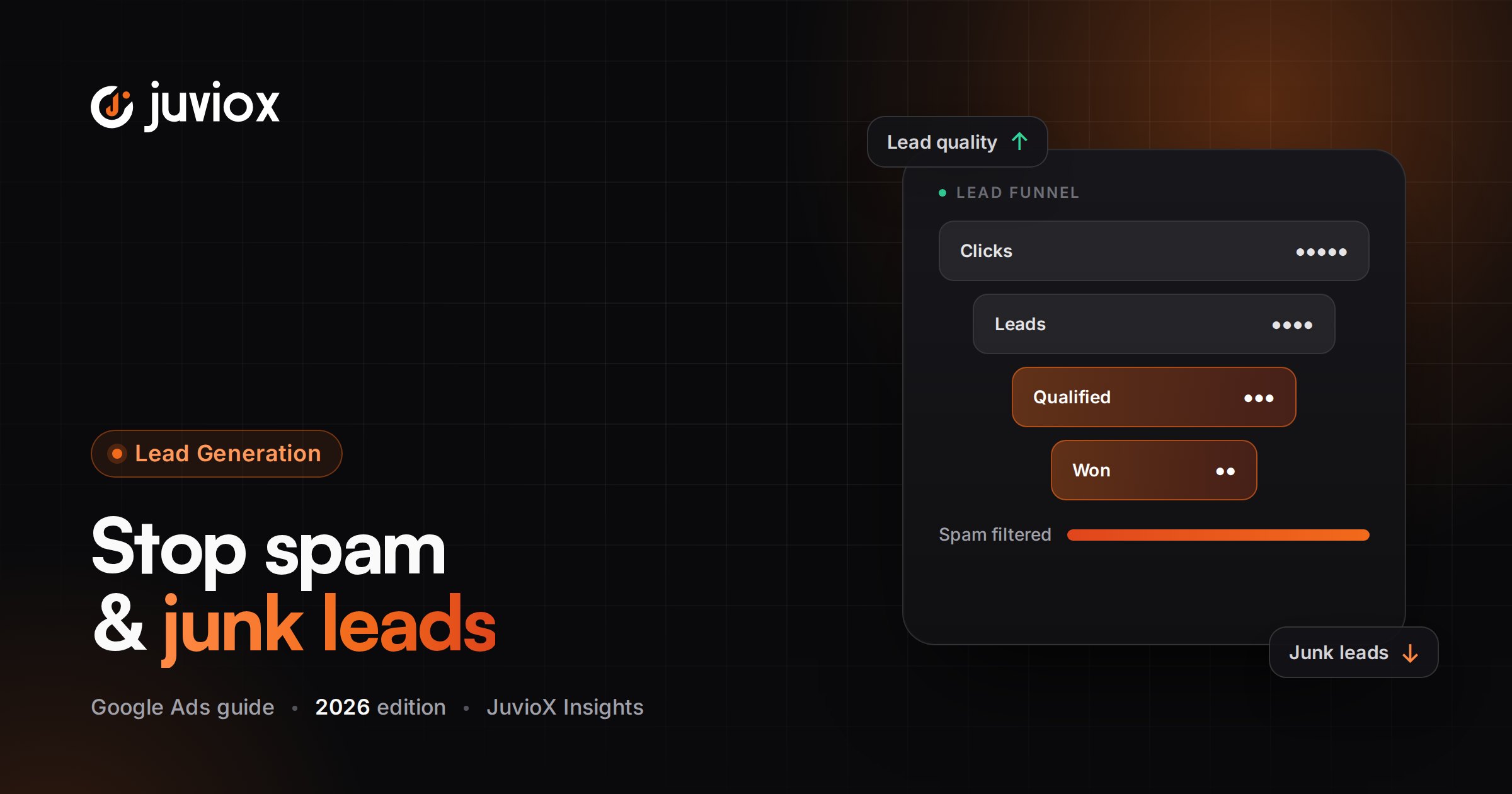
What Is Google Ads Lead Quality?
Lead quality is the degree to which a Google Ads lead matches the business’s target customer profile and has a realistic probability of progressing through the sales process.
| Raw Lead Metric | Lead-Quality Metric |
|---|---|
| Form submissions | Qualified leads |
| Raw CPL | Cost per qualified lead |
| Calls | Qualified calls |
| Appointments booked | Appointments attended |
| Lead volume | Opportunity volume |
| Conversion rate | Lead-to-qualified / lead-to-sale rate |
| Reported conversion value | Pipeline / customer / revenue value |
CORE RULE
A cheap lead that sales cannot close is expensive. A more expensive lead that becomes a customer can be the better advertising outcome.
Why Is Google Ads Generating Bad Leads?
Poor lead quality is rarely caused by one setting. It usually comes from a mismatch somewhere between the searcher’s intent and the conversion signal used for optimization.
| Layer | Typical Lead-Quality Failure |
|---|---|
| Search demand | Queries are informational, ambiguous or unrelated |
| Keywords/matching | Campaign reaches broader intent than expected |
| Negative keywords | Known irrelevant themes are not excluded |
| Ad copy | Ad attracts clicks without qualifying the prospect |
| Location | People outside the service area enter the funnel |
| Landing page | Offer is too generic or expectations are unclear |
| Form | Too little validation/friction for the business model |
| Conversion tracking | Button clicks or weak micro-actions count as success |
| CRM feedback | Google never learns which leads qualify or sell |
| Bidding | Algorithm optimizes raw volume instead of quality/value |
| Sales process | Slow follow-up or weak qualification makes media look worse |
DO NOT BLAME THE ALGORITHM FIRST
If Google Ads receives only ‘Lead = success,’ it has no direct knowledge that sales rejected 70% of those leads. The measurement design is part of the targeting system.
Spam Leads vs Fake Leads vs Irrelevant vs Unqualified Leads
| Type | Example | Primary Investigation |
|---|---|---|
| Spam | Automated/junk submissions | Form security, validation, invalid traffic patterns |
| Fake | False phone/email or intentionally bogus inquiry | Validation, friction, source/query patterns |
| Irrelevant | Person wants a different product/service | Search terms, keywords, negatives, ad message |
| Unqualified | Correct service but wrong budget/location/fit | Qualification questions, ad/landing-page messaging |
| Low intent | Researcher with no purchase readiness | Query intent, offer, funnel stage |
| Non-converting valid lead | Real prospect never becomes sale | CRM stage, response speed, sales process, economics |
These categories require different fixes. Adding reCAPTCHA will not solve a keyword-intent problem; adding negative keywords will not solve a sales follow-up problem.
The JuvioX Lead Quality Diagnostic Framework
Use this sequence before changing campaigns:
| Step | Question |
|---|---|
| 1. Validate | Are the leads real and tracking correctly? |
| 2. Classify | Spam, fake, irrelevant, unqualified, low-intent or sales-process loss? |
| 3. Trace | Which campaign, search term, asset, location, device, hour and landing page produced them? |
| 4. Qualify | What objectively makes a lead good or bad? |
| 5. Correct | Change query controls, message, form, validation or funnel as appropriate |
| 6. Feed back | Send Qualified Lead / Converted Lead / value data to Google Ads |
| 7. Bid | Optimize toward the deepest reliable signal with enough usable volume |
| 8. Verify | Measure cost per qualified lead, opportunity and customer – not raw CPL alone |
DO NOT OPTIMIZE FROM ANECDOTES
Sales feedback is essential, but ‘the leads are bad’ is not a diagnostic. Require lead-level classifications that can be tied back to campaign data.
Start With CRM Evidence, Not Opinions
Create a simple lead-quality taxonomy in the CRM so marketing can analyze outcomes consistently.
| CRM Status | Definition Example |
|---|---|
| Spam/Fake | Automated, false or unusable contact |
| Irrelevant | Wrong service/product intent |
| Outside area | Not in supported geography |
| Unqualified – budget | Cannot meet minimum commercial threshold |
| Unqualified – fit | Wrong customer/company profile |
| Qualified | Meets agreed sales criteria |
| Opportunity | Sales opportunity/deal created |
| Converted/Customer | Closed sale or chosen final stage |
Once these stages are standardized, calculate qualification and close rates by campaign, search term/theme, landing page and source.
SALES AND MARKETING NEED ONE DEFINITION
If each salesperson uses ‘qualified’ differently, feeding Qualified Lead back to Google Ads can automate inconsistent judgment.
Search Terms: The First Place to Look for Irrelevant Leads
For Search campaigns, inspect the actual queries that triggered ads and connect them with lead outcomes where possible.
- Look for research-only intent, employment intent, support/customer-service intent, DIY intent and unrelated products.
- Identify geographic modifiers outside the service area.
- Look for price/budget intent that conflicts with the offer.
- Compare search themes producing qualified vs rejected leads.
- Add negative keywords when a theme is clearly irrelevant.
- Promote consistently valuable queries/themes into deliberate campaign structure where useful.
SEARCH-TERM PERFORMANCE NEEDS CRM CONTEXT
A query with five conversions at $30 CPL may look excellent until CRM data shows all five were unqualified.
Keywords, Match Types & Negative Keywords
Broad reach is not inherently low quality, and exact match is not inherently high quality. Match type controls eligibility flexibility; conversion quality and query governance determine whether expansion is useful.
| Control | Lead-Quality Role |
|---|---|
| Exact/Phrase | Useful where tighter intent control is required |
| Broad Match | Can expand valuable demand when Smart Bidding has strong conversion-quality signals |
| Negative Keywords | Remove known irrelevant intent |
| Campaign Structure | Keeps different offers/locations/economics controllable |
| Search Terms | Shows actual demand entering the system |
BROAD MATCH GUARDRAIL
If you use Broad Match while bidding to raw form submissions and never import qualified outcomes, Google has a weaker definition of what ‘good expansion’ means.
Use Ad Copy to Qualify Before the Click
An ad should attract the right prospect and discourage obvious poor-fit clicks. Qualification can reduce click volume while improving downstream economics.
- State the exact service/product, not a vague promise.
- Mention geographic coverage where it matters.
- Communicate B2B vs consumer positioning clearly.
- Use pricing, minimums or ‘starting from’ language when commercially appropriate.
- State eligibility, specialization or customer type where relevant.
- Align CTA with intent: Request Quote, Book Consultation, Get Estimate, Apply, etc.
CTR IS NOT THE ONLY GOAL
An ad that filters poor-fit users can have a lower CTR and still generate a better cost per qualified lead.
Landing Pages Should Continue the Qualification
The landing page should make it easy for the right prospect to recognize fit and the wrong prospect to self-select out.
| Page Element | Qualification Function |
|---|---|
| Headline | Confirms exact problem/service |
| Who it is for | Defines target customer |
| Service area | Removes geographic ambiguity |
| Pricing/minimums | Filters unrealistic budgets where appropriate |
| Proof/case studies | Sets expectations and builds trust |
| Process | Clarifies commitment/timeline |
| Form questions | Captures qualification data |
| CTA | Sets the next step clearly |
Do not deliberately make a page confusing to reduce submissions. The objective is informed friction, not bad UX.
Form Friction vs Lead Quality
Short forms can increase completion rate, while additional qualification fields can reduce volume and improve sales efficiency. The correct balance depends on lead value and sales capacity.
| Low-Friction Form | Qualified Form |
|---|---|
| Name + email/phone | Adds budget, service, location, timeline or business-type questions |
| Higher potential volume | Lower but potentially better volume |
| Useful for simple/low-risk offers | Useful for high-ticket or sales-assisted offers |
| Needs strong downstream validation | Provides more qualification before sales contact |
DO NOT ADD FIELDS RANDOMLY
Every field should have a qualification or routing purpose. Excessive friction can remove good leads as well as bad ones.
Reduce Spam and Fake Leads With Validation
Google’s current lead-generation guidance recommends stronger form validation when spam or poor-quality submissions are a problem.
- Use reCAPTCHA or an appropriate bot-detection layer.
- Validate required fields server-side, not only in browser JavaScript.
- Reject malformed or disposable data where appropriate and lawful.
- Use phone/email verification or double opt-in when the economics justify it.
- Rate-limit suspicious submission patterns.
- Block duplicate/repeated abusive submissions where appropriate.
- Do not count a button click as a lead before successful validation/submission.
SECURITY IS NOT TARGETING
Validation can remove bots and obviously fake submissions. It cannot determine whether a real human is commercially qualified; that requires intent and qualification controls.
Google-Hosted Lead Forms: Optimize for Quality, Not Only Volume
Google lead form assets can run with Search and Performance Max. Current Google Ads options allow advertisers to optimize lead forms toward more volume or more qualified leads, depending on the setup.
Lead form assets should still be evaluated using downstream CRM quality. A Google-hosted submission is not automatically a sales-qualified lead.
USE THE CORRECT GOAL
Google recommends lead-generation-specific conversion goals. These goals also enable protections designed for invalid lead activity.
Qualifying Responses in Google Lead Forms
For Search campaigns, Google now supports qualifying responses in lead form assets. Advertisers can add a required multiple-choice qualification question and identify which answers represent a qualified response.
When a user submits a qualifying answer, Google can tag the submission as qualified and add the corresponding qualified response conversion under the Qualified lead goal.
USEFUL, BUT NOT A CRM REPLACEMENT
A self-reported qualifying answer can improve filtering, but your CRM/sales outcome remains the stronger signal for actual lead quality.
Location, Schedule & Audience Controls
- Use the geographic setting that matches where customers must actually be located.
- Review location reports for poor-quality geographic pockets.
- Separate materially different markets when economics or sales coverage differ.
- Use ad schedules only when evidence shows certain periods create low-quality leads or the business cannot respond effectively.
- Use audience observations/first-party data to understand quality differences, but avoid replacing intent with overly narrow assumptions.
- For local businesses, ensure landing-page service-area messaging matches campaign targeting.
Stop Rewarding Every Lead Equally
The most important lead-quality change is usually measurement. If a campaign optimizes to every form submission, the algorithm receives the same reward for a future customer and a fake lead.
| Signal | Quality |
|---|---|
| Button click | Very weak |
| Form submission | Raw lead |
| Validated lead | Better |
| Qualified Lead | Strong sales-quality signal |
| Opportunity | Deeper pipeline signal |
| Converted Lead / Customer | Strong final outcome |
| Revenue / value | Economic outcome |
ONE FUNNEL STAGE FOR BIDDING
Google’s current high-quality-lead guidance recommends choosing a conversion goal that aligns directly with the business objective and avoiding optimization to multiple stages of the lead journey in the same bidding setup.
Qualified Lead & Converted Lead Goals in Google Ads
Google Ads now uses explicit Qualified lead and Converted lead goal types for deeper lead-funnel measurement.
Qualified lead represents a Google-generated lead that the business has further qualified. Converted lead represents a later chosen outcome, commonly a closed sale or another final lead stage.
Google also provides Lead Journey Mapping so advertisers can organize the path from initial interaction through lead, qualified lead and converted lead.
THIS IS WHERE LEAD QUALITY BECOMES MEASURABLE
Instead of telling Google ‘this campaign got 50 leads,’ you can eventually tell it ‘this campaign got 18 qualified leads and 6 customers.’
Enhanced Conversions for Leads & CRM Feedback
Enhanced conversions for leads is Google’s upgraded approach for connecting website leads with later offline/CRM outcomes using first-party user-provided data and imported conversion data.
Google recommends it for advertisers who want more durable lead measurement. In 2026, enhanced conversions for web and leads use a unified account-level setting, and offline/enhanced-lead uploads have moved toward Data Manager/Data Manager API workflows.
1. Capture the initial website lead accurately.
2. Collect permitted first-party identifiers through the current enhanced-conversions setup.
3. Store lead identity and source context in the CRM.
4. Define Qualified Lead / Converted Lead stages.
5. Import downstream outcomes regularly – ideally daily where operationally possible.
6. Validate diagnostics and match quality.
7. Only then use the downstream action as a bidding signal when volume and quality are suitable.
Lead Scoring & Conversion Values
If leads have meaningfully different expected values, a lead-scoring or value model can help Google Ads distinguish quality.
| Approach | Example |
|---|---|
| Binary qualification | Raw Lead = Secondary; Qualified Lead = Primary |
| Stage value | Qualified = 20, Opportunity = 100, Customer = actual revenue |
| Predictive lead value | CRM model estimates expected customer value |
| Actual revenue | Closed customer value imported when available |
AVOID FAKE PRECISION
Do not assign arbitrary values just to use Target ROAS. A value model should reflect real differences in expected or realized business value.
Bidding Strategies for Better Lead Quality
The bidding strategy should match the quality signal available.
| Situation | Practical Direction |
|---|---|
| Only reliable raw leads exist | Maximize Conversions / Target CPA may be appropriate while measurement improves |
| Reliable Qualified Lead with usable volume | Bid toward Qualified Lead; Target CPA can control acquisition efficiency |
| Different leads have meaningful values | Use value-based bidding such as Maximize Conversion Value / Target ROAS when the value model is reliable |
| Sparse final sales | Consider a deeper but sufficiently frequent proxy such as Qualified Lead |
Google’s current high-quality-lead guidance suggests at least 15 conversions in the last 30 days at account level for the chosen action, regular offline uploads (ideally daily), and ideally a conversion delay within seven days for timely optimization. Treat these as practical guidance, not universal laws.
QUALITY VS VOLUME TRADE-OFF
The deepest possible signal is not automatically the best bidding signal if it occurs too rarely or too late. Choose the deepest reliable stage that still provides useful learning.
Performance Max Lead Quality
Performance Max can generate strong lead volume, but because it expands across Google channels, conversion quality is especially important. Google explicitly says the quality of campaign inputs – including conversion data – controls the quality of AI optimization.
- Use lead-specific goals such as Qualified Lead or Converted Lead where appropriate.
- Feed enhanced conversions for leads / CRM outcomes back to Google.
- Use strong form validation and qualifying questions.
- Provide high-quality creative and relevant landing pages.
- Use first-party audiences as signals where useful.
- Consider value-based bidding when lead values are meaningful.
- Use current Search terms insights/reporting and channel reporting to investigate quality patterns.
DO NOT SOLVE PMAX QUALITY ONLY WITH EXCLUSIONS
Exclusions can remove known bad traffic, but the scalable solution is to improve the definition of success that the campaign is optimizing toward.
Search Campaign Lead Quality
Search gives advertisers more direct visibility into query intent, making search-term analysis one of the strongest quality controls.
- Separate materially different intent/offer categories.
- Review actual search terms against CRM quality.
- Use negatives for clearly irrelevant demand.
- Use ad copy and landing pages to qualify.
- Do not rely on match type alone as a quality strategy.
- Feed Qualified Lead/Converted Lead data back into Smart Bidding.
What If Google Ads Leads Are Real but Not Converting?
If the leads are real and relevant but do not become customers, the problem may be outside media buying.
| Potential Problem | Evidence to Check |
|---|---|
| Slow response | Time from lead creation to first contact |
| Poor contact rate | Calls/emails attempted vs reached |
| Weak sales qualification | Stage conversion by rep/team |
| Offer/pricing mismatch | Loss reasons |
| Landing page overpromises | Lead expectation vs sales reality |
| Wrong customer segment | Close rate by campaign/query/segment |
| Long sales cycle | Pipeline maturity and conversion delay |
| Tracking gap | CRM sale not connected back to acquisition |
MARKETING-SALES BOUNDARY
Do not optimize campaigns based on ‘closed sales’ without checking whether every lead received a comparable sales follow-up process.
Lead-Quality KPIs That Matter
| Metric | Formula / Meaning |
|---|---|
| Qualification rate | Qualified Leads / Raw Leads |
| Cost per qualified lead | Ad Spend / Qualified Leads |
| Opportunity rate | Opportunities / Leads or Qualified Leads |
| Cost per opportunity | Ad Spend / Opportunities |
| Lead-to-customer rate | Customers / Leads |
| Customer acquisition cost | Ad Spend / Customers |
| Pipeline value per lead | Pipeline Value / Leads |
| Revenue per lead | Revenue / Leads |
| Spam/fake rate | Spam or Fake Leads / Raw Leads |
| Contact rate | Reached Leads / Raw Leads |
RAW CPL IS A DIAGNOSTIC, NOT THE FINAL KPI
A rising raw CPL can be acceptable if qualification rate and customer economics improve enough.
A Practical Lead-Quality Optimization Workflow
1. Export recent leads with campaign/source and CRM outcome.
2. Classify bad leads into spam, fake, irrelevant, unqualified and valid-but-lost.
3. Calculate qualification rate and cost per qualified lead by campaign.
4. For Search, inspect search terms associated with poor and strong outcomes.
5. Review location, device, schedule and landing-page patterns.
6. Fix obvious tracking, validation and spam problems.
7. Tighten message/qualification where poor-fit humans are submitting.
8. Add negatives/exclusions only where the evidence supports them.
9. Implement Qualified Lead / Converted Lead tracking through CRM feedback.
10. Choose the deepest reliable bidding signal with sufficient frequency.
11. Monitor both raw volume and downstream quality after changes.
12. Scale only when qualified economics improve, not merely when CPL falls.
JuvioX Google Ads Lead Quality Audit Checklist
- Lead-quality definitions documented
- CRM rejection/loss reasons standardized
- Spam/fake leads separated from real unqualified leads
- Base conversion tracking verified
- Button clicks not treated as completed leads
- Search terms reviewed with CRM outcomes
- Negative keyword coverage reviewed
- Match-type strategy reviewed
- Location targeting/report reviewed
- Ad copy includes appropriate qualification
- Landing page clearly defines customer/offer
- Form fields have a purpose
- reCAPTCHA/bot controls implemented where needed
- Server-side form validation reviewed
- Lead response time measured
- Qualified Lead goal configured where appropriate
- Converted Lead/customer tracking planned
- Enhanced conversions for leads reviewed
- CRM/Data Manager integration reviewed
- Offline data uploaded regularly
- Lead scoring/value model documented if used
- Primary/Secondary conversion roles intentional
- Bidding uses one appropriate funnel stage
- Cost per qualified lead monitored
- Customer/revenue metrics available where possible
Common Google Ads Lead Quality Mistakes
| Mistake | Why It Fails | Better Approach |
|---|---|---|
| Optimizing only raw CPL | Rewards cheap bad leads | Track CPQL/CAC/revenue |
| Calling all bad leads ‘spam’ | Different problems need different fixes | Classify the failure type |
| Adding hundreds of negatives immediately | Can remove valuable demand | Use evidence and narrow exclusions |
| Switching everything to exact match | Does not guarantee qualification | Fix intent + conversion signals |
| Adding form friction without analysis | Can block good leads | Use purposeful qualification |
| Bidding to multiple funnel stages together | Duplicates/confuses optimization objective | Choose one appropriate stage |
| Making Qualified Lead Primary before validation | Bad CRM data becomes bidding input | Validate mapping/volume first |
| Ignoring sales response time | Valid leads can be lost operationally | Measure follow-up performance |
| Using raw PMax leads as proof of success | Cross-channel volume can hide quality | Feed CRM outcomes back |
| Treating CRM data as perfect | Inconsistent sales stages corrupt signal | Govern stage definitions |
Final Takeaway: Give Google Ads a Better Definition of Success
The long-term fix for poor Google Ads lead quality is not simply more exclusions, narrower match types or a longer form. Those controls can help, but the strongest system connects traffic quality with real sales outcomes.
Define what a qualified lead actually is. Classify poor leads. Fix spam and validation. Control irrelevant intent. Use ads and landing pages to qualify. Then send Qualified Lead, Converted Lead and value data from the CRM back to Google Ads.
When the campaign can distinguish a cheap bad lead from a valuable prospect, optimization can move from generating more forms to generating more business.
GOOGLE ADS + TRACKING & ANALYTICS
Stop Optimizing for Leads Your Sales Team Doesn’t Want
JuvioX connects Google Ads strategy, search intent, conversion tracking, CRM qualification and revenue feedback so campaigns can optimize around lead quality – not just form volume.
FAQ
Frequently asked questions
Why am I getting spam leads from Google Ads?
Spam can come from automated form submissions, invalid traffic or weak form validation. First separate true spam from real but unqualified users, then review reCAPTCHA/bot protection, server-side validation, conversion triggers and traffic patterns.
Why am I getting fake leads from Google Ads?
Fake details can result from bots or low-intent humans. Add validation and appropriate friction, inspect the campaigns/search terms producing them, and avoid counting a lead before successful validated submission.
Why are my Google Ads leads low quality?
Common causes include broad/irrelevant search intent, missing negatives, vague ad messaging, poor geographic fit, overly easy forms, weak conversion goals and no CRM feedback.
How can I improve Google Ads lead quality?
Classify lead outcomes, analyze search terms and sources, improve ad/landing-page qualification, validate forms, track Qualified/Converted Leads and feed CRM outcomes back into bidding.
Should I use exact match to improve lead quality?
Not automatically. Exact match can tighten eligibility but still match poor-fit intent. Query analysis, negatives, messaging and downstream conversion data matter more than match type alone.
Do negative keywords improve lead quality?
They can when specific search themes are demonstrably irrelevant. They do not fix fake submissions, weak qualification, bad sales follow-up or poor conversion measurement.
Should I add more questions to my lead form?
Add questions that genuinely help qualification or routing. More fields can reduce volume and may also remove good prospects, so test against qualified-lead economics.
Can Google Ads optimize for qualified leads?
Yes. Google Ads supports Qualified lead and Converted lead goals, and deeper-funnel outcomes can be imported from CRM/offline systems.
What is a Qualified Lead goal in Google Ads?
It represents a Google-generated lead that the business has further qualified through its CRM or internal sales process.
What is a Converted Lead goal?
It represents a later/final lead stage selected by the advertiser, commonly a closed sale or another meaningful completed sales outcome.
How do enhanced conversions for leads improve lead quality?
They help connect website lead identity with later offline CRM outcomes so Google Ads can measure and optimize using stronger downstream signals.
Can I optimize Google Ads using lead scores?
Yes when lead scores or values are reliable and connected to conversion actions/value. Avoid arbitrary scores that do not correlate with business outcomes.
What bidding strategy is best for lead quality?
It depends on the signal. Target CPA can work for reliable Qualified Leads; value-based bidding can be stronger when lead/customer values differ meaningfully and are accurately measured.
How many qualified leads do I need for Smart Bidding?
There is no single universal threshold for every account. Google's current high-quality-lead guidance suggests choosing an action with at least 15 conversions in the last 30 days at account level, while also considering freshness and conversion delay.
Why are my Google Ads leads not converting into customers?
The cause may be traffic quality, offer fit, sales response time, contact rate, pricing, qualification, sales process or a tracking gap. Compare CRM loss reasons and stage conversion by campaign before blaming the ad platform.
How should I measure Google Ads lead quality?
Track qualification rate, cost per qualified lead, opportunity rate, cost per opportunity, lead-to-customer rate, CAC, pipeline/revenue per lead and spam/fake rate.
10 sources & references
- Google Ads Help - Best practices for generating high-quality leads
- Google Ads Help - About qualified leads and converted leads
- Google Ads Help - Performance Max best practices for lead generation
- Google Ads Help - About enhanced conversions for leads
- Google Ads Help - About enhanced conversions at account level
- Google Ads Help - About qualifying responses in lead forms
- Google Ads Help - How to use lead forms in responsive search ads and campaigns
- Google Ads Help - Create lead form assets
- Google Ads Help - Best practices for lead form assets
- Google Ads Help - Enhanced conversions for leads diagnostics