On this page
What Is Google Ads Conversion Tracking?
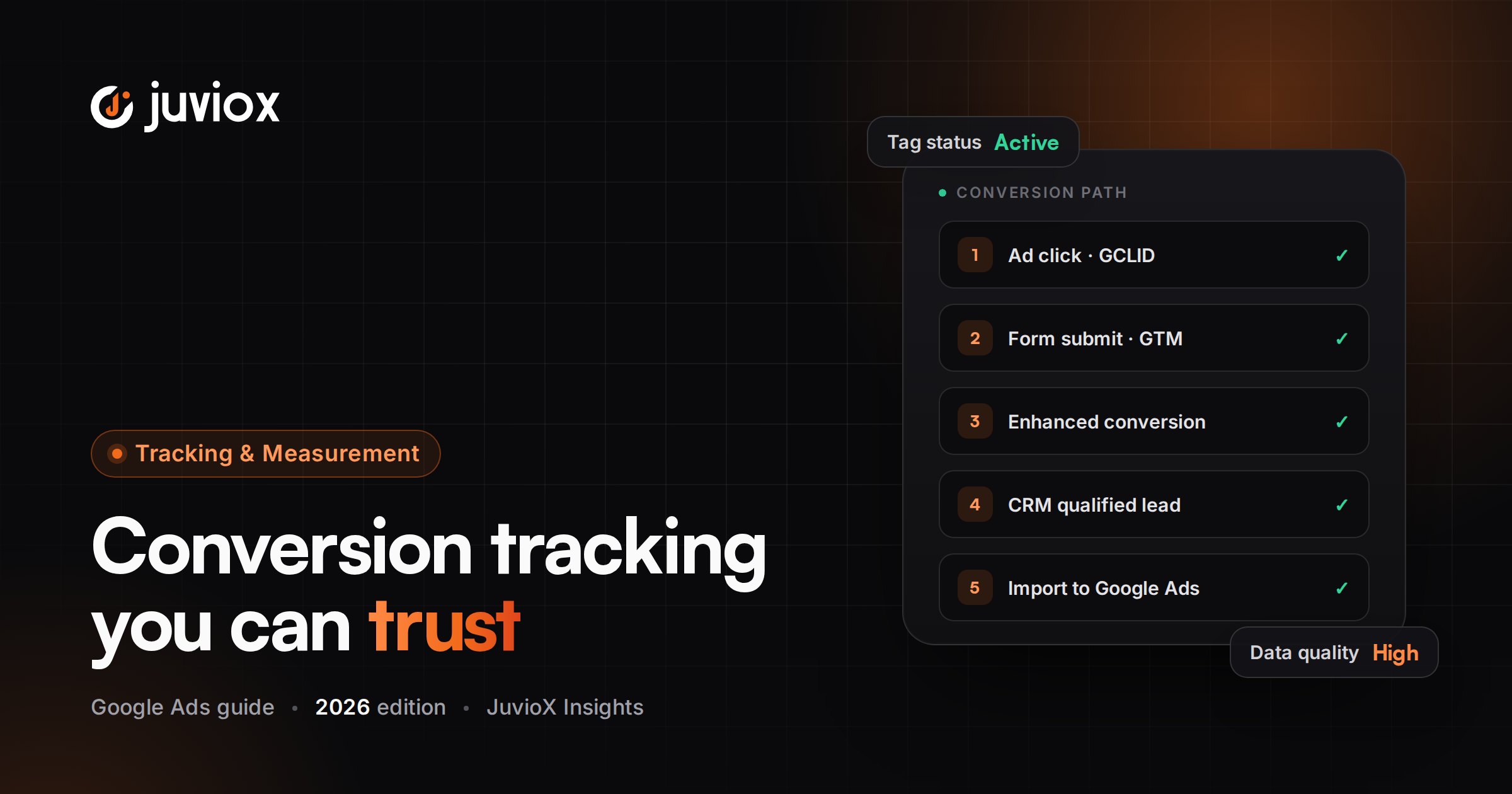
Conversion tracking is the measurement layer that connects an ad interaction with a valuable action. Google Ads calls those measurable actions conversion actions. Related conversion actions are grouped into conversion goals.
Examples include a purchase, lead form submission, qualified lead, phone call, app action or imported offline sale.
BUSINESS-FIRST DEFINITION
A conversion should represent meaningful progress toward revenue. ‘The tag fired’ is a technical success. ‘The campaign is optimizing toward the right business outcome’ is a measurement success.
The JuvioX Conversion Measurement Architecture
| Layer | Question | Example |
|---|---|---|
| 1. Business outcome | What does the business actually value? | Customer / revenue |
| 2. Funnel milestone | What measurable event predicts that outcome? | Qualified lead / purchase |
| 3. Conversion action | How is it represented in Google Ads? | Submit lead form |
| 4. Implementation | How is the event/value sent? | Google tag / GTM / GA4 / Data Manager |
| 5. Attribution data | Can the ad interaction be connected? | GCLID / first-party data |
| 6. Bidding configuration | Should it steer Smart Bidding? | Primary vs Secondary |
| 7. Validation | Did it fire once with correct data? | Tag Assistant + platform reports |
| 8. Downstream feedback | Was it actually valuable? | CRM opportunity/customer |
THE CORE IDEA
Tracking should be designed from the business outcome backward. Starting with ‘which tag do I install?’ often creates technically valid tracking that optimizes the wrong event.
What Should Count as a Google Ads Conversion?
| Action | Usually Primary? | Why |
|---|---|---|
| Purchase | Yes | Direct business outcome |
| Qualified lead | Often yes | Closer to revenue than raw form submit |
| Lead form submit | Often yes initially | Core lead milestone; quality must be monitored |
| Phone call meeting threshold | Often yes | Can represent direct sales intent |
| Book appointment | Often yes | Strong funnel milestone |
| Add to cart | Usually Secondary | Useful diagnostic micro-conversion |
| Begin checkout | Usually Secondary | Strong intent but not revenue |
| Page view / button click | Usually Secondary or not a conversion | Too weak for most bidding objectives |
The correct configuration varies by business and campaign. The principle is to prevent easy micro-actions from competing with true outcomes inside Smart Bidding.
Conversion Actions, Goals and Categories
A conversion action is the individual measurable action. A conversion goal groups related actions by business purpose. Categories help describe what the action represents, such as Purchase, Submit lead form, Phone call lead or another funnel stage.
Campaigns can use account-default goals or campaign-specific goal configurations. Before changing bidding, verify which goal and which actions the campaign is actually optimizing.
AUDIT QUESTION
Do not assume the conversion action visible in the account is automatically used by every campaign. Check the campaign’s selected conversion goals and optimization settings.
Primary vs Secondary Conversions
This is one of the most important settings in Google Ads conversion measurement.
| Primary | Secondary |
|---|---|
| Reported in the Conversions column when its standard goal is used | Reported mainly in All conversions |
| Can be used for bidding optimization | Observation-only in normal standard-goal use |
| Should represent outcomes you want Smart Bidding to pursue | Useful for micro-conversions and diagnostic events |
| Examples: purchase, qualified lead, core form submit | Examples: add to cart, scroll, secondary button click |
Google notes an important exception: actions included in a custom goal can be used for bidding regardless of Primary/Secondary status.
BIDDING RISK
If low-value actions are Primary, Smart Bidding can become efficient at generating those low-value actions. Conversion configuration is therefore part of bidding strategy, not just reporting.
Google Ads Tag vs GA4 Conversion Import
You can measure Google Ads outcomes directly with Google Ads conversion actions, and you can also create/share conversions from Google Analytics events. These approaches can coexist, but duplicate Primary actions for the same business event can distort reporting and bidding.
| Direct Google Ads Conversion | GA4-Based Conversion |
|---|---|
| Configured for Google Ads measurement | Built from Analytics event/key-event data and shared with Ads |
| Supports Google Ads-specific measurement features | Useful when GA4 event architecture is already robust |
| Often preferred for direct Ads optimization control | Can simplify cross-product event reuse |
| Can use enhanced conversions | Must be linked/shared correctly |
Google currently says conversions created from Google Analytics are Secondary by default when shared and can be changed to Primary in Google Ads.
DO NOT DOUBLE-COUNT
If Purchase is tracked directly in Google Ads and also imported from GA4, do not blindly set both as Primary for the same transaction. Decide which action should be the bidding source and keep the other as verification/observation when appropriate.
Google Ads Conversion Tracking With Google Tag Manager
Google Tag Manager is useful when you need controlled event triggers, reusable variables, consent-aware deployment, ecommerce values, form events, call/lead data or a scalable measurement layer without editing site code for every tag.
1. Create the conversion action in Google Ads.
2. Record the Conversion ID and Conversion Label supplied for the action.
3. Ensure the Google tag / GTM container is implemented sitewide.
4. Add a Google Ads Conversion Tracking tag in GTM.
5. Enter the correct Conversion ID and Label.
6. Pass value, currency, transaction/order ID or user-provided data when required.
7. Choose a trigger that represents the completed conversion – not merely intent to convert.
8. Add/verify Conversion Linker where applicable.
9. Test in GTM Preview/Tag Assistant.
10. Publish only after the event fires once at the correct moment.
TRIGGER DESIGN
A button click is not automatically a successful form submission. Prefer a confirmed success state, dataLayer event, thank-you state or validated platform event when possible.
Conversion ID, Conversion Label & Conversion Linker
The Conversion ID identifies the Google Ads destination/account tag context, while the Conversion Label identifies the specific conversion action. A mismatch can cause the wrong action to receive data or prevent correct recording.
When using Google Tag Manager, the Conversion Linker helps store ad-click information in first-party cookies so later conversion tags can associate the conversion with the ad interaction. Google’s current sitewide-tagging guidance recommends firing Conversion Linker on all relevant pages.
COMMON FAILURE
If a GTM implementation has Google Ads conversion tags but no appropriate Conversion Linker, Google Tag Diagnostics can flag a missing conversion linker.
Enhanced Conversions in 2026
Enhanced conversions supplement conversion measurement with first-party customer data such as email or phone information, securely hashed before it is sent to Google. The goal is more durable and accurate matching when standard identifiers are limited.
A major 2026 change is important here: enhanced conversions for web and leads are being unified into a single account-level on/off setting. Since April 2026, Google Ads can simultaneously accept user-provided data from website tags, Data Manager and API connections instead of forcing advertisers to choose one implementation method.
- Website conversion data can be captured with Google tag or Google Tag Manager.
- First-party user data must be handled according to Google’s requirements and applicable consent/privacy obligations.
- Enhanced conversions supplement – not replace – a correctly implemented base conversion action.
- Google Ads now provides impact reporting for enhanced conversions in the Conversion summary area.
2026 UPDATE
Older tutorials that present ‘enhanced conversions for web’ and ‘enhanced conversions for leads’ as completely separate account-level switches or mutually exclusive implementation choices are becoming outdated.
Offline Conversions & Enhanced Conversions for Leads
For lead-generation businesses, the website form is often only the start of the sale. Enhanced conversions for leads lets the advertiser connect later CRM outcomes back to the ad interaction using first-party customer data and imported conversion data.
| Website Event | CRM Event | Why It Matters |
|---|---|---|
| Lead submitted | Qualified lead | Separates real prospects from raw forms |
| Lead submitted | Sales opportunity | Moves optimization closer to pipeline |
| Lead submitted | Customer / closed sale | Connects advertising to revenue |
| Lead submitted | Conversion value | Enables value-based measurement/bidding |
Google recommends enhanced conversions for leads as the upgraded path from standard offline conversion import. Data Manager is now a central implementation route.
CRITICAL 2026 API CHANGE
Starting June 15, 2026, Google moved offline conversion and enhanced-conversions-for-leads uploads toward the Data Manager API and blocked relevant uploads in the Google Ads API for developer tokens without legacy allowlisting. New implementations should follow current Data Manager/API guidance rather than an old offline-import tutorial.
Call Conversion Tracking
Call conversions matter when phone calls are a genuine sales channel. Google Ads can measure calls from ads or website call interactions depending on the setup and eligibility.
- Define a minimum call length that reasonably indicates a meaningful conversation.
- Enable the required call reporting/settings.
- Do not count every tap-to-call as a qualified call without understanding the implementation.
- Compare call volume with call quality, qualified leads and sales.
- Use CRM/call-center outcomes when possible to close the quality gap.
TROUBLESHOOTING NOTE
If call conversions appear low, Google’s current troubleshooting guidance specifically recommends checking whether call reporting is enabled and whether the minimum call-length threshold is too high.
Conversion Values & Dynamic Values
Conversion count answers ‘how many?’ Conversion value answers ‘how valuable?’ For ecommerce, the natural value is often transaction revenue. For lead generation, values may be assigned by lead type, qualification stage, expected value or actual downstream revenue.
| Value Model | Best Fit |
|---|---|
| Same value for every conversion | Outcomes genuinely have similar economic value |
| Dynamic transaction value | Ecommerce/orders with different revenue |
| Stage-based lead value | Lead funnels with qualification stages |
| Actual offline revenue | Mature CRM/sales measurement |
DO NOT INVENT VALUE
A made-up value can make Target ROAS look sophisticated while feeding the bidder false economics. Document how values are calculated and update them when close rates or margins change.
Conversion Windows & Attribution
The conversion window controls how long after an eligible ad interaction a conversion can be attributed to that interaction. The correct window should reflect the business’s real decision cycle.
A same-day ecommerce purchase and a B2B sale that closes weeks later should not automatically use the same analytical expectations.
- Understand click-through conversion window settings.
- Account for reporting latency before declaring tracking broken.
- Remember that Google Ads commonly reports conversions against the date of the ad interaction, which can differ from how other platforms display conversion dates.
- Fractional conversions can appear under data-driven attribution and are not automatically evidence of broken tracking.
Ecommerce Conversion Tracking
For ecommerce, Purchase should normally include a reliable transaction ID/order ID, value and currency. Transaction IDs are especially important for deduplication when a confirmation page can reload.
1. Track Purchase at the confirmed transaction state.
2. Pass the actual order value and correct currency.
3. Pass a unique transaction/order ID.
4. Test reload/back-button behavior for duplicate firing.
5. Validate Google Ads and ecommerce-platform totals directionally rather than expecting every platform to attribute identically.
6. Keep Add to Cart and Begin Checkout available for funnel analysis without automatically making them Primary.
Lead-Generation Conversion Tracking
Lead tracking needs two layers: capture the initial lead accurately, then measure whether the lead was valuable.
1. Track a successful form submission/booking/call – not only a button click.
2. Capture first-party data for enhanced measurement when appropriate and consented.
3. Preserve ad-click identifiers and/or user-provided data needed for later matching.
4. Send the lead to the CRM with source/context fields.
5. Create downstream stages such as Qualified Lead, Opportunity and Customer.
6. Import meaningful downstream outcomes through the current enhanced-conversions-for-leads/Data Manager architecture.
7. Use the appropriate downstream actions for bidding when data quality and volume support it.
MEASUREMENT MATURITY
Raw Lead -> Qualified Lead -> Opportunity -> Customer -> Revenue is a stronger optimization path than treating every form submission as equally valuable.
How to Test Google Ads Conversion Tracking
1. Open GTM Preview / Tag Assistant.
2. Enter the site from the correct test session.
3. Complete the exact conversion journey.
4. Confirm the Google tag/GTM container loads on relevant pages.
5. Confirm Conversion Linker behavior when GTM is used.
6. Confirm the conversion tag fires once – and only once.
7. Verify Conversion ID and Label.
8. Check value, currency and transaction ID where relevant.
9. Verify enhanced-conversion/user-provided-data diagnostics where configured.
10. Check the Google Ads conversion status after processing time.
11. Repeat on key browsers/devices and any alternate conversion path.
PROOF STANDARD
A clean test should prove trigger, payload and destination. A screenshot that merely shows ‘tag fired’ is incomplete if the value, label, deduplication or business event is wrong.
Tag Assistant & Tag Diagnostics
Google provides two particularly useful troubleshooting layers. Tag Assistant can launch from Google Ads to verify unverified/inactive conversion actions and inspect the implementation. Tag Diagnostics monitors tag quality and can surface implementation problems across Google Ads, Google Analytics and Google Tag Manager.
| Tool | Use It For |
|---|---|
| Tag Assistant | Live testing: did the correct tag fire on the correct action? |
| GTM Preview | Trigger/variable/tag sequencing inside the container |
| Tag Diagnostics | Ongoing tag-quality issues and detected configuration problems |
| Conversions Summary | Recording status, goals, Primary/Secondary configuration |
| Browser/network tools | Advanced payload, script, consent or CORS investigation |
Current Tag Diagnostics can flag issues such as missing Conversion Linker, additional domains, or config commands in the wrong order.
Why Google Ads Conversions Are Not Showing
| Symptom | First Checks |
|---|---|
| No conversions at all | Tag/container installation, trigger, ID/label, conversion status |
| Tag fires but Ads shows nothing | Processing latency, wrong destination/action, attribution/traffic |
| GA4 event exists but Ads doesn’t | Ads-GA4 link, shared conversion, account/MCC relationship, status |
| Some conversions missing | Consent, browser/cookie limits, cross-domain path, duplicate prevention, attribution |
| Calls missing | Call reporting, threshold, eligibility/setup |
| Status inactive/unverified | Use Tag Assistant; check recent traffic and implementation |
Google’s current troubleshooting guidance notes that reporting can take roughly 3-24 hours to update in some situations. Tag/diagnostic statuses can also take longer after fixes.
DO NOT DIAGNOSE BY PLATFORM TOTALS ALONE
Google Ads, GA4, CRM and ecommerce platforms can legitimately differ because attribution rules, event time, consent, identity and reporting windows differ. First prove the event path, then investigate attribution differences.
Duplicate Conversion Troubleshooting
Duplicate conversions can overstate performance and feed false signals into Smart Bidding.
| Common Cause | Fix |
|---|---|
| Thank-you page reload fires Purchase again | Use transaction ID/order ID and robust trigger logic |
| Direct Google Ads + GA4 import both Primary | Choose one bidding source; keep verification action Secondary where appropriate |
| Multiple GTM containers / duplicate hardcoded tags | Remove duplicate implementation |
| Form click + successful submit both count same lead | Use one true completion event as Primary |
| SPA event fires repeatedly | Add event/state guards and validate dataLayer logic |
| Server + browser events not deduplicated where required | Implement the platform’s correct deduplication architecture |
SMART BIDDING IMPACT
Duplicate tracking is not just a reporting problem. If the duplicate action is Primary, the bidder may believe campaigns are generating more business value than they actually are.
GA4 Conversions Not Showing in Google Ads
1. Confirm the GA4 property is linked to the correct Google Ads account.
2. If manager-account conversion tracking is used, verify the property is linked at the correct account level.
3. Confirm the GA4 event/conversion has been created/shared with Google Ads.
4. Check whether the Ads conversion action exists and its status.
5. Remember Analytics-created conversions are Secondary by default when shared; change to Primary only if it should drive bidding.
6. Verify there is relevant Google Ads traffic and allow for processing latency.
7. Do not create a second Primary conversion for the same outcome merely because reporting is delayed.
Conversion Status: Unverified, Inactive & Needs Attention
Google Ads can show statuses such as Unverified, Tag inactive or Needs Attention when it cannot confirm healthy recent measurement.
- Launch Tag Assistant directly from the conversion action when available.
- Check the Google tag/GTM container on every relevant page.
- Confirm the conversion event fires on the new domain/thank-you URL after site changes.
- Check Conversion Linker and Conversion ID/Label in GTM.
- Use Tag Diagnostics for detected domain/tag-quality issues.
- Allow processing time after fixing the implementation.
- Remember very low traffic can sometimes contribute to inactive/no-recent-conversion statuses.
The JuvioX Conversion Tracking Diagnostic Framework
| Layer | Question | If Broken |
|---|---|---|
| Business definition | Are we tracking the right outcome? | Fix goal architecture |
| Trigger | Does it fire only after real success? | Fix GTM/site event |
| Payload | Are ID, label, value, currency, transaction ID correct? | Fix tag variables |
| Attribution | Is click/user data preserved? | Check sitewide tag, linker, consent, cross-domain |
| Configuration | Primary/Secondary and goals correct? | Fix Google Ads conversion settings |
| Deduplication | Can one action be counted twice? | Add transaction/event safeguards |
| Downstream quality | Was the lead/customer valuable? | Connect CRM/offline outcomes |
| Reporting | Are differences attribution/latency rather than tracking? | Reconcile platforms correctly |
DIAGNOSTIC ORDER
Do not start by reinstalling tags. First identify which layer is failing. A Primary/Secondary configuration error and a tag-firing error can create similar reporting symptoms but require completely different fixes.
Google Ads Conversion Tracking Audit Checklist
- Business outcomes and funnel milestones documented
- Primary conversions represent meaningful bidding outcomes
- Secondary micro-conversions preserved for observation where useful
- Campaign conversion goals verified
- Direct Ads vs GA4 duplicate risk checked
- Google tag/GTM installed sitewide
- Conversion Linker verified for GTM setup
- Conversion ID and Label validated
- Triggers fire only on confirmed success
- Purchase transaction ID/value/currency verified
- Lead forms tested end-to-end
- Call reporting and call threshold reviewed
- Enhanced conversions account setting reviewed
- First-party data capture/consent implementation validated
- CRM/offline qualified outcomes connected where appropriate
- Data Manager/API path current for 2026
- Cross-domain/third-party booking flows tested
- Tag Assistant test evidence captured
- Tag Diagnostics reviewed
- Unverified/inactive actions investigated
- Duplicate tags/containers removed
- Reporting latency and attribution differences documented
Common Conversion Tracking Mistakes to Avoid
| Mistake | Why It Hurts | Better Approach |
|---|---|---|
| Tracking button click as completed lead | Clicks can fail validation/submission | Track confirmed success |
| Making every event Primary | Smart Bidding optimizes micro-actions | Separate Primary and Secondary |
| Direct Ads + GA4 both Primary for same purchase | Can double-count the business outcome | Choose a bidding source |
| No transaction ID for ecommerce | Reloads can duplicate purchases | Send unique order ID |
| No Conversion Linker in GTM setup | Click association can be weakened | Deploy/verify sitewide linker |
| Using old offline-import/API tutorial | 2026 architecture has changed | Use current Data Manager guidance |
| Checking immediately and declaring failure | Reporting has latency | Test live tag, then allow processing |
| Comparing Ads and GA4 as if attribution is identical | Platforms can legitimately differ | Reconcile event vs attribution logic |
| Optimizing raw lead only | Cheap spam/poor leads can dominate | Import qualified/customer outcomes |
| Changing tracking and bidding simultaneously | Hard to diagnose impact | Validate measurement before bidding changes |
Final Takeaway: Conversion Tracking Is the Control System for Google Ads
Campaign structure, keywords, ads and bidding can all be excellent, but Google Ads cannot optimize reliably if the measurement system tells it the wrong outcome.
A mature setup starts with the business result, maps the correct conversion action, implements it accurately, preserves attribution data, prevents duplicates, configures Primary and Secondary goals deliberately, and feeds downstream quality or revenue back when possible. That is what turns conversion tracking from a reporting tag into a growth-control system.
TRACKING & ANALYTICS
Build Google Ads on Conversion Data You Can Trust
JuvioX connects Google Ads, GTM, GA4, enhanced conversions, CRM/offline outcomes and server-side measurement so campaign decisions are based on accurate business results.
FAQ
Frequently asked questions
What is Google Ads conversion tracking?
It measures valuable actions after ad interactions, such as purchases, leads, calls or imported offline outcomes, so you can report and optimize campaigns around business results.
What is the best way to set up Google Ads conversion tracking?
It depends on the site and measurement architecture. Direct Google Ads tags via Google Tag Manager are common for Ads-specific measurement; GA4 events can also be shared with Ads. The key is accurate, deduplicated business outcomes.
What is a Google Ads Conversion ID and Label?
The Conversion ID identifies the Google Ads tag destination/context and the Conversion Label identifies the specific conversion action. GTM implementations need the correct values.
What does Conversion Linker do?
In GTM, Conversion Linker helps store ad-click information in first-party cookies so later conversion tags can associate conversions with the ad interaction.
Should I import GA4 conversions into Google Ads?
It can be useful when GA4 event architecture is reliable. Avoid making a GA4 import and a direct Google Ads action both Primary for the same business event unless you intentionally understand the counting effect.
What is the difference between Primary and Secondary conversions?
Primary actions can be used for bidding and appear in the Conversions column when their goal is used. Secondary actions are normally observation-only and appear in All conversions. Custom goals are an important exception.
Why is my Google Ads conversion tracking not working?
Check the tag/container, trigger, Conversion ID/Label, Conversion Linker, conversion status, goal configuration, consent/cross-domain path and reporting latency. Use Tag Assistant and Tag Diagnostics.
Why does my conversion action say Unverified or Inactive?
Google may not have verified recent tag activity. Launch Tag Assistant, confirm sitewide implementation and the conversion trigger, then allow time for status processing.
How long do Google Ads conversions take to show?
Google's current troubleshooting documentation notes that reporting can take around 3-24 hours in some cases. Attribution and conversion delay can extend when the business outcome itself happens later.
Why are Google Ads and GA4 conversion numbers different?
They can use different attribution logic, reporting dates, identity, consent and conversion settings. A difference is not automatically a tracking failure.
How do I stop duplicate Google Ads conversions?
Use correct success triggers, transaction IDs for purchases, remove duplicate tags/containers, and avoid two Primary actions measuring the same business outcome unintentionally.
What are enhanced conversions?
They supplement existing conversion measurement with securely hashed first-party customer data to improve matching and measurement durability.
What changed with enhanced conversions in 2026?
Google is unifying enhanced conversions for web and leads into one account-level setting and can accept user-provided data from website tags, Data Manager and APIs simultaneously.
What is enhanced conversions for leads?
It connects website leads with later offline/CRM outcomes using first-party customer data, allowing measurement to move from raw leads toward qualified leads, opportunities and sales.
What changed for offline conversion uploads in June 2026?
Google moved current/future implementations toward the Data Manager API; legacy Google Ads API access is restricted based on allowlisting. Follow current Google documentation for new setups.
Should Add to Cart be a Primary conversion?
Usually not when Purchase is the real business objective. It can remain Secondary for funnel analysis unless there is a specific strategic reason to bid toward it.
11 sources & references
- Google Ads Help - About conversion goals
- Google Ads Help - Primary and secondary conversion actions
- Google Ads Help - Troubleshoot conversion tracking status
- Google Ads Help - Tag Diagnostics
- Google Ads Help - Tag Assistant for unverified/inactive conversions
- Google Ads Help - Troubleshoot sitewide tagging / Conversion Linker
- Google Ads Help - Enhanced conversions for web using Google tag
- Google Ads Help - Enhanced conversions settings update
- Google Ads Help - Enhanced conversions for leads
- Google Ads Help - Data Manager with enhanced conversions for leads
- Google Ads Help - Enhanced conversions for leads implementation checklist