On this page
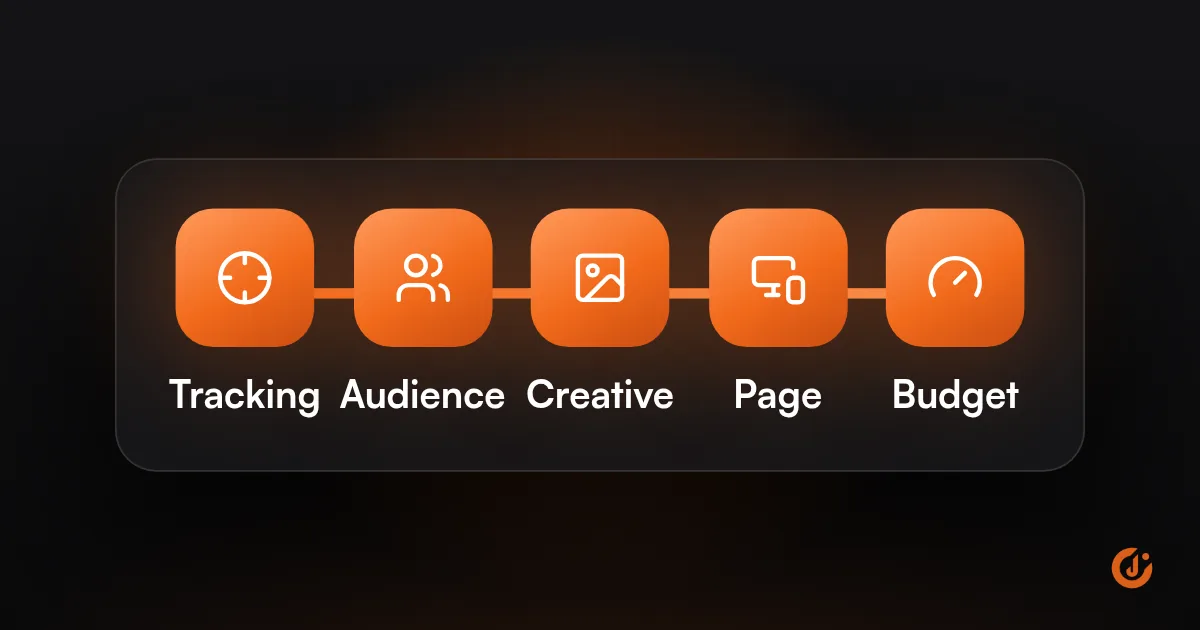
Facebook ads usually fail to convert for one of five reasons: tracking is broken, the audience is wrong, the creative does not match the offer, the landing page or lead form loses people, or the budget is too small to learn. Check tracking first, because a pixel fault can hide sales that did happen.
If you are asking “why are my Facebook ads not converting?”, work through the five checks in that order and stop at the first one that fails. Fixing things out of order wastes money, because each step depends on the one before it. Everything here applies to Meta Ads on Facebook and Instagram.
How Do You Tell Which Problem You Have?
Look at where people drop off. The step where the numbers fall away tells you which of the five checks to start with.
| What you see | Most likely cause | Start with |
|---|---|---|
| Spend, but almost no clicks | The ad or the audience | Audience and creative |
| Clicks, but few people reach the page | A slow page or a broken link | Landing page |
| Facebook ads getting clicks but no sales | The page, the offer, or tracking that misses sales | Tracking, then landing page |
| Add to carts, but no purchases | Checkout friction or surprise costs | Checkout and shipping |
| Facebook ads getting leads but no customers | An easy form, slow follow-up, or optimizing for volume | Lead form and follow-up |
| Sales in your store, none in Ads Manager | Tracking | Pixel and Conversions API |
| Results that were fine, then dropped | Something changed | The last section of this post |
Is Your Pixel Tracking Conversions Correctly?
Check this first. If the pixel is not recording purchases or leads, Ads Manager shows zero conversions even when customers are buying, and Meta has nothing to learn from.
Run these checks in order:
- Open your website with the Meta Pixel Helper browser extension and confirm one pixel loads on every page.
- Complete a test purchase or submit a test lead yourself.
- In Events Manager, use the Test events tool to see whether the Purchase or Lead event arrived.
- Check that the event fires once, on the confirmation or thank-you page, and not on page load.
- Compare a week of conversions in Ads Manager with the orders or leads in your store, CRM or inbox.
Common faults include a pixel that was removed during a theme or checkout update, two pixels firing at once, an event attached to the wrong page, a cookie banner that blocks the pixel, and a missing Conversions API connection.
If the event is missing or the numbers do not match, stop here and fix it. If you would like it handled for you, this is tracking and analytics work.
Are You Reaching the Right Audience?
If tracking works and the wrong people are seeing your ads, nothing after the click will convert. Check who the ads are reaching before you touch the creative.
- Location: make sure ads reach only the areas you serve. A roofer whose ads show two states away will get clicks and no jobs.
- Too narrow: a very small audience sees the same ad again and again, and results fade quickly.
- Too broad with no signal: broad targeting works when the pixel has conversion data to learn from. On a new account it can wander.
- Existing customers: if you are paying to reach people who already bought, exclude them or give them a different offer.
- Cold versus warm: people who have never heard of you need a different message from people who visited your site last week.
- Placements: look at the breakdown by placement. If most of the spend goes somewhere that brings clicks and nothing else, that is where the budget is leaking.
In Ads Manager, use the breakdowns by age, location and placement to see where the conversions come from. Move budget toward the groups that convert, and stop paying for the ones that never do.
Does the Ad Creative Match the Offer?
The ad has to promise the same thing the page delivers, to the kind of person who would buy it. When the two do not match, you pay for curious clicks from people who leave straight away.
Signs of a mismatch:
- The ad shows a discount, a product or a price that is hard to find on the page.
- The ad is eye-catching, and it is not clear what is being sold.
- The headline promises something broad, and the page offers something narrow.
- Comments on the ad ask basic questions such as “how much is it?” or “where are you located?”
- The same image or video has been running for months and results are sliding.
How to fix it:
- Say who it is for and what they get in the first line or the first three seconds.
- Show the product or the result, and include the price or offer if it is a selling point.
- Use the same headline, image and offer on the ad and on the page.
- Test a few different angles, such as price, speed, quality or proof, instead of small wording changes.
- Refresh creative before people tire of it.
If you are not sure whether the problem is your tracking, your audience or your ads, a free audit will check all three.
FREE META ADS AUDIT
Find Out What Is Holding Your Facebook Ads Back
JuvioX reviews your ad account, tracking and creative, then sends a prioritized list of what to fix first. Free, with no obligation.
Is the Landing Page or Lead Form Losing People?
If people click and then do nothing, the page or form is usually where they are lost. Open your own ad on a phone, tap through, and try to buy or enquire as a customer would.
What to look for depends on the kind of business.
| Business type | Where people drop off | What to fix |
|---|---|---|
| Ecommerce | Slow product pages. Shipping costs that appear late. Forced account creation. Few payment options. | Speed up the page, show shipping early, allow guest checkout, add reviews and clear returns. |
| Local services | No phone number in view. A long form. No sign of the service area or prices. | Put a tap-to-call button and a short form at the top. Show your area, reviews and what happens next. |
| Bookings and appointments | A booking tool that opens slowly or asks for too much. | Shorten the steps, show available times early, and confirm by text or email. |
| B2B and high-value services | A generic home page instead of a page about the offer. | Send clicks to a page built for that one offer, with one clear next step. |
Why Are Facebook Ads Getting Leads But No Customers?
This usually comes down to three things. Instant forms are filled in with two taps, so some people barely remember submitting them. Slow follow-up lets warm leads go cold. And a campaign optimized for the highest number of leads will find the cheapest ones, who are rarely the best.
- Add one or two qualifying questions to the form.
- Call or message new leads within minutes, during the hours your ads run.
- Track which leads become customers, and tell Meta, so it can look for more like them.
How to Fix. If the page itself needs work, that is conversion rate optimization.
Is the Budget or Objective Holding Results Back?
A campaign optimized for the wrong goal, or spread across too many ad sets, will struggle to convert even when everything else is right. Check the objective first, then the budget.
The Objective
Meta gives you what you ask for. A Traffic campaign finds people who click. An Engagement campaign finds people who like and comment. If you want purchases or leads, choose the Sales or Leads objective and optimize for that event. This single setting explains a lot of “clicks but no sales” accounts.
The Budget
Each ad set needs a steady flow of conversions to learn from. When a small budget is split across many ad sets, none of them gets enough.
- Combine ad sets so the budget is concentrated.
- If purchases are rare, optimize for a more frequent step for a while, such as add to cart or a started checkout.
- Avoid changing budgets and audiences every day. Frequent edits restart the learning phase.
Many owners describe spending thousands of dollars on Facebook ads with nothing to show for it. In most of those accounts, the money went to a Traffic objective, an untested page or broken tracking. The budget was rarely the real problem.
Why Did Ads That Worked Suddenly Stop Converting?
When ads that were working stop, something has changed: on your site, in your ads, in your audience or in the market. Find the change before you rebuild anything.
Go through this list:
☐ A website, theme or checkout update removed or broke the pixel.
☐ A new cookie banner or consent setting is blocking tracking.
☐ The same creative has been shown to the same people too many times.
☐ Someone edited the budget, audience or ads, and learning restarted.
☐ An ad was rejected, or a payment failed, and delivery dropped.
☐ The offer ended, the price went up, or the product went out of stock.
☐ The landing page was changed, moved or became slow.
☐ A busy season or new competitors pushed costs up.
Then confirm it with three quick checks:
- Compare conversions in Ads Manager with your own orders or leads for the same days. If your own numbers held steady, the problem is tracking.
- Open the activity history in Ads Manager and see what was edited around the date results fell.
- Place a test order or lead on your phone, from the ad, and note anything that is slow or broken.
If nothing changed on your side, refresh the creative first. Tired ads are the most common cause once tracking has been ruled out.
If you have worked through all five checks and results are still poor, it helps to have someone look at the account with fresh eyes. See how we manage campaigns on the JuvioX Meta Ads service page, or start with a free audit.
FREE META ADS AUDIT
Find Out What Is Holding Your Facebook Ads Back
JuvioX reviews your ad account, tracking and creative, then sends a prioritized list of what to fix first. Free, with no obligation.
FAQ
Frequently asked questions
Why are my ads getting clicks but not converting?
Clicks show that the ad gets attention. The problem comes after the click: a page that is slow or does not match the ad, an offer that is not strong enough, tracking that misses conversions, or a campaign objective set to Traffic instead of Sales or Leads. Check tracking first, then the page.
Why are my Facebook ads suddenly not working?
Something changed. The usual causes are a site or checkout update that broke the pixel, creative that people have seen too often, recent edits that restarted learning, a rejected ad or failed payment, or seasonal competition. Compare Ads Manager with your own sales records to see whether results really dropped or tracking did.
Why are my Facebook ads getting leads but no customers?
Instant forms are easy to submit, so many leads have little intent. Slow follow-up and campaigns optimized for lead volume make it worse. Add qualifying questions, respond within minutes and send data on good leads back to Meta. How to Fix.
Is it the ad or the website?
Look at where people drop off. If few people click, the ad or the audience is the issue. If people click and few reach the page, the page is slow or the link is broken. If they reach the page and do nothing, the page or the offer is the issue.
How long should you wait before changing an ad?
Give a new ad at least one to two weeks, unless something is plainly broken. Early results swing a lot, and frequent edits restart the learning phase. For a full timeline, see How Long Do Facebook Ads Take to Work?.