On this page
What Are Google Ads Enhanced Conversions?
Enhanced conversions are a Google Ads measurement feature that uses first-party customer data collected at conversion time to supplement standard conversion tracking. Google can use hashed customer information to improve the match between a conversion and a user who previously interacted with an ad.
Typical first-party fields include email address, phone number, and in some implementations name and address information.
ENHANCED DOES NOT MEAN SEPARATE CONVERSION
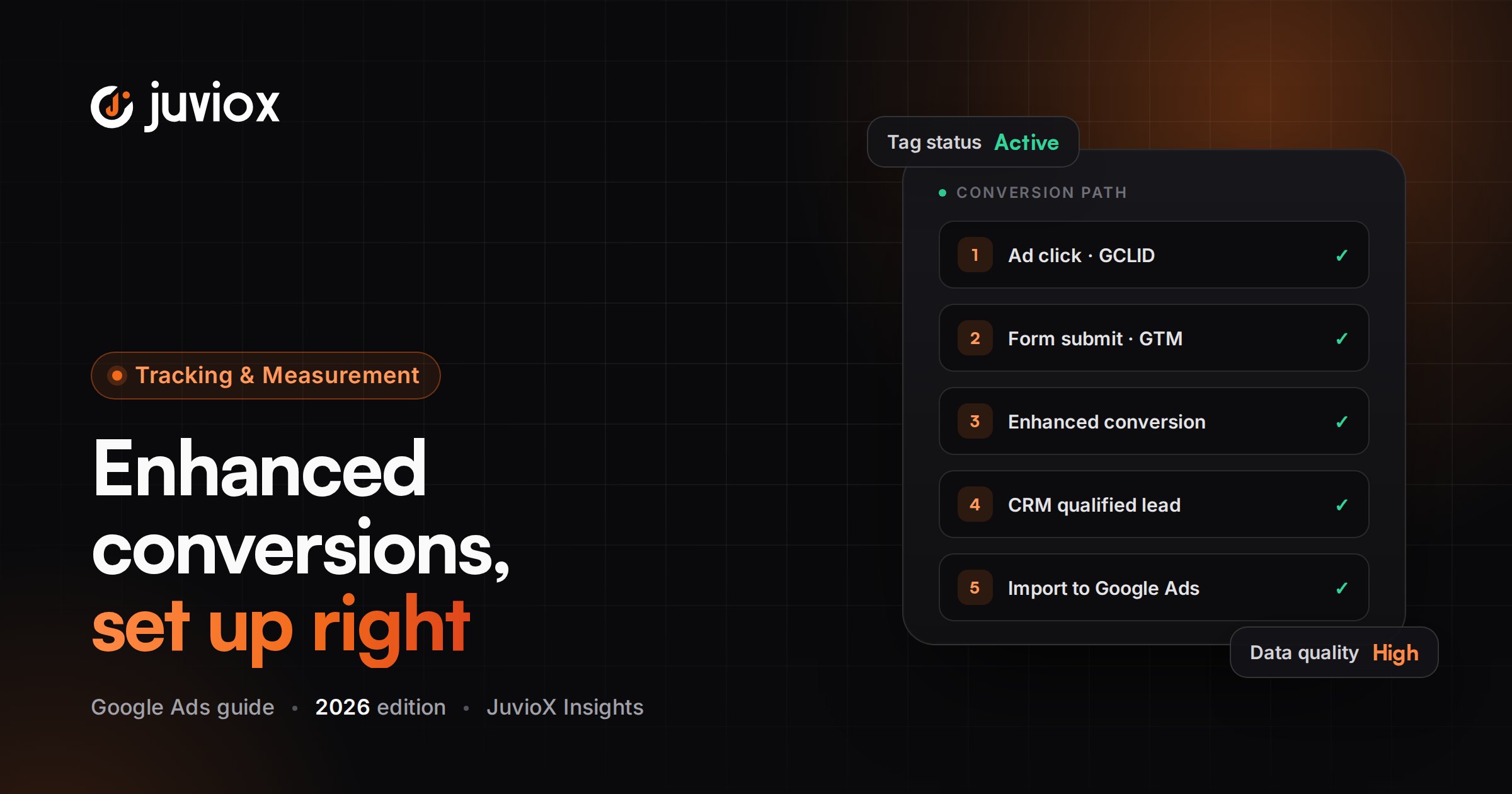
Think of the architecture as: Base conversion event + user-provided data = enhanced conversion measurement. You still need the underlying Google Ads conversion action.
How Enhanced Conversions Work
| Stage | What Happens |
|---|---|
| 1. Ad interaction | A user clicks or views an eligible Google ad |
| 2. Conversion | The user purchases, submits a lead or completes another tracked outcome |
| 3. First-party data | The site has customer data provided directly by that user |
| 4. Normalize / hash | Data is formatted correctly and securely hashed where required |
| 5. Send | Google tag, GTM, Data Manager or API sends the permitted data |
| 6. Match | Google compares hashed data with eligible signed-in Google account data |
| 7. Measurement | Matching can improve attribution/measurement coverage |
WHAT GOOGLE RECEIVES
The feature is designed around first-party data the customer provides directly to the business. It is not permission to scrape unrelated personal data or send fields that are not permitted.
The Big 2026 Change: One Enhanced Conversions Setting
Google materially changed enhanced conversions in 2026. Enhanced conversions for web and enhanced conversions for leads are now combined under a unified account-level on/off setting.
Starting in April 2026, Google Ads can accept user-provided data from website tags, Data Manager and API connections as part of this unified architecture. Existing users are being migrated to the updated setting.
WHY OLDER TUTORIALS CAN BE WRONG
A tutorial that tells you to choose permanently between ‘web’ and ‘leads’ as separate account-level enhanced-conversion modes may reflect an older interface. Verify the current account-level Customer data use / Enhanced conversions settings before implementation.
Enhanced Conversions for Web vs Enhanced Conversions for Leads
| Enhanced Conversions for Web | Enhanced Conversions for Leads |
|---|---|
| Improves matching for a website conversion that happens online | Connects a website lead with later offline/CRM outcomes |
| Example: Purchase completed on website | Example: Lead later becomes Qualified Lead or Customer |
| User data is sent with/supplementing website conversion measurement | Website user data is matched with imported downstream conversion data |
| Common implementation: Google tag or GTM | Common architecture: site tagging + Data Manager/API/CRM data |
| Focus: online conversion measurement durability | Focus: lead quality, pipeline and offline revenue |
The account-level setting is unified, but the measurement use cases remain different. Do not flatten a website Purchase and a CRM Qualified Lead into the same implementation logic.
What Customer Data Can Be Used?
Google documentation describes first-party customer data such as email address, phone number, name and home address as potential matching data, depending on the implementation method.
| Field | Implementation Note |
|---|---|
| Strong common identifier; normalize before hashing/manual API use | |
| Phone | Use international formatting/normalization requirements for the chosen method |
| First/last name | Used with address-based matching where supported |
| Street/city/region/postal/country | May be used as part of address data where supported |
DATA MINIMIZATION
Send only data required for the measurement purpose and supported by Google’s implementation. More PII fields are not automatically better.
Privacy, Consent & Customer Data Terms
Before enhanced conversions can process user-provided data, the relevant Google customer-data/data-processing terms must be accepted. Google also notes that user-provided data will not be collected or processed when required consent parameters are not granted.
- Review Google’s enhanced-conversions/customer-data policies.
- Confirm the business has the necessary rights and notices for the first-party data it sends.
- Respect applicable consent requirements and Google Consent Mode configuration.
- Do not expose raw personal data in GTM Preview screenshots, analytics URLs or the dataLayer longer than necessary.
- Avoid putting email/phone values into page URLs or query strings.
- Document which fields are collected and why.
IMPLEMENTATION AND COMPLIANCE ARE CONNECTED
A technically working tag can still be an unacceptable implementation if the data was collected or transmitted without the required user notice, consent or policy basis.
Prerequisites Before You Set Up Enhanced Conversions
- A working Google Ads website conversion action already exists
- The base conversion fires only on a confirmed outcome
- Google tag or Google Tag Manager is implemented correctly
- You know where the first-party customer data exists at conversion time
- Customer data terms have been accepted
- Consent behavior has been reviewed
- The site does not leak PII in URLs
- You can test the actual conversion flow
- For ecommerce, transaction ID/value/currency are already correct
FIX THE BASE FIRST
If Purchase fires twice, Lead fires on button click, or the Conversion ID/Label is wrong, fix that before adding enhanced conversions.
Google Tag Manager Enhanced Conversions: Architecture
With GTM, the implementation typically has two connected parts: the standard Google Ads conversion tag and the user-provided-data configuration that supplies customer information for enhanced measurement.
| GTM Component | Purpose |
|---|---|
| Google tag | Loads/configures Google destination |
| Google Ads Conversion Tracking tag | Sends the base conversion |
| User-provided data variable/configuration | Maps customer data fields |
| Trigger | Fires on the confirmed conversion state |
| Conversion Linker / Google tag behavior | Supports click attribution where applicable |
| Consent state | Controls whether permitted data can be processed |
Google’s current setup flow can direct you from Google Ads into Google Tag Manager and can support automatic or manual data collection depending on the site.
Automatic Collection vs Manual Collection
| Automatic | Manual |
|---|---|
| Google detects eligible user-provided fields on the page | You explicitly map variables/selectors/dataLayer fields |
| Fastest when the page structure is simple and stable | More control over exactly what is sent |
| Less implementation work | Better for complex forms, SPAs and custom checkout flows |
| Still requires validation | Requires technical maintenance when DOM/dataLayer changes |
JUVIOX RULE
Use the simplest method that is reliable. Automatic detection is not ‘better’ because it is automatic; manual dataLayer mapping is not ‘better’ because it is technical. Reliability, maintainability and privacy determine the right method.
Manual GTM Setup With a User-Provided Data Variable
1. Turn on enhanced conversions in the current Google Ads account-level settings and accept the required terms.
2. Select Google Tag Manager as the website tagging method where appropriate.
3. Open the GTM container that owns the conversion implementation.
4. Identify the existing Google Ads conversion action/tag.
5. Create or configure a User-Provided Data variable.
6. Set the variable type to Manual when explicitly mapping fields.
7. Map email, phone and/or supported address fields to GTM variables.
8. Use stable data sources such as dataLayer variables when available.
9. Associate the user-provided data with the conversion implementation according to the current Google tag/GTM setup.
10. Test the real conversion flow in Preview/Tag Assistant before publishing.
DO NOT COPY SELECTORS BLINDLY
A selector copied from another site or from an old version of the page can silently stop collecting data. Validate the value at the exact conversion moment.
dataLayer Method: Usually the Cleanest Custom GTM Approach
For custom sites and robust GTM implementations, a structured dataLayer event is often easier to maintain than scraping the DOM.
A developer can expose customer data at the successful conversion event, and GTM variables can read only the required fields.
| Why dataLayer Helps | Risk to Manage |
|---|---|
| Stable semantic field names | Developer must maintain the contract |
| Independent of CSS/layout changes | PII should not persist unnecessarily |
| Easy to align with conversion success event | Consent logic must be respected |
| Works well with SPA/custom checkout flows | Field normalization still matters |
DATA CONTRACT
Document the event name, required fields, when they become available, and whether values are raw or already normalized/hashed. Do not let marketing and development teams guess.
CSS Selector / DOM Method
When a clean dataLayer is unavailable, Google supports identifying user data through page elements and CSS selectors in certain setups. Google recommends using stable ID attributes where possible because IDs are generally less vulnerable to layout/class changes.
1. Open the actual conversion/form page in Chrome.
2. Identify the element that contains the customer-provided value at the relevant moment.
3. Prefer a unique element ID when available.
4. Validate the selector after successful form submission/checkout.
5. Confirm the element still exists when the conversion tag fires.
6. Test responsive/mobile versions if the DOM differs.
7. Document the selector so future website changes trigger a tracking review.
FRAGILITY WARNING
Selectors based on long nth-child chains or generated CSS classes are fragile. A minor redesign can break enhanced data collection while the base conversion continues to fire, making the failure easy to miss.
Email & Phone Normalization
When manual hashing or API-based methods are used, customer data must be normalized exactly as Google requires before SHA-256 hashing. Google tag/GTM implementations can handle hashing in supported configurations, but the source value still needs to be clean.
- Trim leading/trailing whitespace.
- Normalize email casing/format according to Google’s specification.
- Remove inappropriate formatting from phone numbers and use the required international representation where applicable.
- Do not hash an already hashed value again unless the method explicitly expects it.
- Do not send placeholder values such as ‘N/A’ as customer identifiers.
HASHING IS NOT CONSENT
SHA-256 protects the transmitted matching identifier; it does not remove the need for lawful collection, disclosure and required consent.
Enhanced Conversions for Ecommerce
For ecommerce, enhanced conversions should sit on top of a reliable Purchase event.
1. Purchase fires only after confirmed payment/order creation.
2. Transaction ID is unique and prevents duplicate counting.
3. Value and currency are correct.
4. Customer email/phone is available at the conversion moment through a supported source.
5. Enhanced conversions are enabled and the data source is mapped.
6. Consent requirements are satisfied.
7. Test both guest and logged-in checkout paths.
8. Review diagnostics after real/eligible conversion data begins arriving.
DO NOT CONFUSE ENHANCED ECOMMERCE WITH ENHANCED CONVERSIONS
‘Enhanced ecommerce’ is older Analytics terminology. Google Ads enhanced conversions refers to first-party matching data that supplements conversion measurement.
Enhanced Conversions for Lead Generation
For a website lead, enhanced conversions can improve the measurement of the initial online conversion. For a mature lead-generation program, the bigger opportunity is to connect that first-party lead data to later Qualified Lead, Opportunity or Customer outcomes.
| Measurement Level | Signal Quality |
|---|---|
| Form submit | Knows a lead was created |
| Qualified lead | Knows sales accepted/validated the lead |
| Opportunity | Knows meaningful pipeline was created |
| Customer | Knows acquisition occurred |
| Revenue/value | Knows economic outcome |
Google now positions enhanced conversions for leads as the upgraded path for connecting offline lead outcomes. Current implementations should follow Data Manager/Data Manager API guidance.
2026 API UPDATE
Starting June 15, 2026, Google moved current/future offline conversion and enhanced-conversions-for-leads uploads toward the Data Manager API, with legacy Google Ads API access restricted based on prior allowlisting.
How to Test Enhanced Conversions in GTM
1. Open GTM Preview / Tag Assistant.
2. Run the real conversion path with test data appropriate for the environment.
3. Confirm the base Google Ads conversion tag fires exactly once.
4. Inspect the user-provided-data configuration/variable at the conversion event.
5. Confirm expected fields contain the correct values – without exposing them in documentation screenshots.
6. Verify consent state permits processing where required.
7. Check that no PII appears in page URLs.
8. Publish only after the test is clean.
9. After real conversion data is received, review Google Ads enhanced-conversions diagnostics/status.
TWO-STAGE VALIDATION
GTM Preview proves your implementation can supply the data. Google Ads diagnostics prove Google is actually receiving/processing enhanced-conversion data. You need both layers.
Enhanced Conversions Diagnostics
Google Ads provides conversion diagnostics to help verify enhanced-conversion implementations. Depending on the method, statuses can indicate that enhanced conversions are recording, not in use, or waiting to receive data.
| Status / Symptom | Meaning / Next Step |
|---|---|
| Recording enhanced conversions | Data is being received without a major detected issue |
| Enhanced conversions not in use | Check whether customer data terms/enhanced conversions are enabled |
| Waiting to receive data | Implementation enabled but Google has not received/processed data yet |
| No recent data | Check traffic/conversions, tag firing and field availability |
| Data-quality warning | Review formatting, field mapping and implementation method |
Google notes that diagnostics may take time to update; some documentation advises allowing up to 48 hours after data is received before treating a waiting status as a confirmed failure.
Why Enhanced Conversions Are Not Working
| Problem | What to Check |
|---|---|
| Base conversion works, enhanced data does not | Enhanced setting, terms, method, user-data variable, consent |
| Email variable is empty | Timing, selector/dataLayer field, form page state |
| Works on desktop only | Different mobile DOM/checkout template |
| Stopped after redesign | CSS selector or form field changed |
| Diagnostics waiting | Real eligible conversions, processing time, field mapping |
| Data rejected/low quality | Normalization, unsupported values, hashing method |
| API data not processed | Selected account method and current 2026 API/Data Manager requirements |
| Lead outcomes not matching | Website data capture + CRM import identifiers/timing |
DEBUG FROM SOURCE TO DESTINATION
Customer field -> GTM variable -> user-provided data object -> conversion event -> consent -> Google destination -> diagnostics. Check each layer in order instead of repeatedly recreating tags.
Common GTM Implementation Failures
- Using a click trigger before the customer data or success state exists
- Scraping a form field that is cleared after submission
- Long fragile CSS selectors
- Using the wrong Google Ads account/Conversion ID context
- Enhanced data mapped to a different conversion flow than the base tag
- PII exposed in dataLayer longer than necessary
- Consent state blocks processing but the implementer tests only tag firing
- Testing with browser autofill behavior that differs from real checkout
- Double hashing manually when the tag expects raw normalized data
- Publishing without checking diagnostics after live data
GA4 and Enhanced Conversions
Many people search for GA4 enhanced conversions, but the terminology can be confusing. Enhanced conversions is fundamentally a Google Ads measurement feature, while Google Analytics has its own user-provided-data and event architecture.
Google’s API documentation also notes that conversions measured by importing Google Analytics goals/events are not the supported path for the Google Ads enhanced-conversions-for-web API workflow; a Google Ads conversion action using the Google tag/GTM is required for that implementation.
COMMON CONFUSION
Turning a GA4 event into a Google Ads conversion does not automatically add enhanced conversions. The user-provided-data implementation is a separate measurement layer.
Enhanced Conversions Benefits: What to Expect
The practical benefit is better measurement resilience and matching, which can improve the data available for reporting and bidding. Google now provides enhanced-conversions impact results in the Conversion summary area for eligible accounts.
Do not promise a universal percentage uplift. The impact depends on traffic, consent, identifier availability, browser environment, existing tag quality and the business’s conversion volume.
MEASURE THE IMPACT
Use Google’s impact reporting where available, but judge the whole measurement system: conversion coverage, consistency, bidding stability and downstream business outcomes.
JuvioX Enhanced Conversions Audit Framework
| Layer | Audit Question |
|---|---|
| Base conversion | Does the actual conversion fire correctly once? |
| Account setting | Are enhanced conversions enabled under the current unified setup? |
| Terms/consent | Are required terms accepted and consent signals correct? |
| Data source | Where do email/phone/address values come from? |
| Timing | Are values available when the conversion fires? |
| GTM mapping | Are variables/selectors/dataLayer fields correct? |
| Formatting | Are identifiers normalized correctly? |
| Privacy | Is PII absent from URLs/logs and minimized appropriately? |
| Diagnostics | Is Google receiving enhanced data? |
| Lead feedback | For lead gen, are qualified/offline outcomes connected? |
Enhanced Conversions Setup Checklist
- Base Google Ads conversion verified
- Enhanced conversions enabled at current account level
- Customer data terms accepted
- Consent requirements reviewed
- Implementation method documented
- GTM/Google tag destination correct
- Email/phone/address source identified
- dataLayer preferred where reliable
- CSS selectors use stable IDs where possible
- Variables contain data at conversion time
- Normalization/hashing responsibilities documented
- No PII in URLs
- Purchase transaction ID/value/currency verified
- Lead conversion fires only on confirmed success
- GTM Preview test completed
- Tag Assistant test completed
- Google Ads diagnostics reviewed after live data
- Mobile/alternate checkout paths tested
- Website redesign/change-management note documented
- For leads, Data Manager/offline feedback roadmap defined
Common Enhanced Conversions Mistakes to Avoid
| Mistake | Why It Fails | Better Approach |
|---|---|---|
| Adding enhanced conversions before fixing base tracking | Bad event remains bad | Validate base conversion first |
| Assuming hashing makes all PII use compliant | Hashing is only one technical safeguard | Review consent/policy/data terms |
| Using fragile selectors | Redesign silently breaks data capture | Use IDs/dataLayer |
| Collecting data too early | May not represent completed conversion | Map at confirmed success |
| Testing only ‘tag fired’ | Does not prove user data was sent/received | Check variable + diagnostics |
| Treating web and leads as identical | Different measurement use cases | Separate online event from downstream CRM outcome |
| Following pre-2026 settings tutorial | Unified account architecture changed | Use current Google Ads UI/docs |
| Using old Google Ads API upload path | June 2026 migration changed new implementations | Use current Data Manager guidance |
| Double hashing values | Can destroy matchability | Follow method-specific hashing rules |
| Promising a fixed uplift | Impact varies by account | Use actual impact/measurement data |
Final Takeaway: Better Matching Starts With Better Measurement Architecture
Enhanced conversions are valuable because they strengthen the connection between a real customer conversion and the advertising interaction that contributed to it. But the feature works best when the rest of the measurement system is already disciplined.
Start with a correct base conversion. Use only appropriate first-party data. Choose a maintainable collection method. Respect consent and data terms. Validate the values in GTM, then validate receipt in Google Ads diagnostics. For lead generation, continue the measurement journey into qualified leads, customers and revenue.
TRACKING & ANALYTICS
Make Google Ads Conversion Data More Durable
JuvioX implements Google Ads, GTM, enhanced conversions, consent-aware measurement, CRM/offline feedback and server-side tracking as one connected measurement system.
FAQ
Frequently asked questions
What are Google Ads enhanced conversions?
They supplement existing conversion tracking with first-party customer data such as email or phone information to improve conversion matching and measurement.
Do enhanced conversions replace normal Google Ads conversion tracking?
No. The underlying conversion action still needs to work correctly. Enhanced conversions add user-provided matching data to that measurement.
What data can enhanced conversions use?
Depending on the setup, Google supports first-party data such as email, phone number and certain name/address fields.
Does Google receive my customer's raw email address?
Supported implementations securely hash identifiers using SHA-256 as required. Google tag/GTM can handle hashing in supported configurations; API/manual methods have explicit normalization and hashing requirements.
Can I set up enhanced conversions with Google Tag Manager?
Yes. GTM is a supported implementation method and can use automatic detection or manually mapped user-provided-data variables.
Should I use dataLayer or CSS selectors?
A stable dataLayer is often easier to maintain on custom sites. CSS selectors can work when a dataLayer is unavailable, but stable IDs are preferable to fragile generated classes or nth-child selectors.
Why are my enhanced conversions not working?
Check the account setting and terms, consent, base conversion, data source, GTM variables/selectors, timing, normalization and Google Ads diagnostics.
How long do enhanced-conversion diagnostics take?
Google documentation notes that diagnostic status can take time to update and advises allowing up to roughly 48 hours after data is received in some diagnostic flows.
What changed with enhanced conversions in 2026?
Enhanced conversions for web and leads are now under a unified account-level setting, and Google can accept user-provided data from website tags, Data Manager and API connections within the updated architecture.
What is the difference between enhanced conversions for web and leads?
Web improves matching for online website conversions. Leads connects first-party website lead data with later offline/CRM outcomes such as Qualified Lead or Customer.
What changed for enhanced conversions for leads in June 2026?
Google shifted current/future offline and enhanced-conversions-for-leads uploads toward the Data Manager API, with legacy Google Ads API access restricted based on allowlisting.
Can enhanced conversions work with GA4 conversions?
Do not assume a GA4 import automatically becomes an enhanced conversion. Google's enhanced-conversions-for-web API guidance requires a Google Ads conversion action using Google tag/GTM rather than an imported Analytics goal/event for that workflow.
Do I need Consent Mode for enhanced conversions?
Consent requirements depend on applicable rules and implementation, but Google states user-provided data will not be processed where required consent parameters are not granted. Consent architecture should be reviewed as part of setup.
Should I send both email and phone?
Send supported first-party fields that are available, appropriate and permitted. More fields are not automatically necessary; prioritize clean, accurate data and minimization.
How do I know enhanced conversions improved measurement?
Review Google Ads enhanced-conversions impact results where available and compare measurement coverage and business reporting over time rather than assuming a fixed uplift.
12 sources & references
- Google Ads Help - About enhanced conversions for web
- Google Ads Help - Account-level enhanced conversions
- Google Ads Help - Opt into enhanced conversions
- Google Ads Help - Set up enhanced conversions for web with Google tag
- Google Ads Help - Configure GTM for enhanced conversions for leads
- Google Ads Help - Configure Google tag / selectors for enhanced conversions for leads
- Google Ads Help - Enhanced conversions for leads
- Google Ads Help - Data Manager with enhanced conversions for leads
- Google Ads Help - Enhanced conversions implementation checklist
- Google Ads Help - Enhanced conversions impact results
- Google Ads Help - Enhanced conversions diagnostics
- Google Ads Help - Updates to enhanced conversions settings