On this page
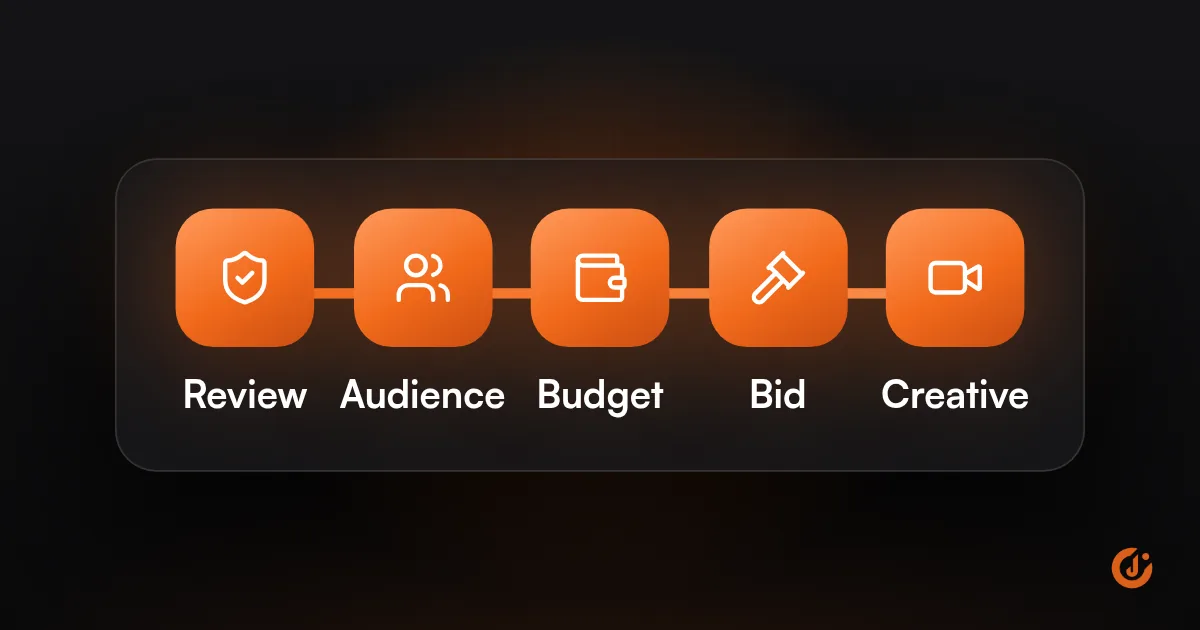
When TikTok ads are active but not spending, the usual causes are a bid or cost cap set too low, an audience that is too small, an ad still in review or limited by policy, a new account with low trust, or a conversion event with too little data. Check each in turn before rebuilding the campaign.
Setting names and numbers in this post come from TikTok’s Business Help Center, as of October 2026. TikTok renames settings often, so the labels in your account may differ slightly.
What Should You Check First?
Check the status column in TikTok Ads Manager at campaign, ad group and ad level before you touch any settings. Then work down the list below in order, because the earlier checks are quicker and rule out the simple causes.
| What you see | Likely cause | Where to look |
|---|---|---|
| Status is Pending | The ad, ad group or account is under review, or the start date is in the future. | Hover over the status for the detail. |
| Status is Not Delivering | Budget or balance has run out, the ad was rejected, or an asset such as the pixel is unavailable. | The reason shown next to the status. |
| Active, zero impressions | Target cost too low, or the audience is too small. | Bid strategy and audience size in the ad group. |
| Active, spends a little, then stalls | Too few conversions for the event you chose, or budget too low for your target cost. | Optimization event and daily budget. |
| Worked before, stopped after an edit | The edit sent the ad back into review or restarted learning. | Edit history and status. |
Is the Ad Actually Approved?
Often it is not, even when the campaign looks live. An ad cannot deliver while it is in review, and any edit to an approved ad can send it back.
TikTok says most ads are reviewed within 24 hours, though some take longer. It also says that saving changes or editing the creative triggers a new review, which can take up to 24 hours. If you have edited the ad three times in two days, it may never have been out of review long enough to run.
According to TikTok’s help center, these changes to an approved ad trigger a new review:
- Ad level: the video or image, display name, profile image, URL or deeplink, and tracking.
- Ad group level: age, location or language targeting.
Then read the status itself. The ones that explain most cases of TikTok ads not delivering:
| Status | What TikTok says it means |
|---|---|
| Pending: Ad under review | The ad is being reviewed and is not delivering. No action needed yet. |
| Pending: Review for modification | The ad or ad group was edited and has gone back into review. |
| Pending: To be delivered | The ad is scheduled to start on a future date. |
| Not Delivering: Review not approved | The ad was rejected in review. Read the reason, fix the ad and resubmit, or appeal. |
| Not Delivering: Out of budget | The account, campaign or ad group budget has been used up. |
| Not Delivering: Insufficient balance | The ad account needs funds added. |
| Not Delivering: Asset unavailable | A linked asset such as the pixel, catalog, identity or shop is unavailable. |
| Limited Delivery | The ad is only partly delivering, for example when it is rejected in one of two target countries. |
One more thing to rule out: the schedule. An ad group set to start next Monday, or to run only during certain hours, will sit idle outside that window.
Is Your Bid or Cost Cap Too Low?
If you set a target cost and the budget is not being spent, the target is the first suspect. TikTok’s own help center says that when a Cost Cap campaign cannot spend its budget, the CPA bid is likely too low.
TikTok offers two approaches, and its help pages currently use two sets of names for them:
- Maximum Delivery (also shown as Maximum Results): you set no target. TikTok aims to get as many results as the budget allows.
- Cost Cap (also shown as Target Cost per Result): you set the cost per result you want. TikTok tries to stay near it, and holds back when it cannot.
That holding back is what you see as an active ad with no spend. A new store that sets a $5 target for a purchase because that is what the owner hopes to pay gives TikTok almost nothing it can win.
What to do:
- Use the suggested bid shown in Ads Manager as your starting point, not the number you wish for.
- If a target-cost campaign is not using its budget, TikTok recommends raising the bid by at least 20%.
- Check the budget against the bid. TikTok recommends a budget of at least 10 times your CPA bid.
- If you have no firm cost target yet, switch to Maximum Delivery. TikTok recommends it for advertisers without a specific cost goal.
Budget has a floor as well. TikTok’s minimum is $50 at campaign level and $20 at ad group level. Our guide to how much TikTok ads cost covers how to set a budget that gives each ad group a real chance.
FREE TIKTOK ADS AUDIT
Find Out What Is Holding Your TikTok Ads Back
JuvioX reviews your ad account, pixel and creative, then sends a prioritized list of what to fix first. Free, with no obligation.
Is the Audience Too Narrow?
It may be, especially for local and B2B campaigns. When the pool of people is too small, TikTok has few chances to show the ad, and delivery becomes slow or uneven.
Ads Manager tells you. Above the Reach Estimator in the ad group, an audience size indicator shows “Too Narrow or Narrow”, “Balanced” or “Fairly Broad”. TikTok says that with a narrow audience, performance may fluctuate and you may need to loosen your criteria.
Typical ways an audience gets too small:
- A local business picks a handful of ZIP codes, then adds an age range, a gender and several interests on top.
- A B2B company layers interest and behavior targeting to reach one job type.
- An online store targets only a small custom audience, such as past buyers or a short website visitor list.
- Any advertiser excludes so many groups that few people are left.
The fix is to remove layers, not add them. Keep the limits you truly need, such as your service area and a minimum age, and drop the optional interests. A dentist who serves three towns should keep the three towns and let TikTok find the right people inside them.
Is the Account New or Limited?
Sometimes the problem is the account, not the campaign. A new account can still be under review, and an established one can be out of balance, at its ad group limit or restricted.
TikTok does not publish a rule that new accounts are trusted less or spend more slowly. Many advertisers report slow starts on new accounts, but what TikTok documents is narrower, and each item is something you can check:
☐ Account under review. A new account has to be approved before ads can run. The status shows “Account under review”.
☐ Account not approved. The business information was rejected. Correct it and resubmit.
☐ Insufficient balance. On prepaid accounts, ads stop when the balance runs out. Check the payment method has not failed.
☐ Ad group limit reached. Each account has a limit on how many ad groups can deliver at once, based on its tier. Pause or delete ad groups you no longer need.
☐ Qualification required. Some industries must submit documents before their ads can run.
☐ Account suspended. Delivery stops entirely. Follow TikTok’s appeal process.
If the account is new, keep the first campaign simple: one campaign, one or two ad groups, a few ads. A dozen ad groups on a small budget spread the spend so thin that none of them gets going.
Is the Optimization Event Getting Enough Data?
If the event you optimize for rarely happens, TikTok has little to learn from and delivery slows down. This is the usual cause when an ad spends a few dollars and then stalls.
TikTok looks for people likely to complete the event you picked. An online store that optimizes for purchases but records two a week gives it very little signal. So does a service business that optimizes for a booked appointment that happens once a month.
Check three things:
- Is the event firing at all? Open Events Manager and confirm the event has been recorded recently. A pixel that broke after a site update is a common reason for ads that worked and then stopped. See how to set up the TikTok Pixel and Events API.
- Is the budget big enough for the event? For campaigns without a cost target, TikTok recommends a daily budget of about 10 times your average cost per result. If a purchase costs you $40, a $20 daily budget cannot produce steady results.
- Is the event too far down the funnel for now? If purchases are rare, optimize for an earlier step such as add to cart or a form submission until volume builds, then move back.
If events are missing or counted twice, fix that before anything else. Our Tracking & Analytics team handles pixel and Events API setups when the data cannot be trusted. Once the ads spend but do not sell, the problem is a different one, covered in TikTok ads getting clicks but no sales.
How Long Should You Wait Before Changing It?
Give a new ad a full day to clear review, then at least another day after approval before you decide it is not spending. Once it is delivering, avoid edits until the learning phase settles.
How long does the TikTok ads learning phase take? TikTok says results are unstable at the start and that volatility begins to decline after about 25 campaign results or 7 days. It advises against pausing campaigns or ad groups during that time, and notes that some edits restart the learning phase.
A sensible order of work:
- Launch, then leave the ad alone for 24 hours while it is reviewed.
- If it is approved but has no impressions a day later, work through the checks above in order.
- Make one change, such as raising the bid or widening the audience. Write down what you changed and when.
- Wait a full day before judging that change.
- Once the ad is spending, stop editing until it has about 25 results or 7 days behind it.
- Only then decide whether to keep, adjust or replace it.
If you have worked through every check and the budget still will not move, a second pair of eyes helps. Our TikTok Ads team manages accounts for a flat monthly fee, month-to-month with no lock-in.
FREE TIKTOK ADS AUDIT
Find Out What Is Holding Your TikTok Ads Back
JuvioX reviews your ad account, pixel and creative, then sends a prioritized list of what to fix first. Free, with no obligation.
FAQ
Frequently asked questions
Frequently Asked Questions
Why is my ad active but not spending?
Active means the ad is not blocked. It does not guarantee impressions. The usual reasons are a cost target set too low, an audience that is too narrow, a conversion event with too little data, or a recent edit that sent the ad back into review. Check the status detail first, then the bid, then the audience.
How long does it take for TikTok ads to start spending?
TikTok says most ads are reviewed within 24 hours, though some take longer. An ad cannot spend until it is approved. If it is approved and still shows no impressions a day later, treat that as a delivery problem and check the bid, audience and conversion event.
How long is the learning phase?
TikTok does not give a fixed length. Its help center says volatility starts to decline after about 25 campaign results or 7 days. A campaign that gets few conversions takes longer to settle, which is why budget and the choice of optimization event matter.
Should you duplicate the campaign?
Not as a first step. A duplicate goes through review again and starts learning from zero, and whatever stopped the original from spending is copied with it. Find and fix the cause first. Duplicating makes sense only after you have changed something meaningful and want a clean start.
Does a bigger budget help?
Sometimes. It helps when the budget is too small for your target cost: TikTok recommends a budget of at least 10 times your CPA bid. It does not help when the cause is a low bid, a narrow audience, a rejected ad or broken tracking. Fix those first, then raise the budget.
3 sources & references
- TikTok Ads Manager Help Ad Review FAQs ads.tiktok.com
- TikTok Ads Manager Help Bidding strategies ads.tiktok.com
- TikTok Ads Manager Help Learning Phase ads.tiktok.com
Official pages we checked when writing this article.