On this page
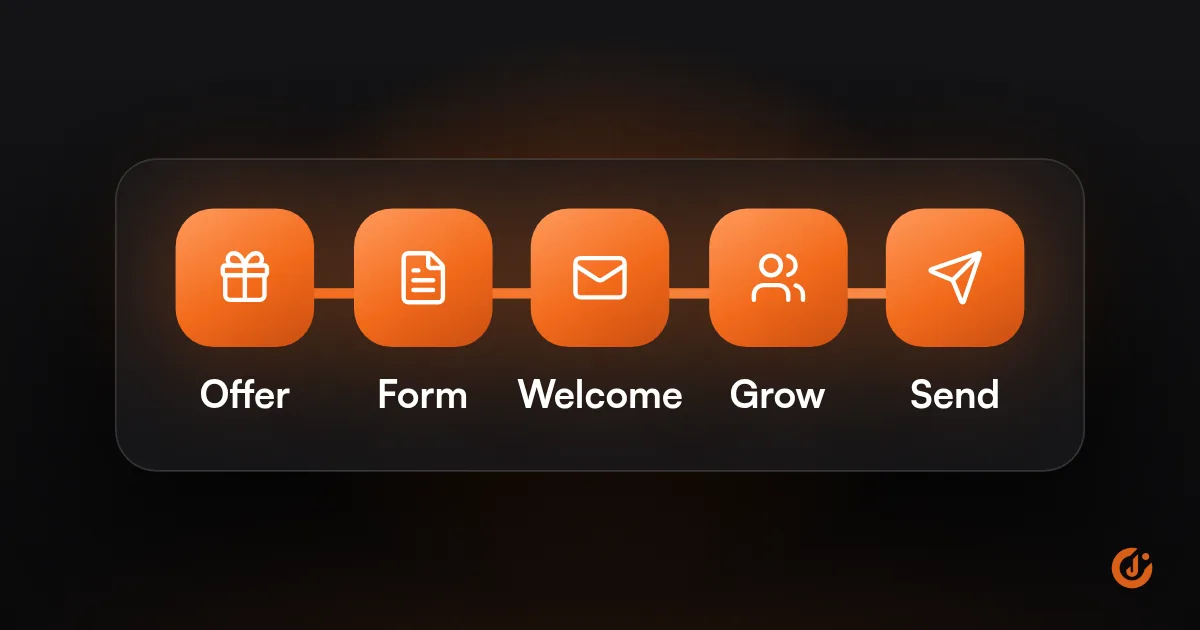
Build an email list by giving people a clear reason to join where they already are: a signup form or pop-up on your website with a specific offer, a checkout opt-in, and in-person signups for local businesses. Never buy lists. Send a welcome email straight away and keep sending useful emails so people stay.
That is the short version of how to build an email list. The rest of this guide covers where subscribers come from, what to offer them, which forms to use, and what to do when the list stops growing.
How to build an email list in 6 steps
- Pick an email platform and connect it to your website or store, so signups land in one place.
- Decide on one signup offer that fits your business (see the table below).
- Add a form in at least three places: a pop-up or slide-in, the footer, and checkout or your contact form.
- Set up a welcome email that sends immediately and delivers what you promised.
- Add offline collection if you have a location: a QR code at the counter, a line on the intake form.
- Check the numbers monthly: new subscribers by source, and how many unsubscribe.
Where do new subscribers come from?
New subscribers come from places where people already deal with your business: your website, your checkout, your physical location and your social profiles. Start with the sources you already have before paying for new traffic.
| Source | How to collect | Best for |
|---|---|---|
| Website visitors | Pop-up, slide-in, footer form, form inside blog posts | Every business with a website |
| Checkout or booking | Opt-in checkbox when someone buys or books | Stores, appointment businesses |
| Quote and contact forms | Opt-in checkbox on the form | Service and B2B companies |
| In person | QR code at the counter, tablet signup, paper sheet typed in later | Shops, restaurants, salons, clinics |
| Social profiles | Link in bio to a signup page | Businesses with an active following |
| Events and trade shows | Signup sheet or QR code, with clear consent | B2B, local businesses |
| Paid ads | Ad pointing to a signup page with one offer | Once the free sources are working |
For a business starting at zero, the fastest first subscribers are existing customers. Ask them directly, at the counter or in a personal email, whether they want to hear from you. Add only the people who say yes.
Whichever sources you use, record where each subscriber came from. Most platforms store the form or source automatically. That is how you learn which source brings people who later buy, and it gives you a consent record. If signups are not showing up as conversions in your analytics, our Tracking & Analytics service can set that up.
What makes a good signup offer?
A good signup offer is specific, useful right away, and tied to what you sell. It tells the visitor exactly what they get and attracts people likely to become customers.
| Business type | Weak offer | Stronger offer |
|---|---|---|
| Online store | Join our newsletter | A first-order discount, or early access to new products and sales |
| Restaurant or cafe | Stay in touch | A free appetizer on your next visit, plus the weekly specials |
| Home services (HVAC, plumbing) | Get updates | A seasonal maintenance checklist and reminders when service is due |
| Dental or medical practice | Subscribe | New-patient offer details and booking reminders |
| B2B services or software | Sign up for news | A template, checklist or short guide that solves one problem |
| Salon or gym | Join our list | First-visit offer, plus first notice of open slots and new classes |
A few rules hold across business types:
- Match the offer to the buyer. A tablet giveaway attracts everyone who wants a tablet. A buying guide for your product attracts people who want your product.
- Deliver it at once. The discount code or download should arrive in the welcome email within minutes.
- Say what comes next. “One email a week with new arrivals” sets expectations and lowers unsubscribes later.
- Discounts are not the only option. Early access, useful content, reminders and members-only offers work for businesses that do not want to train customers to wait for a coupon.
FREE EMAIL & SMS AUDIT
Find Out What Your List Could Be Earning
JuvioX reviews your flows, deliverability and campaigns, then sends a prioritized list of what to fix first. Free, with no obligation.
Which signup forms work best?
The forms that work best are the ones people see at the right moment: a well-timed pop-up, a checkout opt-in, and a simple form that is always available. Use more than one, because each catches a different visitor.
| Form type | Strength | Watch out for |
|---|---|---|
| Pop-up | Seen by most visitors, so it usually collects the most signups | Showing it the instant the page loads, or on every page view |
| Slide-in or sticky bar | Less intrusive than a pop-up | Easy to ignore; needs a clear offer |
| Embedded form (footer, sidebar, inside articles) | Always there for people who look for it | Low visibility on its own |
| Dedicated signup page | Gives you a link to share in social profiles, ads and QR codes | Needs traffic sent to it |
| Checkout or booking opt-in | Reaches people at the moment they are most interested | Must be a clear choice, with honest wording |
| QR code or in-person signup | Captures customers who never visit your website | Illegible handwriting; type entries in promptly |
To get more from any form:
- Ask for the email address only, or email and first name. Collect more later.
- Put the offer in the headline, and make the button say what happens: “Send my checklist”, not “Submit”.
- Delay the pop-up until the visitor has scrolled or spent some time on the page, and do not show it again to someone who closed it or already signed up.
- Check the form on a phone. On mobile, a pop-up should be easy to close and should not cover the whole screen the moment the page opens.
- Test that a signup reaches your email platform and triggers the welcome email. Broken connections are a common cause of a flat list.
Some businesses use double opt-in, where the subscriber confirms by clicking a link in a first email. It gives you a cleaner list and better proof of consent, at the cost of losing some people who never click. It is worth considering if you see many fake or mistyped addresses.
Why should you never buy a list?
Never buy a list because the people on it did not ask to hear from you, and inbox providers can tell. Bought lists lead to spam complaints, bounced emails and a damaged sender reputation that hurts every email you send afterward.
- Deliverability. Purchased lists contain dead addresses and spam traps. High bounces and complaints push your emails, including those to real customers, toward the spam folder.
- Platform rules. Most email platforms forbid purchased lists in their terms of use and may suspend an account that uploads one.
- Results. People who have never heard of you rarely buy from an unexpected email.
- Legal risk. Email and privacy laws set rules on commercial email and consent, and they vary by state and country. Get legal advice if you are unsure what applies to you.
The same goes for scraped addresses, rented lists, and adding everyone whose business card you ever collected. A small list of people who asked to join is worth more than a large list of strangers.
How do you grow an SMS list at the same time?
Grow an SMS list by asking for the phone number as a separate, optional step with its own clear consent, after you have the email address. Never add a phone number to a text list just because the customer gave it for an order or appointment.
Texting rules are stricter than email rules. In general terms, as of October 2026, marketing texts in the US need the person’s clear written consent before the first message, and that consent cannot be a condition of buying. The signup should say who is texting, roughly how often, that message and data rates may apply, and how to stop. This is general information, not legal advice. Have a lawyer review your SMS opt-in wording.
Practical ways to collect both:
- Two-step pop-up. Step one asks for the email. Step two offers an extra reason to add a phone number, with the consent wording next to the field.
- Checkout opt-in. A separate, unticked checkbox for texts, apart from the email checkbox.
- Text-to-join keyword. A sign at the counter inviting customers to text a word to your number, followed by a confirmation message.
- Give texts their own purpose. Appointment reminders, back-in-stock alerts or same-day offers give people a reason to say yes to texts as well as email.
For consent rules in more detail, see how to send SMS marketing legally in the US.
Why is your list not growing?
If your email list is not growing, the cause is usually one of three things: too few people see the signup form, the offer is weak, or people are leaving as fast as they join. Check them in that order.
| Symptom | Likely cause | Fix |
|---|---|---|
| Few signups, low website traffic | Not enough people reach the form | Add in-person and checkout collection; share a signup page on social profiles |
| Plenty of traffic, few signups | Form is hidden or the offer is generic | Add a timed pop-up; replace “newsletter” with a specific offer |
| Signups happen but the list stays flat | Unsubscribes and bounces match new signups | Send more useful emails; set expectations at signup |
| Signups dropped suddenly | Form or integration broke | Submit a test signup and check it reaches the platform |
| Many signups, few ever open | Offer attracts the wrong people, or fake addresses | Change the offer; consider double opt-in |
| Mobile visitors do not sign up | Form is hard to use on a phone | Test and simplify the mobile form |
A list also shrinks on its own. People change email addresses and lose interest, so some loss every month is normal. Removing subscribers who have not engaged in a long time keeps the list healthy even though the total goes down. Email segmentation and list cleaning covers when and how to do that.
What happens after the signup matters as much as the form. Send the welcome email immediately, deliver the offer, and follow with emails people would miss if they stopped. For a full plan for a smaller company, see email and SMS marketing for small business.
If you would like someone to review your forms, offer and welcome emails, our Email & SMS marketing team starts with a free audit. JuvioX charges a flat monthly management fee, month-to-month, with no lock-in.
FREE EMAIL & SMS AUDIT
Find Out What Your List Could Be Earning
JuvioX reviews your flows, deliverability and campaigns, then sends a prioritized list of what to fix first. Free, with no obligation.
FAQ
Frequently asked questions
Can you build an email list for free?
Yes. Several email platforms offer a free plan for small lists, as of October 2026, and signup forms are usually included. Limits and features on free plans change, so check the platform's pricing page. Your own time is the main cost at the start: writing the offer, adding the forms and sending the emails.
How do you create an email list?
Open an account with an email marketing platform, create a list or audience, and add a signup form to your website. Then invite existing customers to join and add only those who agree. Avoid keeping the list in a spreadsheet and sending from a personal inbox such as Outlook or Gmail: there is no unsubscribe handling, sending limits are low, and messages are more likely to be treated as spam.
How much does it cost to build an email list?
It can cost nothing beyond the platform fee, which is often free for a small list. Costs come in when you add a paid pop-up tool, fund the signup offer (a discount or free item), or run ads to a signup page. Start with the free sources: your website, checkout and in-person signups.
How fast should a list grow?
There is no standard rate. Growth depends on how many people visit your website or location and how strong the offer is. Track new subscribers each month against the previous months and against the number of visitors, and watch that new signups stay ahead of unsubscribes and bounces.
Do pop-ups hurt your website?
A badly timed pop-up does: one that covers the page the moment it loads, appears on every visit or is hard to close on a phone. A pop-up that appears after some scrolling, shows once and closes easily is accepted by most visitors and is usually the best source of signups. Google has guidance against intrusive pop-ups on mobile, so keep mobile versions small and easy to dismiss.
2 sources & references
- FTC CAN-SPAM Act: A Compliance Guide for Business ftc.gov
- Gmail Help Email sender guidelines support.google.com
Official pages we checked when writing this article.